Rev #37
Version 8.0
April 2021
Page 24 of 121
5 Operating Modes
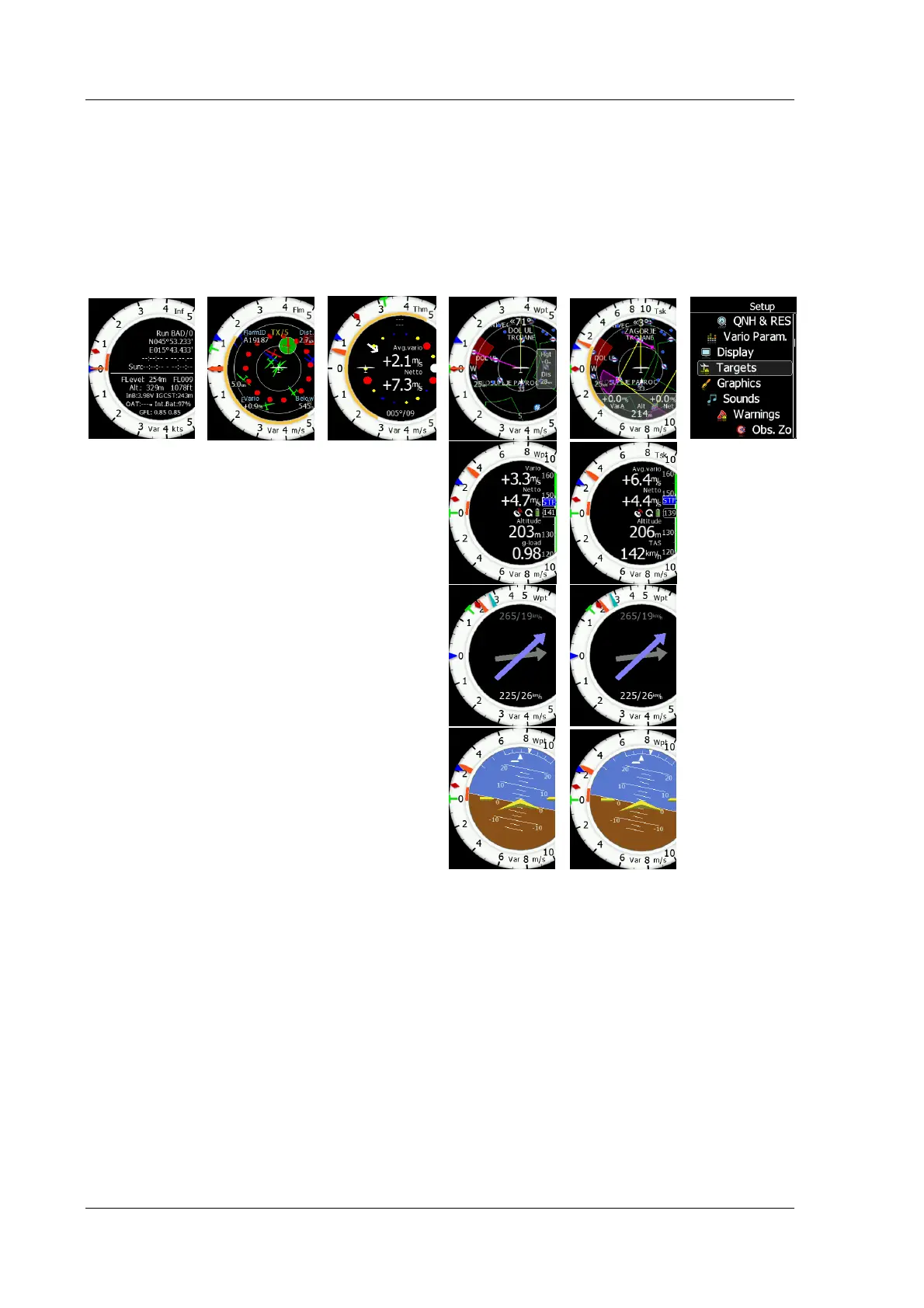
The LXNAV S8x/S10x has five operating modes. The middle (Menu) push button toggles
through the 5 display modes in a circular way. The diagram below shows the mode
structure of the LXNAV S8x. With the upper and lower buttons, it is also possible to move
between subpages.
• Info Mode: Contains the GPS data, Altitude, Battery and Sunset time, OAT.
• FLARM Mode: Showing FLARM targets in range (if a FLARM device is connected to the
GPS port).
• Thermal Mode: Showing a thermal assistant during circling (S8x only if a GPS source is
present).
• Waypoint Mode: Simple navigation screen to a waypoint plus subpages (S8x only if a
GPS source is present).
• Task Mode: Task screen showing the task and airspace plus subpages (S8x only if a
GPS source is present).
• Setup Mode: For all aspects of the setup of the S8x/S10x.



 To Next Page