Rev #37
Version 8.0
April 2021
Page 59 of 121
In this dialogue you can choose to show a line to the target and your track line together with
the colour from the pallet of 15 colours.
5.7.8.5.1 Show line to target
Check the dialogue box to display a line to the target.
5.7.8.5.2 Line to target
You can choose the colour of the target line from the pallet of 15 colours.
5.7.8.5.3 Show track line
Check the dialogue box to enable a line to the target.
5.7.8.5.4 Track line
You can choose the colour of the track line from the pallet of 15 colours.
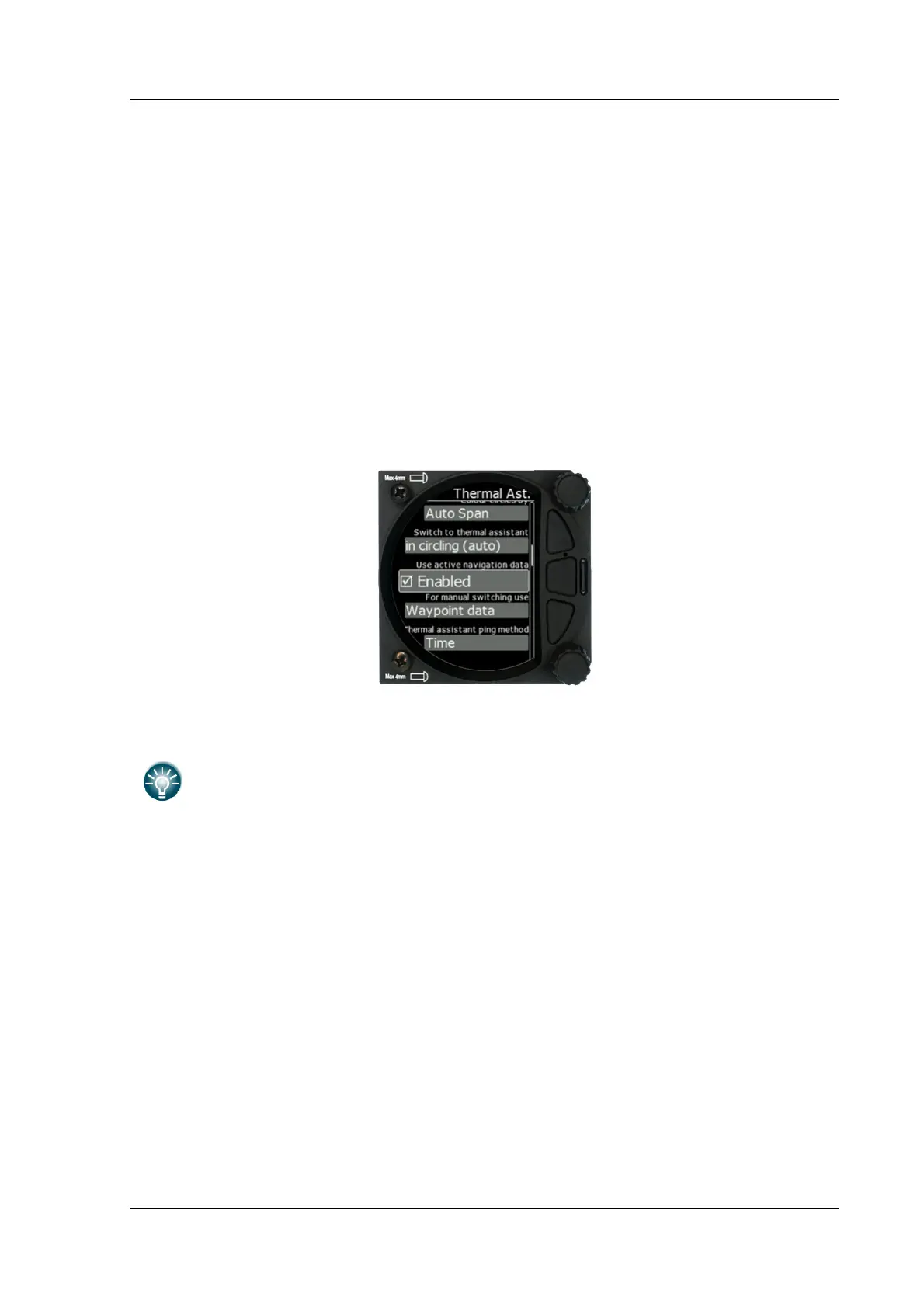
5.7.8.6 Thermal Assistant
5.7.8.6.1 Colour Circles By
There are three options for the thermal assistant: Auto Span, MacCready and Average Vario.
The colours in the thermal assistant indicate below average (blue), average
(yellow), above average (red) and the strongest point of thermal (white).
• If Auto Span is selected then the Thermal Assistant will use the average performance of
the last circle to calculate below, average and above average climb and indicate
accordingly i.e. red bubbles for strongest lift and blue dots for weakest lift or sink.
• If MacCready is selected then the Thermal Assistant will use the current MacCready
setting to show rate of climb below, MacCready and above the MacCready setting
• If Average Vario is selected then the Thermal Assistant will use the average vario for
the flight to show the rate of climb below average vario, average vario and above
average vario.
5.7.8.6.2 Switch to Thermal Assistant Mode
When in circling is selected the S8x/S10x will change to the Thermal Assistant mode
when the glider starts turning in a climb. It can change to the Thermal mode also if SC
mode is switched to Vario mode, if setting SC-VAR. switch is selected. If the box is
disabled the thermal assistant mode can be accessed manually.



 To Next Page