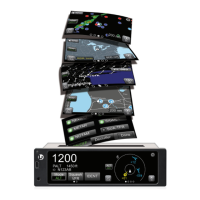
Lynx NGT-9000s
Installation Manual
List of Illustrations
Figure Page
1-1: Lynx NGT-9000s .............................................................................................................................. 1-1
1-2: Example of Own Aircraft UAT, 1090ES, and TAS Traffic ................................................................ 1-5
1-3: System Block Diagram..................................................................................................................... 1-8
2-1: Outline Dimensions for Panel Mount NGT-9000 ............................................................................. 2-4
2-2: Outline Dimensions for Mounting Rack ........................................................................................... 2-5
2-3: Interconnect Wiring Diagram ......................................................................................................... 2-10
2-4: Mating Connector (P1) and Pin Assignments ................................................................................ 2-13
2-5: P1 Mating Connector Assembly .................................................................................................... 2-14
2-6: Outline Dimensions for the Data Configuration Module (9230-17003-01) .................................... 2-15
2-7: Example of Assembled RF Cable .................................................................................................. 2-16
2-8: Coax Cable Preparation................................................................................................................. 2-17
2-9: Straight Coax Contact Shield Termination .................................................................................... 2-18
2-10: Right Angle Coax Contact Installation ......................................................................................... 2-18
2-11: Connector Assembly .................................................................................................................... 2-19
2-12: Panel Assembly ........................................................................................................................... 2-20
2-13: Example of Antenna Mounting Locations .................................................................................... 2-21
2-14: Directional Antenna Mounting Location ....................................................................................... 2-25
2-15: NY156 / NY164 Directional Antenna Outline Dimensions ........................................................... 2-26
2-16: Antenna Mounting Holes ............................................................................................................. 2-28
2-17: Directional Antenna Installation ................................................................................................... 2-28
3-1: Transponder/Traffic Screens ........................................................................................................... 3-1
3-2: Maintenance Application Tool – Main Page .................................................................................... 3-4
3-3: Lynx MAT – Main Screen ................................................................................................................ 3-4
3-4: Lynx MAT – Restart Unit .................................................................................................................. 3-5
3-5: Activate Maintenance Mode Window ............................................................................................... 3-6
3-6: Maintenance Mode Screens ............................................................................................................
3-6
3-7: Lynx MAT – WiFi Accessory ............................................................................................................ 3-7
3-8: Lynx MAT – Check Versions .......................................................................................................... 3-8
3-9: Lynx MAT –Aircraft Specific Options ............................................................................................. 3-10
3-10: Lynx MAT – I/O Options – AHRS and Altitude ............................................................................ 3-13
3-11: Lynx MAT – I/O Options – Misc ................................................................................................... 3-14
3-12: Lynx MAT – Configuration - Backup ............................................................................................ 3-16
3-13: Lynx MAT – Setup - Calibration ................................................................................................... 3-17
3-14: Lynx MAT – Info – Fault Log ........................................................................................................ 3-18
3-15: Lynx MAT – Live Data - Inputs .................................................................................................... 3-19
3-16: Lynx MAT – Live Data - GPS ....................................................................................................... 3-20
3-17: Lynx MAT – Live Data - GPS ....................................................................................................... 3-21
3-18: Lynx MAT – Live Data - Simulate ................................................................................................ 3-22
3-19: Examples of Start-up Screens ..................................................................................................... 3-24
3-20: Example of Normal Operation ..................................................................................................... 3-24
3-21: Example of Flight ID Input Screen ............................................................................................... 3-24
3-22: Example of System Test Results ................................................................................................. 3-25
3-23: Options Screen… ......................................................................................................................... 3-26
3-24: Lynx MAT – Ground Test ............................................................................................................. 3-28
Page viii 0040-17001-01
January 15, 2015 Revision A


 To Next Page
 Loading...