169441 174 Revision D
Timed double-knife headers:
NOTE:
The procedure is the same for both ends of a timed double-knife header. Images shown are for the left end—the right end
is opposite.
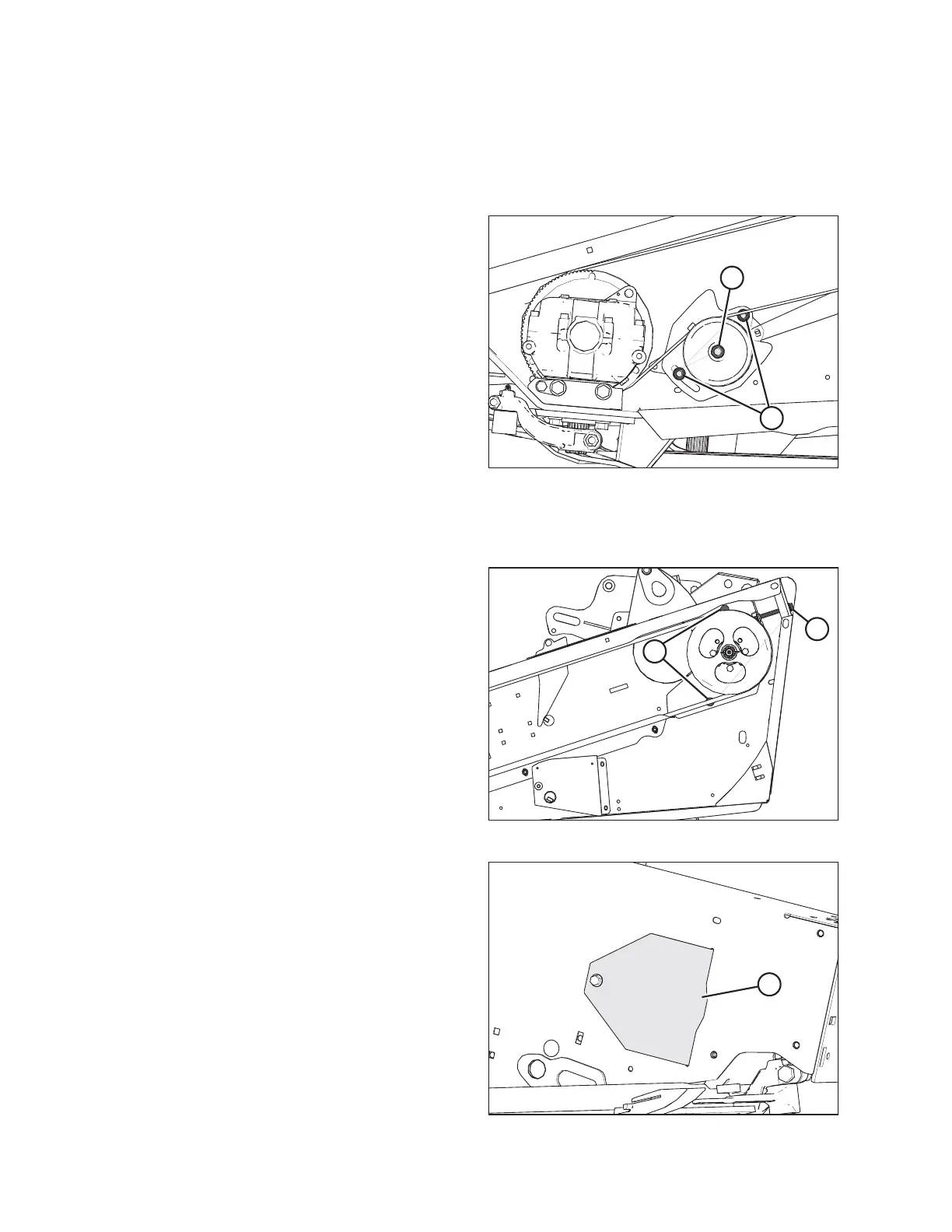
Figure 4.109: Timed Double-Knife Drive
3. Loosen two nuts (A) on the belt idler bracket to relieve the
belt tension.
4. Loosen nut (B) on the idler pulley and slide the idler down
to loosen the belt.
5. Proceed to Step 8, page 174.
Single and untimed double-knife headers:
Figure 4.110: Single and Untimed Double-Knife Drive
6. Loosen two bolts (A) securing the motor assembly to the
header endsheet.
7. Loosen the belt tension by turning tensioning bolt (B)
counterclockwise.
Figure 4.111: Access Cover
8. Open access cover (A) on the endsheet behind the
cutterbar to provide clearance between the knife drive box
pulley and the endsheet.
MAINTENANCE AND SERVICING



 To Next Page