169441 218 Revision D
Installing Reel Drive Sprocket – D50
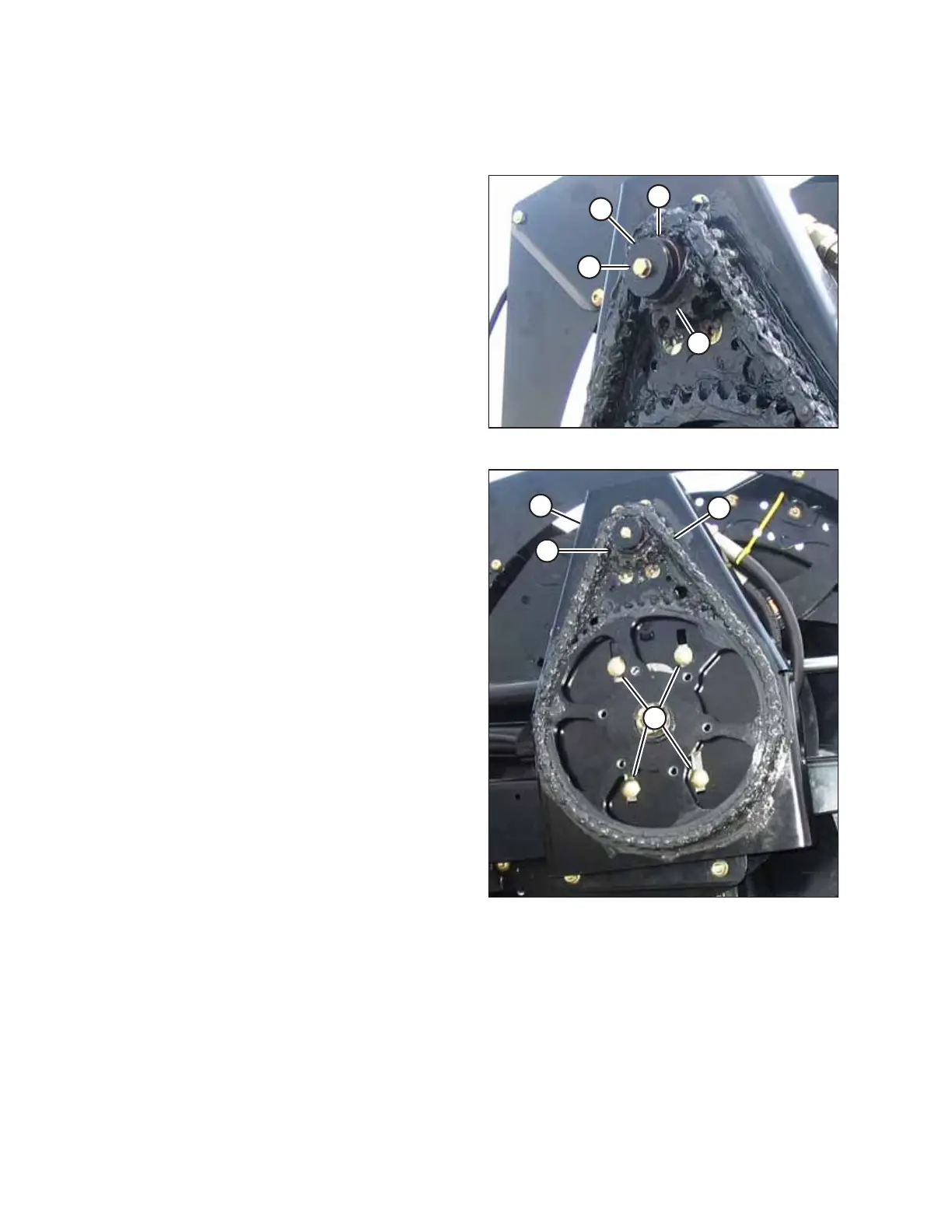
The reel drive sprocket is attached to the reel drive motor.
Figure 4.195: D50 Reel Drive
1. Align the keyway in sprocket (D) with the key on the motor
shaft, and slide the sprocket onto the shaft.
2. Secure sprocket (D) with flat washer (C), lock washer (B),
and bolt (A).
3. Torque the hardware to 24 Nm (18 lbf∙ft).
Figure 4.196: D50 Reel Drive
4. Install drive chain (C) onto drive sprocket (D).
5. Slide the motor and motor mount (B) up until required
tension is achieved. The tension on chain (C) should be such
that hand force deflects the chain 3 mm (1/8 in.) at
mid-span.
6. Tighten bolts (A) to 102 Nm (75 lbf∙ft).
7. Reinstall the drive cover. For instructions, refer to Installing
Reel Drive Cover, page 204.
MAINTENANCE AND SERVICING



 To Next Page