3030226 Rev. D 2-11 Installation And
Initial System Start-Up
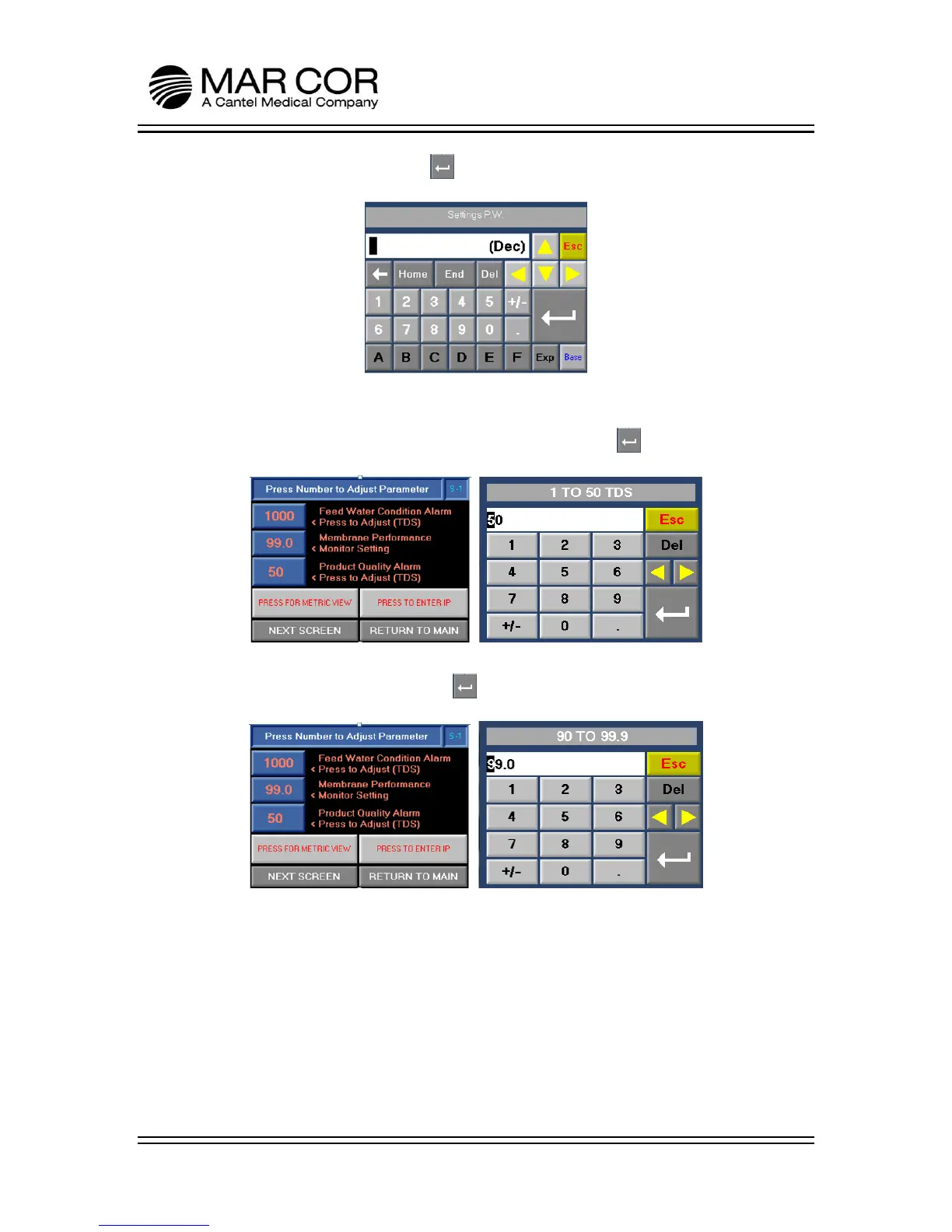
28. Enter a value of 999 and press to access the alarm set point screens.
29. Press the PRODUCT QUALITY ALARM. Once in the set point screen, set the
alarm set point per facility protocol or if no protocol exists, set at two times the
steady state operating TDS (µS). Once complete, press .
30. Press MEMBRANE PERFORMANCE and input the operational % Rejection noted
in step 14. Once complete, press .



 To Next Page