3030226 Rev. D 3-5 System Operation
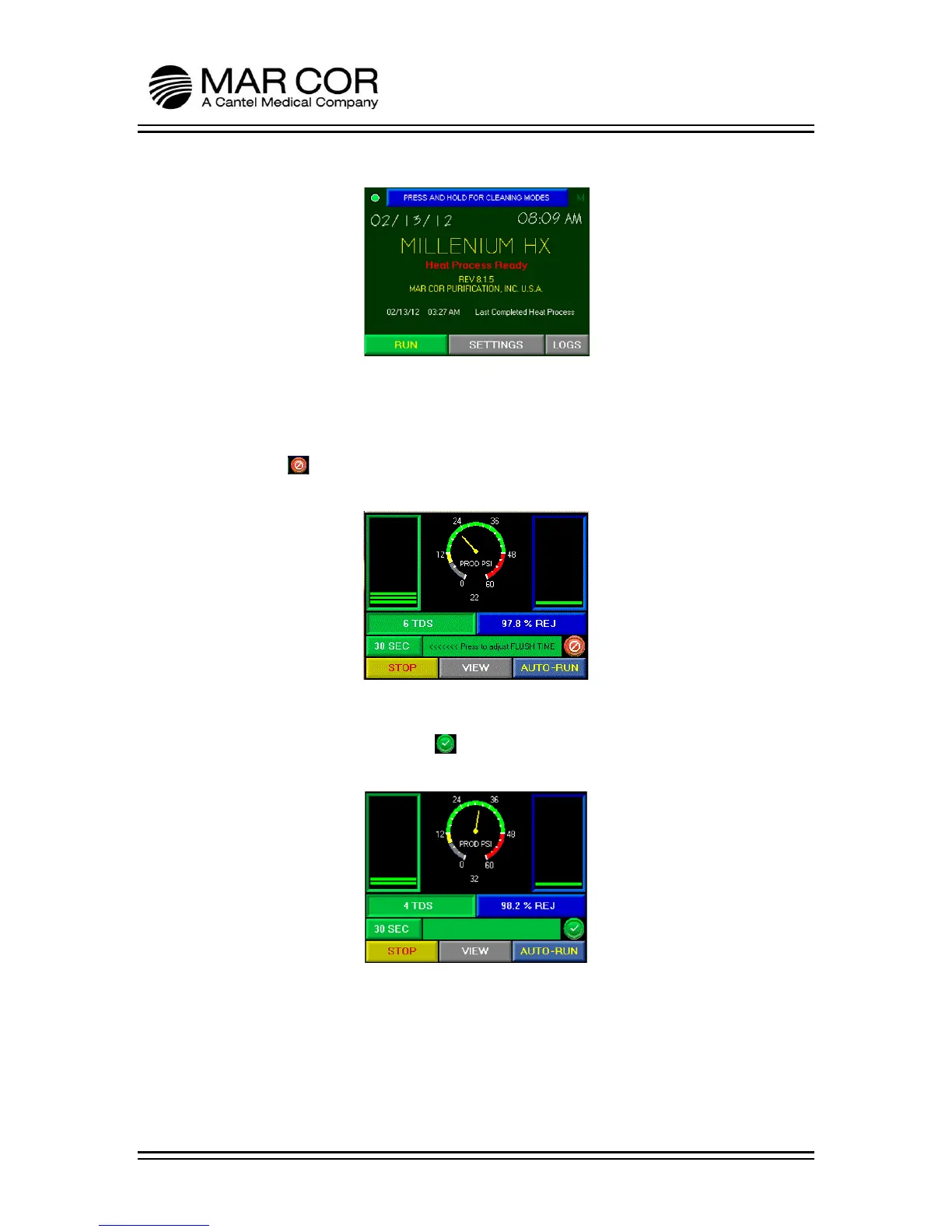
5. Press the RUN button.
6. The RO will start in a flush and divert mode where the product water is diverted
internally to the storage tank. The machine will operate in this flush for the
specified time indicated on the RUN screen. The RO will not come out of divert
mode until the flush is complete and the water quality is below the alarm set
point. The symbol in the lower right hand side of the display indicates the
machine is in divert mode.
7. After the RO startup flush is complete and the product water is below the alarm
set point, the divert valve will open and start supplying product water through
the product water line. The symbol in the lower right hand side of the
display indicates the machine is supplying water to the product water line.
8. Let RO run for 15 minutes from when the start button was pressed to ensure
pre-RO devices are flushed. Test pre-RO devices to ensure they are operating
within specifications.



 To Next Page