Catch Sensors | V1 | Sensor Configuration
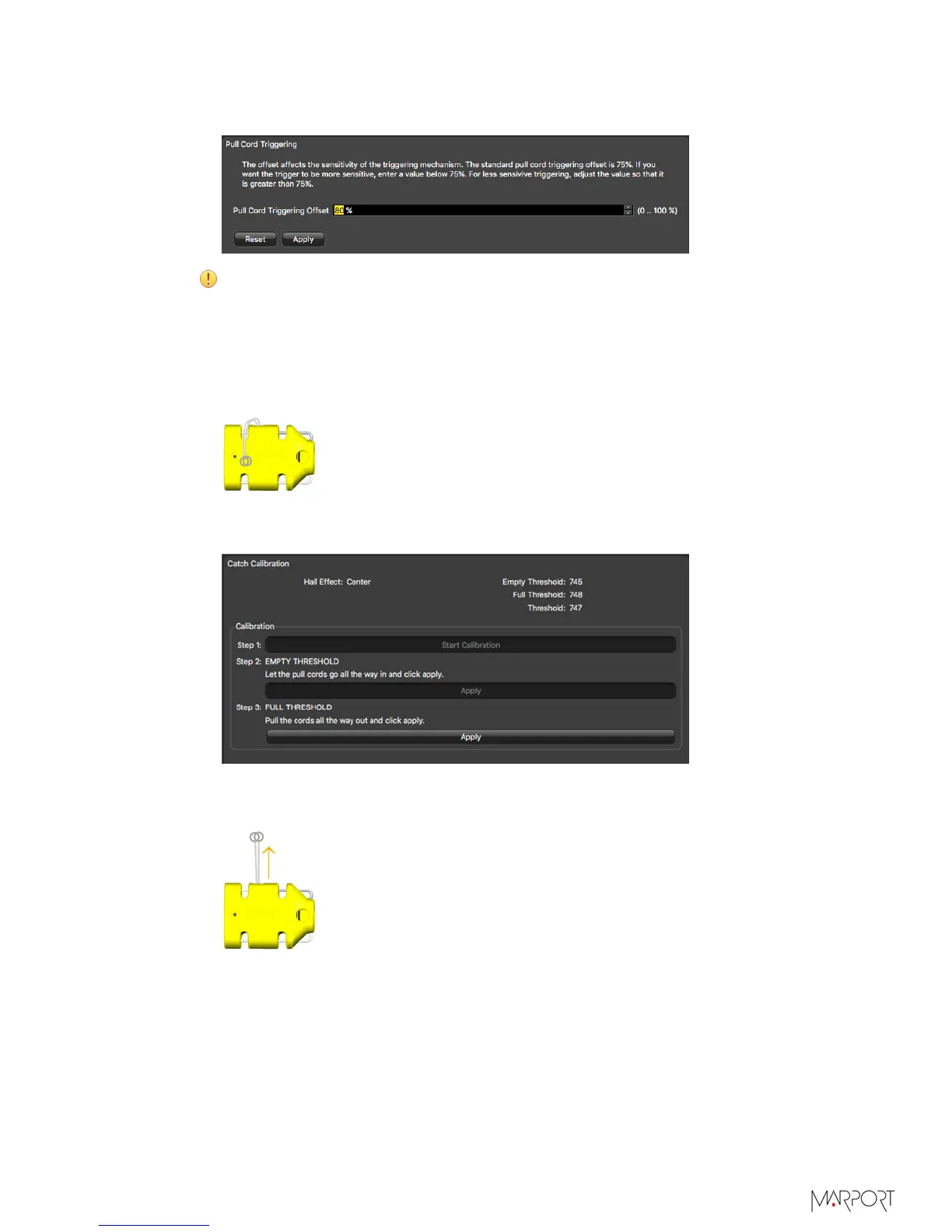
• Enter a value above 75% if you want the catch status to become full only when the
cords are fully extended.
Important: For proper operation, do not set the percentage below 65% or
above 85%.
4.
To calibrate the catch sensor, from the tab Catch, click Catch Calibration.
5.
Click Start Calibration.
6.
To calibrate the sensor for the empty status:
a)
Let the cords hang loose.
b)
From Step 2: EMPTY THRESHOLD, click Apply.
After a few seconds, the Apply button becomes gray.
7.
To calibrate the sensor for the full status:
a)
Pull and hold the cords as far as possible.
b)
At the same time, click Apply from Step 3: FULL THRESHOLD.
| 23



 To Next Page