Catch Sensors | V1 | Sensor Configuration
Testing Measures
You can test the measures taken by the sensor (e.g. battery level, temperature) to check
that there are no faults.
Before you begin
The sensor is connected to Mosa.
Procedure
1.
From Mosa, click Menu > Expert Mode and enter the password copernic.
2.
Click the tab General.
3.
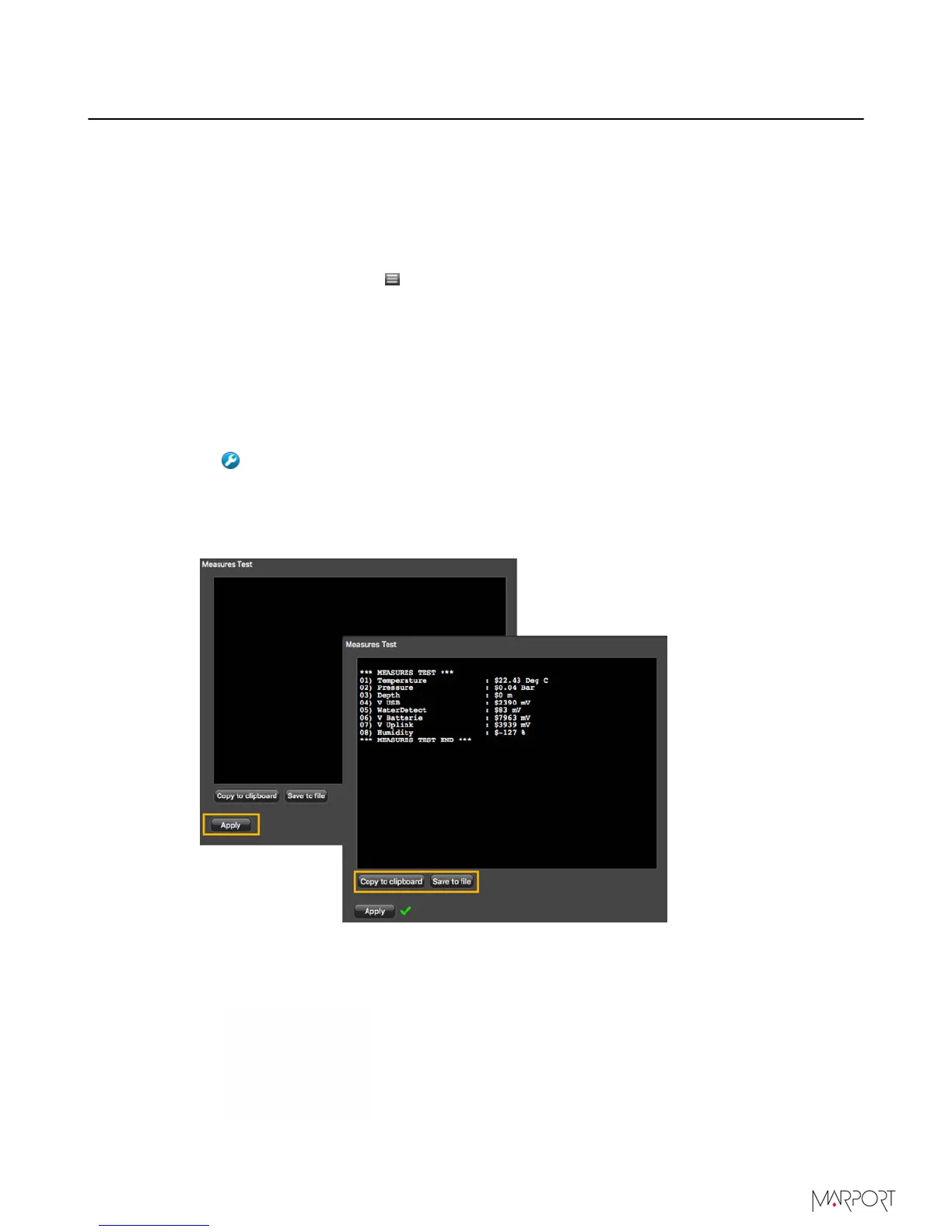
From Measures Test, click Apply.
The measures taken by the sensor are displayed.
4.
Check the following measures:
• The temperature is consistent with the sensor environment.
• The depth is between -1 and 1m.
• The battery is between 6.8V and 8.4V.
Troubleshooting: If depth is incorrect, you can put an offset from Depth>
Depth Offset.
The other measures are useful only for the support service.
5.
To save the test on your computer:
•
Click Save to file to download the file.
•
Or, click Copy to clipboard then press Cmd + V on a word processor like Microsoft
Word to paste the contents.
| 37



 To Next Page