Catch Sensors | V1 | Sensor Configuration
level when signals travel toward deeper targets. The end result is to compensate
sounding attenuation and therefore to show a same target strength for a same
target at different depths.
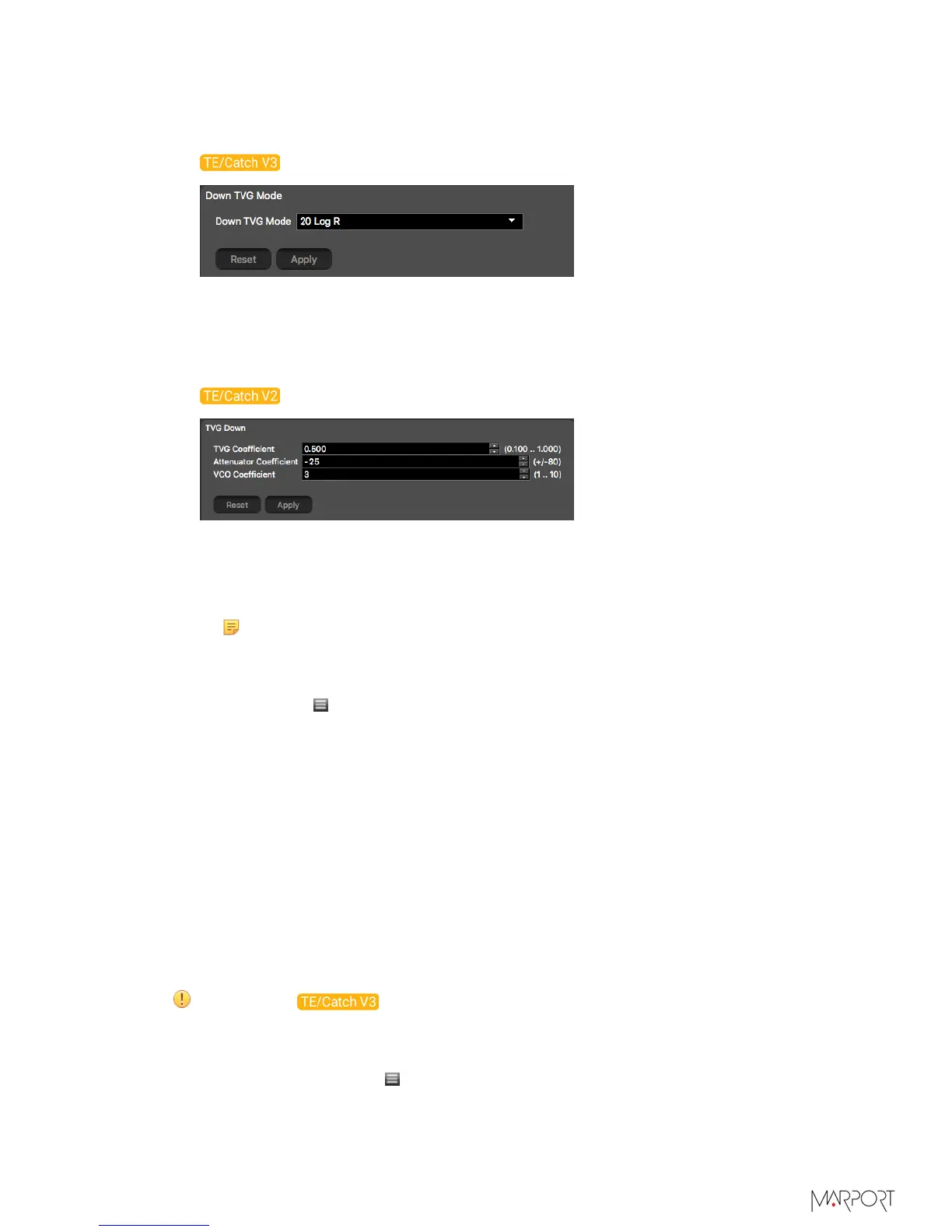
For V3 version of sensors:
• 20 log: better target strength for the bottom or a school of fish (recommended for
Catch Explorer sensors).
• 40 log: better target strength for individual targets.
• 30 log: compromise between the two above settings.
For V2 versions of sensors:
•
From TVG Coefficient, enter between 0.500 and 0.520 to have approximately the
equivalent of 20 log (recommended for Catch Explorer sensors), 0.75 for 30 log or 1
for 40 log.
•
From Attenuator Coefficient, enter between -15 and -25.
Note: This coefficient is specific to Catch Explorer sensors.
•
Leave VCO Coefficient default settings at 3.
9.
You can add a delay to the update of data to increase battery lifetime:
a)
Click Menu > Expert Mode and enter the password copernic.
b)
From Delay Prp, enter a delay between 1 and 5 seconds.
Configuring the Noise Floor
Even when the sensor is in a silent environment, a small level of noise is detected.
You need to measure this level of noise so that the sensor ignores it when operating,
otherwise it could have effects on the echogram.
Before you begin
The sensor is connected to Mosa.
About this task
It is recommended to measure the noise floor in water.
Important: Configure the noise floor before calibrating the sensor.
Procedure
1.
From Mosa, click Menu > Expert Mode and enter the password copernic.
| 27



 To Next Page