Catch Sensors | V1 | Servicing and Maintenance
18.
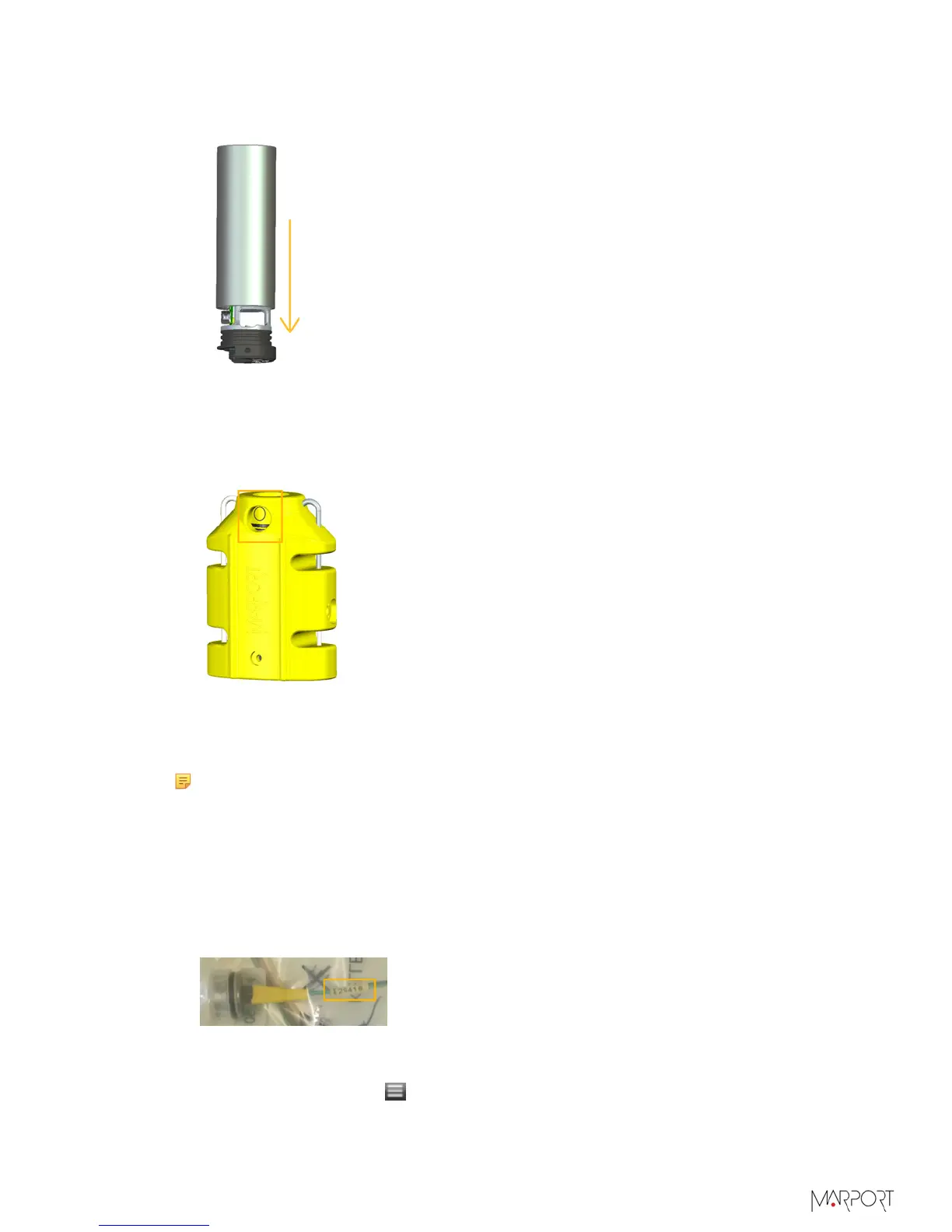
To insert the bottle back in the black tube, place the bottle on the ground and push the
black tube. The side of the tube that has a small curve goes first.
19.
Inspect and clean the retainer ring groove, then put back the retainer ring around the
transducer.
20.
Put back the housing around the bottle. The circle on the transducer must be on
the side of the housing that has no "UP" writing, and must be aligned to the round
opening in the housing.
Updating the Depth Coefficients
About this task
Note: Marport offices only
Procedure
1.
Go to the DealerWeb page: https://dealerweb.marport.fr/Default.aspx and select
Sensors> A1.
2.
From the search box on the right, enter the product serial number of the sensor.
3.
From the part Keller Depth Sensor, click Edit.
4.
Type the new pressure sensor product serial number and click Save.
5.
Click Download Depth Programmer.
6.
Connect the sensor to Mosa.
7.
From Mosa, click Menu
> Expert Mode and enter the password copernic.
| 83



 To Next Page