Catch Sensors | V1 | Sensor Configuration
2.
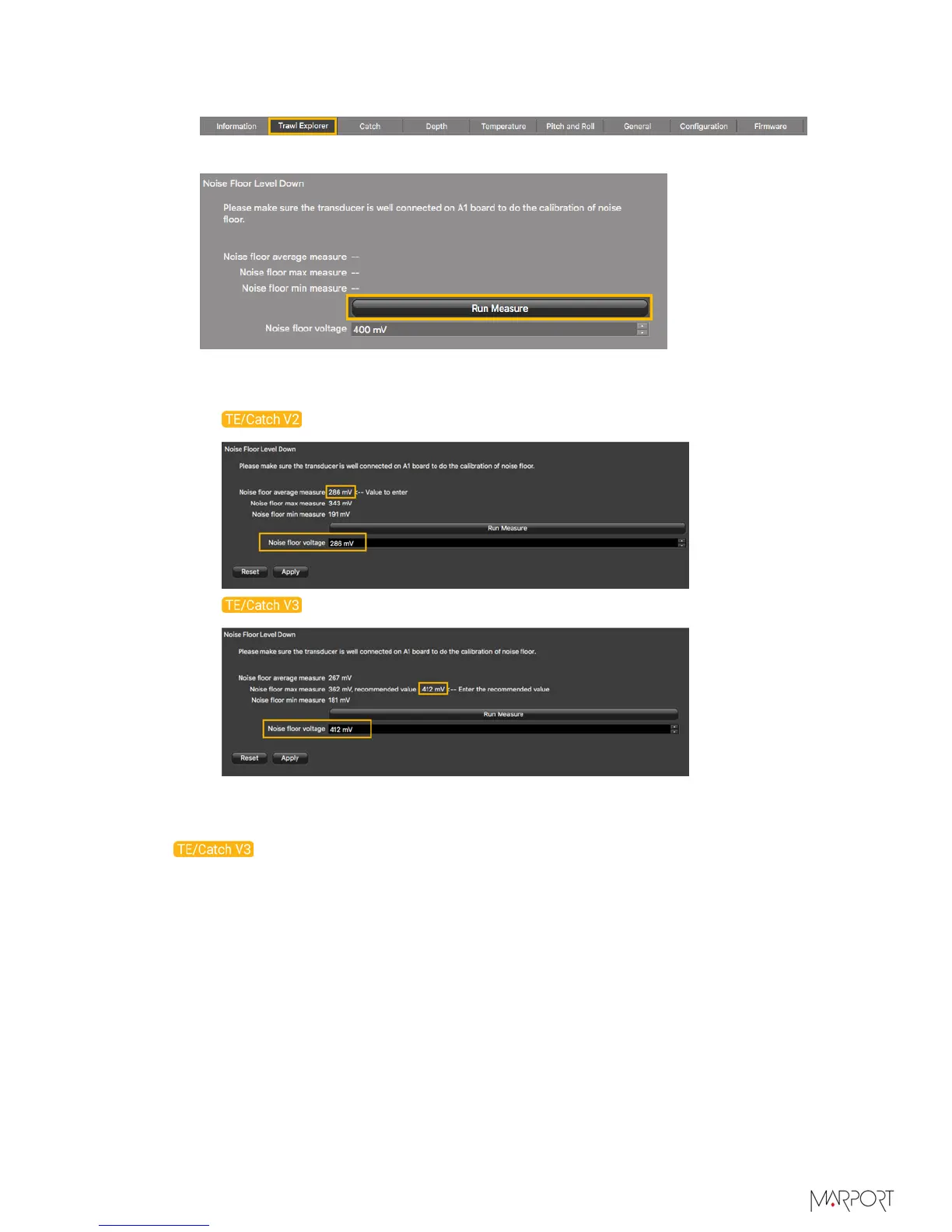
Click the tab Trawl Explorer.
3.
From Down Noise Floor Level click Run Measure.
The noise floor average, max and min measures are displayed.
4.
In Noise floor voltage, enter:
•
For V2 version, the average measure.
•
For V3 version, the recommended value next to the max. measure.
Calibrating the Sensor for Target Strength Value
For V3 version of the sensor, you need to calibrate the sensor to offset the variability
of the sensor transducer and of sound transmission. The aim is to have all sensors
displaying the same target strength value (echogram color) for a given target.
Before you begin
• Make sure you have correctly configured the sensor settings, especially the noise floor
level, TVG mode, ping length and sounding frequency.
• If you change the ping length or frequency on a calibrated sensor, you need to
calibrate it again.
• You can calibrate the sensor with or without the housing on.
| 28



 To Next Page