Catch Sensors | V1 | System Configuration and Display
System Configuration and Display
Read this section to learn how to configure the receiver to be able to receive and display
catch sensor data.
Adding the Sensor to the Receiver
You need to add the sensor to the receiver in order to display its data on Scala.
Firmware Receiver version Scala version
Catch all all
TE/Catch V2 04.02.02 or later 01.00.04 or later
TE/Catch V3 04.02.28 or later 01.02.05 or later
Adding the Sensor with a Configuration File
You can add the sensor to the receiver with a configuration file that contains the sensor
settings you configured on Mosa.
Before you begin
You have exported an xml file containing the sensor settings (See Exporting Sensor
Configuration for Receiver on page 41.
Important: You need to have Firefox version 22 to 51.
Procedure
1.
Enter your receiver IP address in Firefox web browser to access the system control
panel web page.
2.
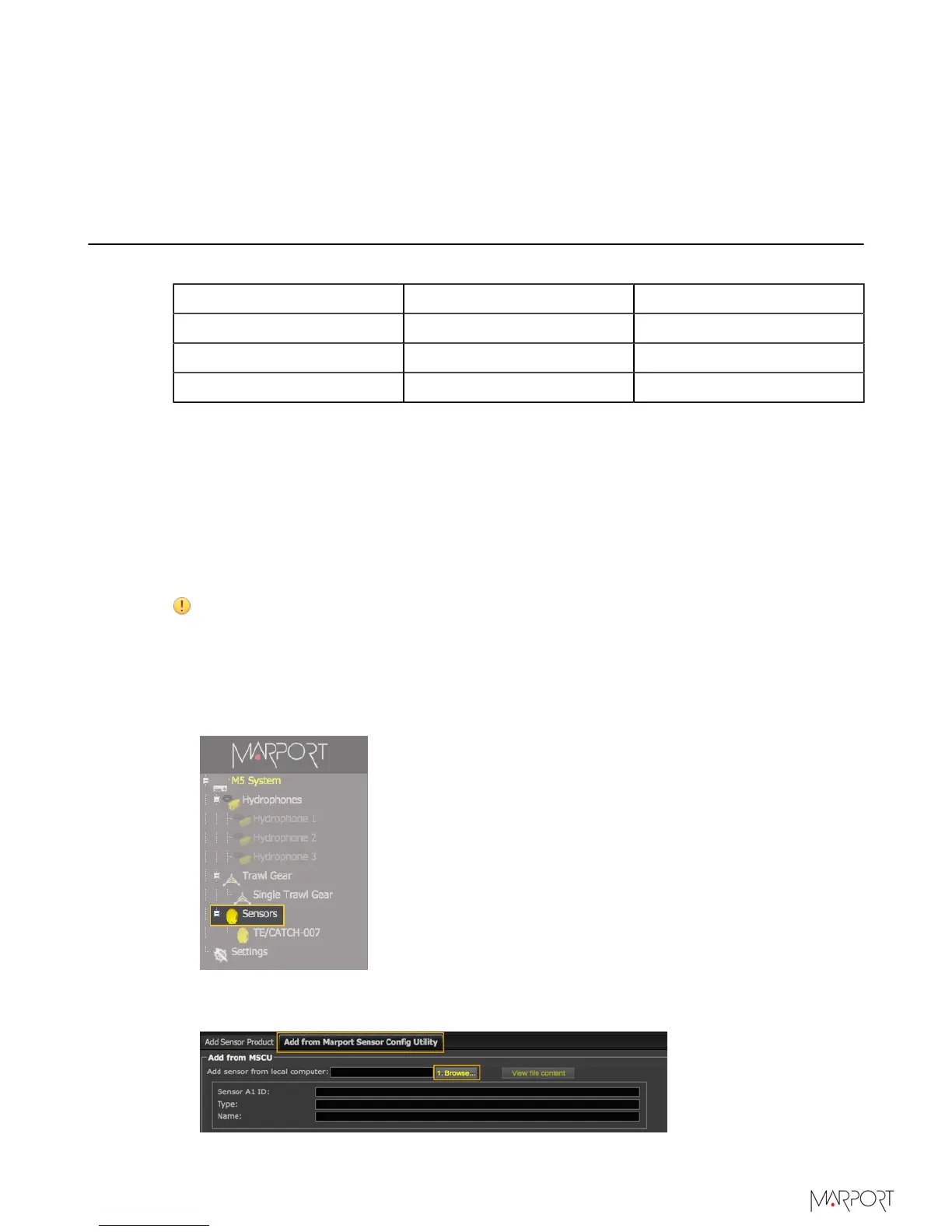
From the left side of the page, click Sensors.
3.
Click the tab Add from Marport Sensor Config Utility.
4.
Click Browse and select the XML file.
| 43



 To Next Page