Catch Sensors | V1 | Sensor Configuration
Procedure
1.
From Mosa, click Menu > Expert Mode and enter the password copernic.
2.
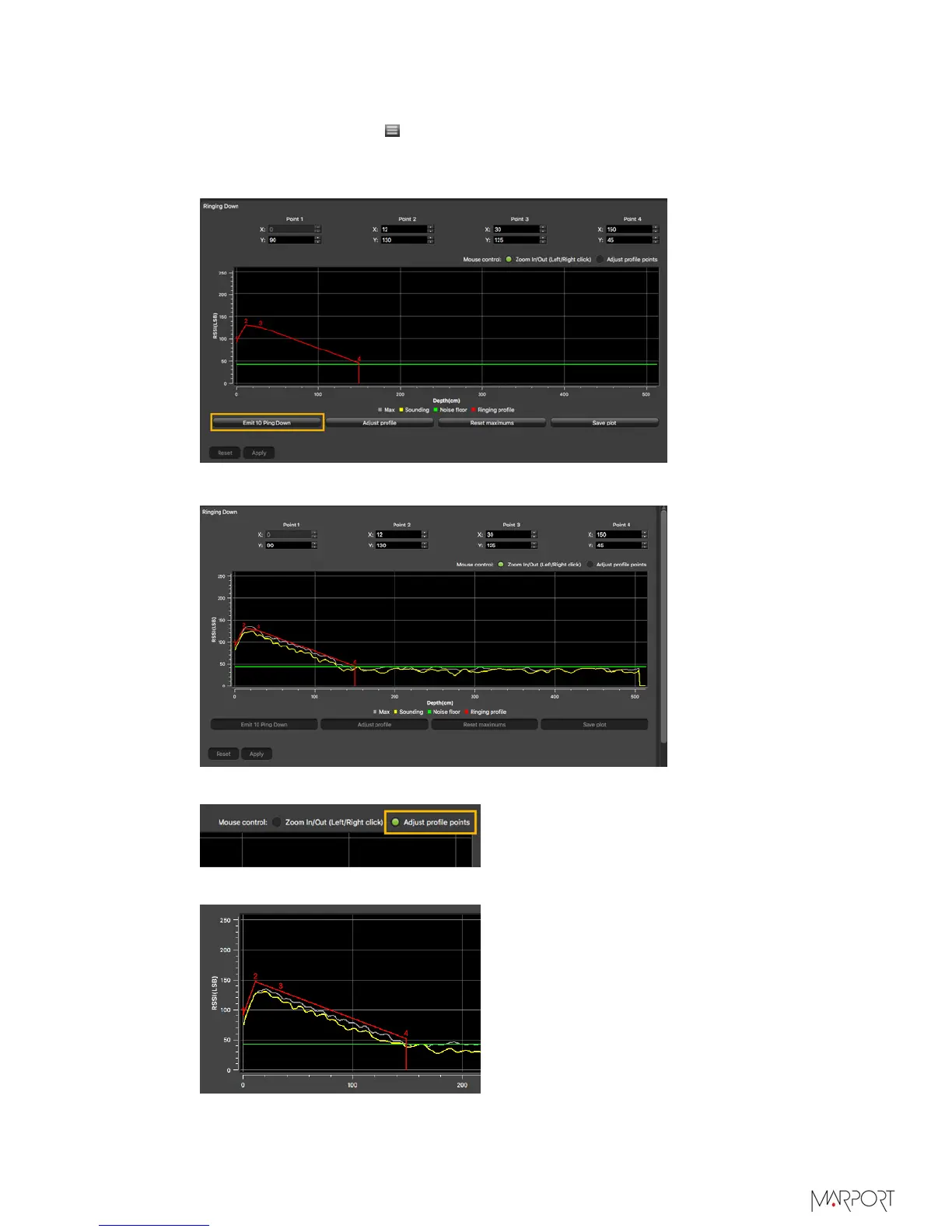
From the tab Trawl Explorer, click Ringing Down.
3.
Place the sensor in a large tank or in your office and click Emit 10 Ping Down.
The sensor emits 10 pings and you can see a curve on the graph.
4.
Select Adjust profile points on top of the graph.
5.
From the graph, click and drag red line points above the gray and yellow curves:
a)
The red line should follow the same curve.
| 32



 To Next Page