Catch Sensors | V1 | System Configuration and Display
6.
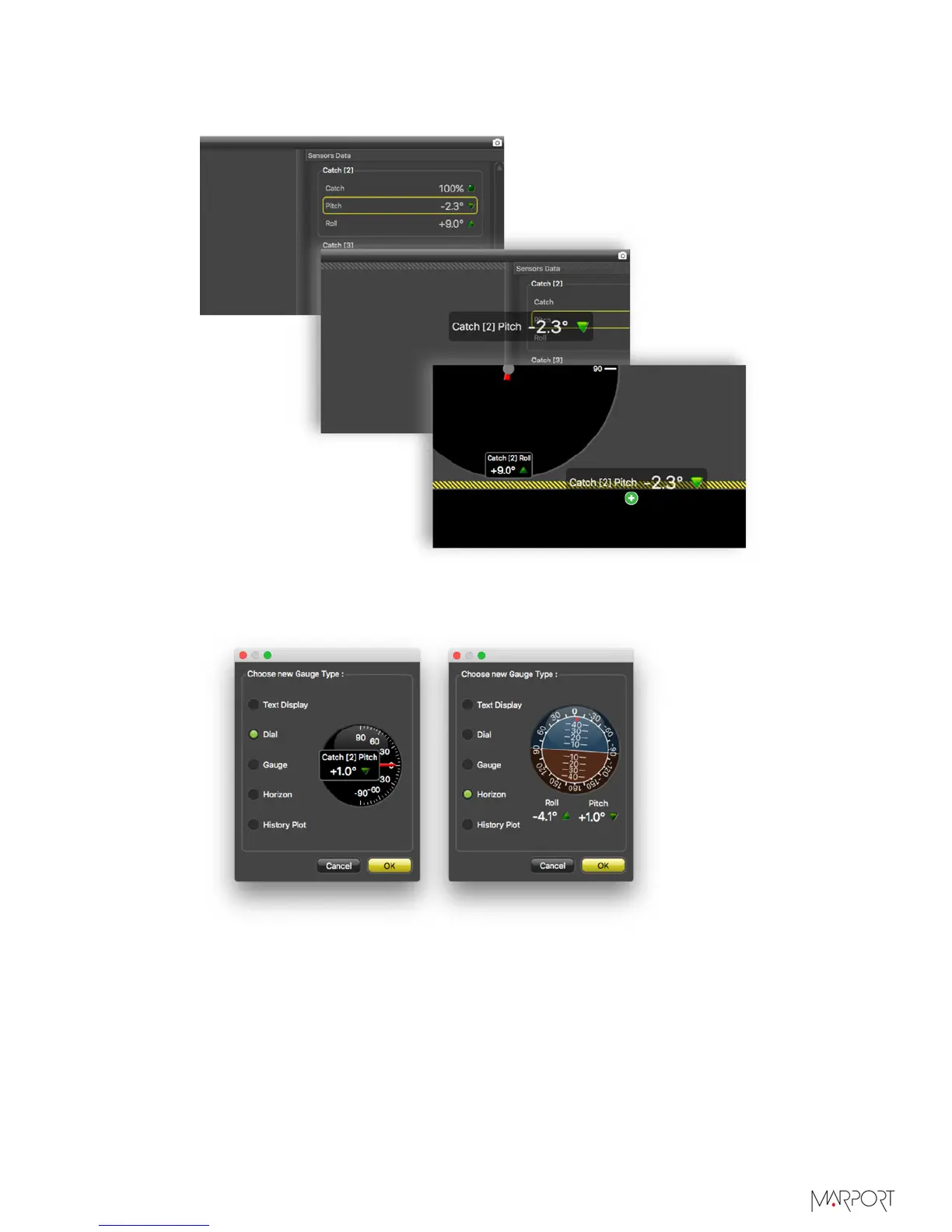
To display pitch and roll data, click + hold data for 3 seconds, until a rectangle
appears and drag it to a page in the middle of the screen.
From Choose new Gauge Type dialog box, select the type of display. You can for
example select Dial or Horizon.
| 53



 To Next Page