Matrox Extio 3 Series – User Guide 35
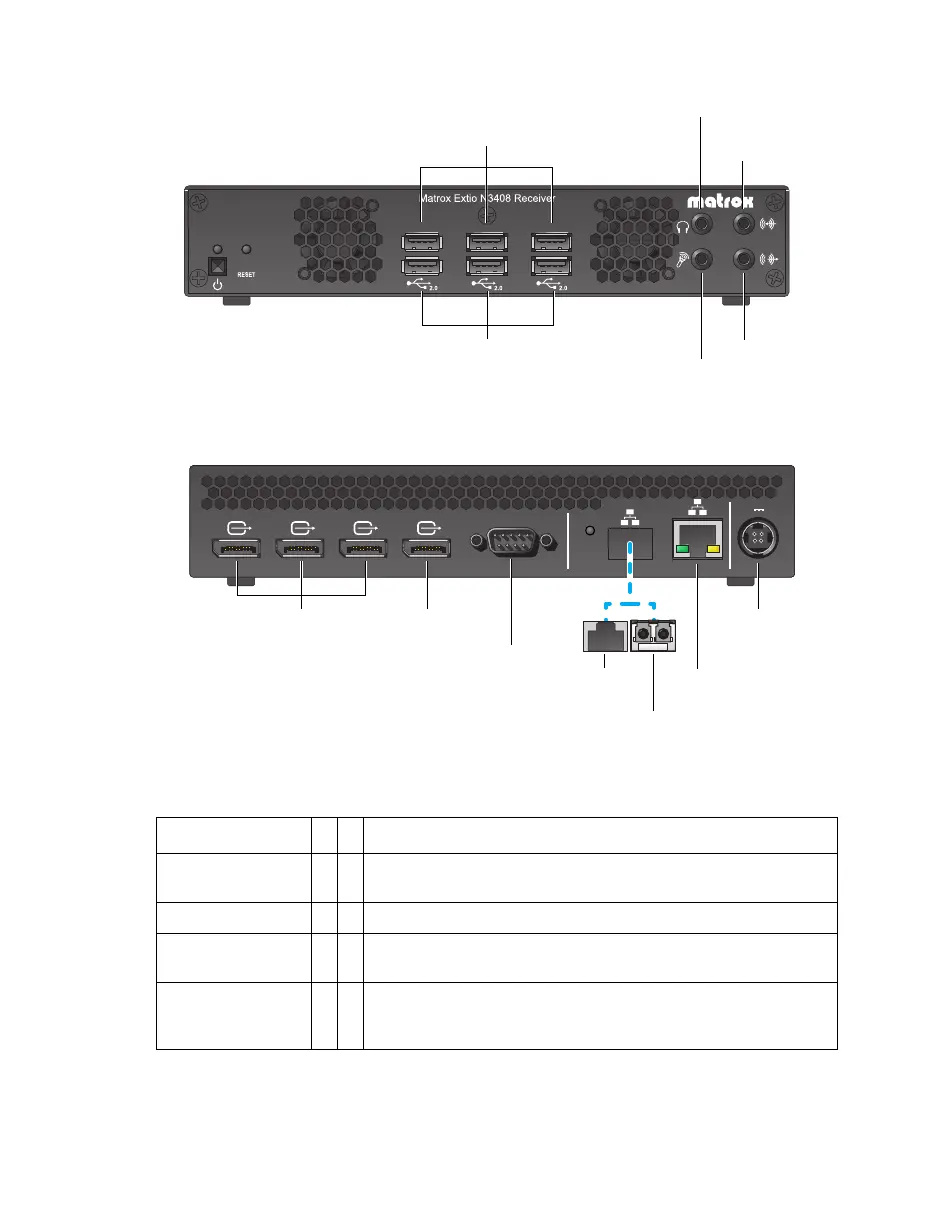
Extio N3408 receiver unit (Front)
Extio N3408 receiver unit (Back)
Description of supported connections
Connector
Tx
Rx
Description
12V d.c. 5A power
Connect the12V d.c. 5A power supply included with your product
to this connector.
Video In Connect your video source (graphics hardware) to this connector.
Video Out
Connect a digital monitor to this connector.
Headphone
Connect your headphones to this connector. This connector
supports a 3.5 mm stereo jack. While headphones are
connected, the
Line Out
connector remains enabled.
USB 2.0
Microphone
Headphone
Line Out
Line InUSB 2.0
RS232
2
1
SFP
DisplayPort 1.1 DisplayPort 1.1
1
2
12V
5A
DisplayPort 1.1 DisplayPort 1.2
3
4
12V d.c. 5A
power
Video Out
(DisplayPort 1.1)
RS232
Video Out
(DisplayPort 1.2)
LAN2
(RJ45)
LAN2
(LC-LC)
LAN1
(RJ45)



 To Next Page