TROUBLESHOOTING 10 - 2
D-MAXE with OI-TSwww.maxcessintl.com MI 2-292 1 C
Fehlersuche.fm
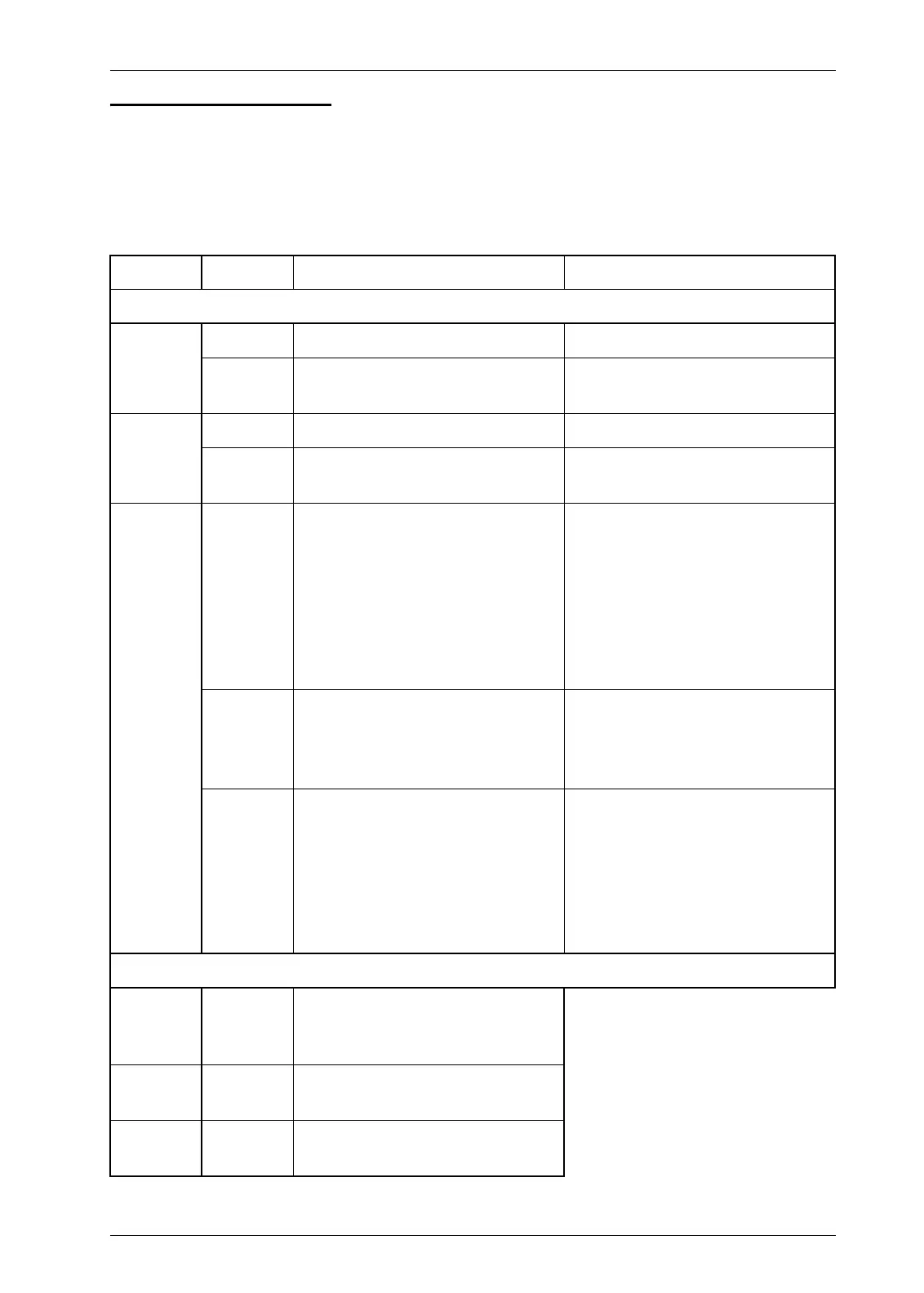
LEDs on the D-MAXE
Controller While the device is being turned on, the LEDs on the D-MAXE
Controller are lit red briefly. This makes it possible to check
their functionality. The LEDs indicate errors and/or show
information about normal operation of the D-MAXE Controller.
LED Status Indicates Remedy
Error messages
E1
(X2/1)
Off No Ethernet connection Check plug and cable
Yellow
10mbps connection or half-
duplex connection
Check switch and cable
E2
(X2/2)
Off No Ethernet connection Check plug and cable
Yellow
10mbps connection or half-
duplex connection
Check switch and cable
PR
Off No power supply
Are the power supplies correctly
connected to the X6?
See
Electrical connection, page
3‑6
Is a fuse blown?
See
Fuse replacement, page
10‑11
Red
Power supply voltage too low,
internal voltage outside tolerance
or internal temperature too high
Check voltages and/or
temperature
See
1y.9.1.7 Measured Values,
page 7‑27
Yellow No motor voltage
Check motor voltages;
See item 2 in
1y.9.1.7 Measured
Values, page 7‑27
Is a fuse blown?
See
Fuse replacement, page
10‑11
Information
E1
E2
Green or
Green
flashing
Ethernet connection detected
NW Green
External device was recognized
(e.g an operator interface OI-TS)
PR Green
Power supply and temperature
are OK



 To Next Page