HELIOS LED Processing Platform - USER GUIDE 31
Output Window
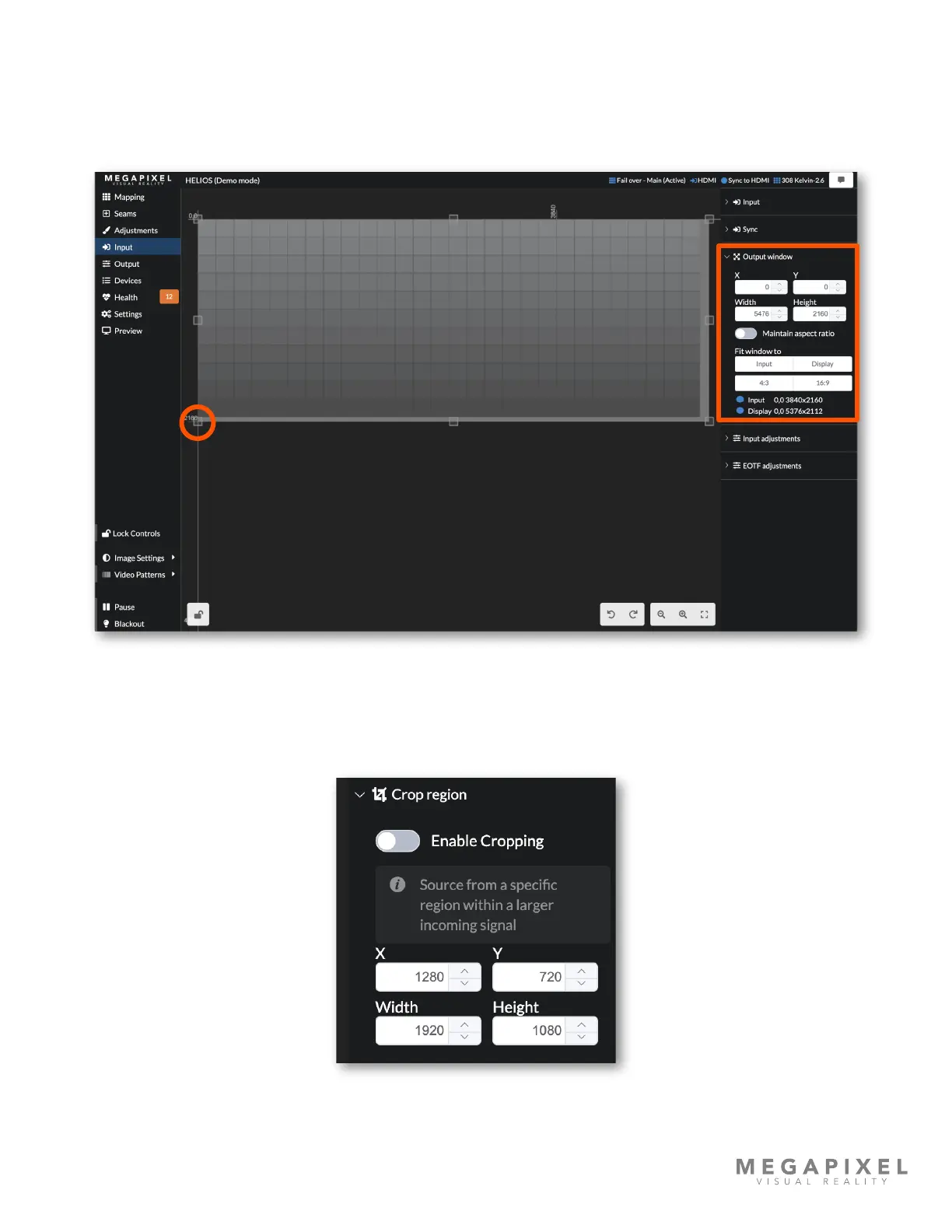
The input signal is contained within the output window (light grey region with small square handles). The output window
allows for sizing and positioning of the inbound video signal using the output window controls. Drag any of the handles
(circled below) on the edges of the window to manually resize or use the numerical elds to enter precise values.
Generally, the output window size should be set to the aspect ratio of the input signal to avoid distorting the picture.
Figure 35: Output window
Crop (Advanced)
To display only a portion of an input signal, use the crop function by enabling Advanced Mode under Settings →
Processor settings → Advanced. Toggle the Enable Cropping function ON and enter the size and position coordinates for
the crop box.
Figure 36: Crop region controls



 To Next Page