Envoy 2 E Series User Guide 20190805-30.docx || © 2019 MegaVoice Ltd. || Page 36 of 68
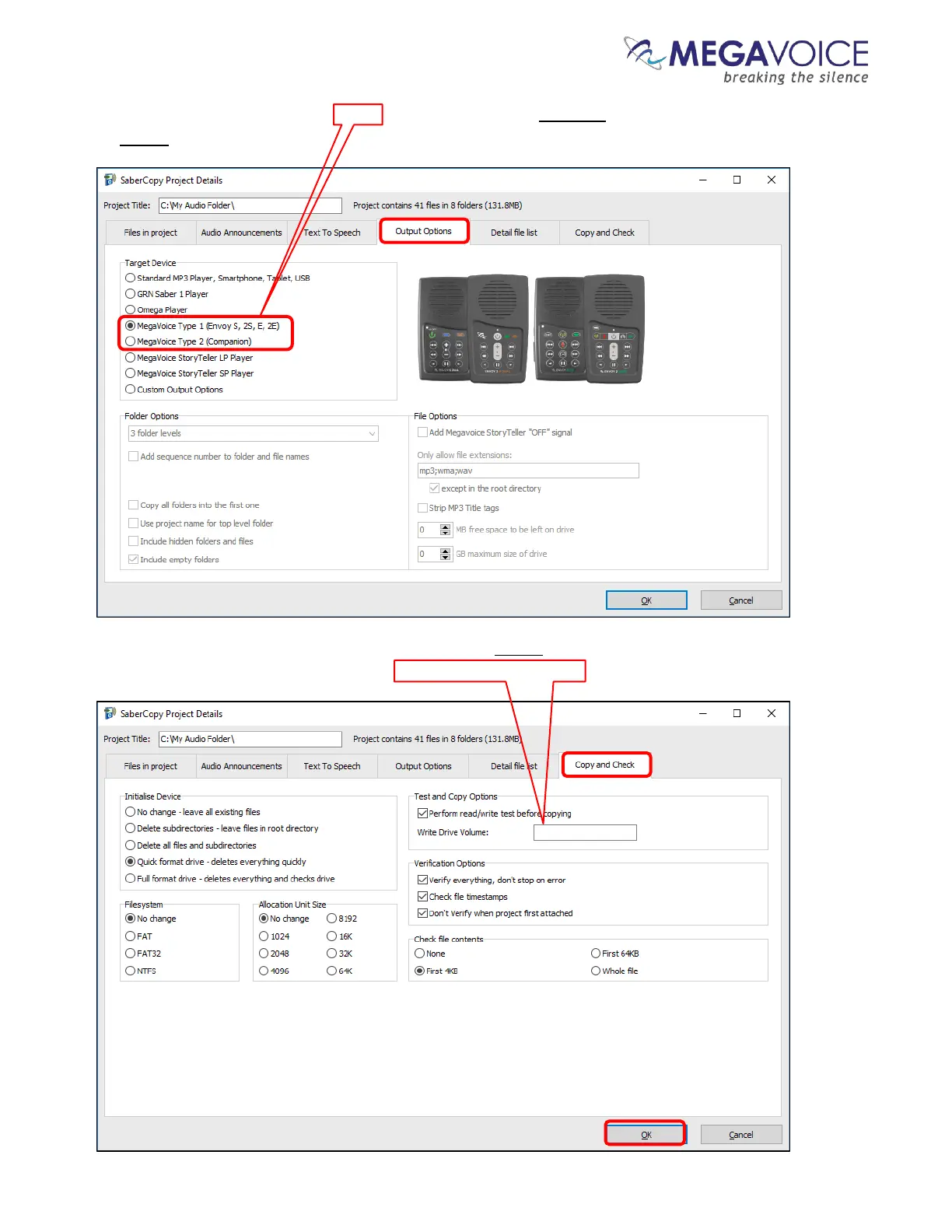
6. Click on the “Output Options” tab. Select MegaVoice Type 1 for Envoy 2 E. Make sure the remaining fields are
set exactly as in the image below.
7. Click on the “Copy and Check” tab and make sure it is set exactly as in the image below. Optionally, you can
name your player(s) by entering text in the “Write Drive Volume” field. Then click “OK”.



 To Next Page