3. Instrument Set up
Before each use of the instrument, visually inspect the instrument case, test leads and connectors to confirm their
condition is good, with no damaged or broken insulation
3.1 Warnings and exception conditions
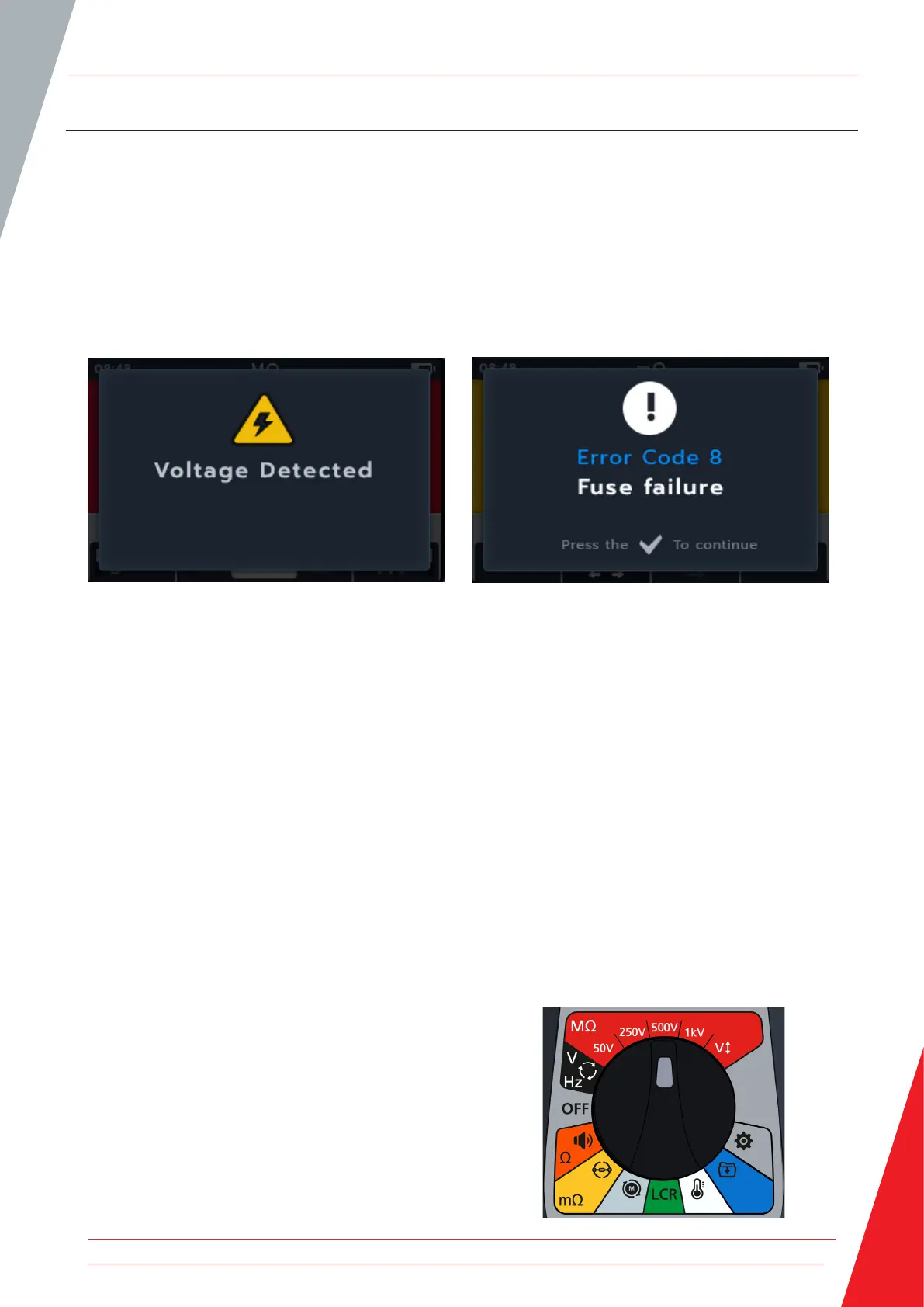
There are two types of alerts that interrupt the standard process, they are the warnings for an external condition alert
and the exception condition for an internal fault alert. The alert message is overlaid on the display screen with the
fault message. The images below are examples illustrating the two types of alerts:
Alert for dangerous external fault. Alert for internal fault.
c
3.2 Power
3.2.1 First use
NOTE: Before the MTR105 can be turned on the battery isolation tab must be removed.
1. Remove the battery cover.
2. Pull the battery isolation tab clear of the battery cells.
3. Replace cover.
For further details on accessing the battery panel, Refer to 15.4 Battery and Fuse Replacement on page 78.
For initial date and time set up, Refer to 14.2.3 Date on page 74 and Refer to 14.2.7 Time on page 75.
NOTE: If the MTR should lose the date and time setting, (for example if the batteries have been replaced and the
instrument has been without them for more than 3 minutes) the instrument will display a prompt screen when
turned on to enter the date and time details - this can appear anytime after first set up.
3.2.2 Turn the instrument on and off
1. Turn the instrument ON by turning the rotary switch away
from the OFF position to activate the instrument.
Instrument Set up
www.megger.com 11



 To Next Page