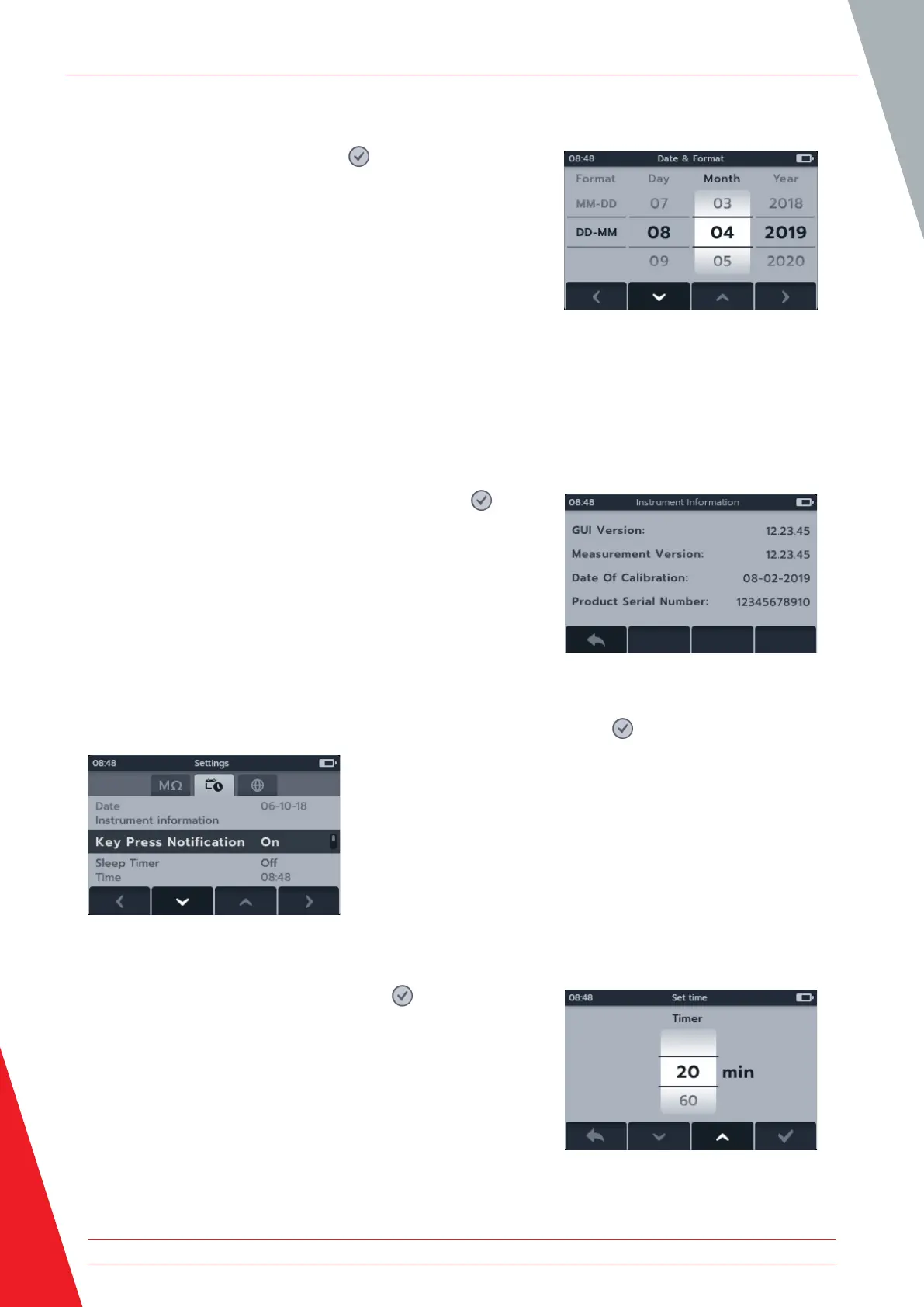
14.2.3 Date
1. Select Date press the tick button ( ).
2. Press soft key 2 and 3 to scroll through the date format.
3. Press soft key 4 to accept the format and move to the day.
4. Press soft key 2 and 3 to scroll through the day.
5. Press soft key 4 to accept the day and move to the month.
6. Press soft key 2 and 3 to scroll through the months.
7. Press soft key 4 to accept the month and move to the year.
8. Press soft key 2 and 3 to scroll through the year.
9. Press soft key 4 to accept and save the date.
10. Press soft key 1 to cancel and return to the previous menu at
any point.
14.2.4 Instrument information
1. Select instrument information press the tick button ( ).
2. The instrument information will display.
3. Press soft key 1 to return to the previous menu.
14.2.5 Key Press Notification
There are two options available for Key Press Notification. Press the tick button ( ) to toggle between ON and OFF.
14.2.6 Sleep timer
1. Select Sleep timer press the tick button ( ).
2. Press soft key 2 and 3 to scroll through the options.
3. Press soft key 4 to accept the selected setting.
4. Press soft key 1 to cancel and return to the previous menu.
Settings
74 www.megger.com



 To Next Page