7. DLRO Digital Low Resistance Ohmmeter
7.1 Manual single direction test
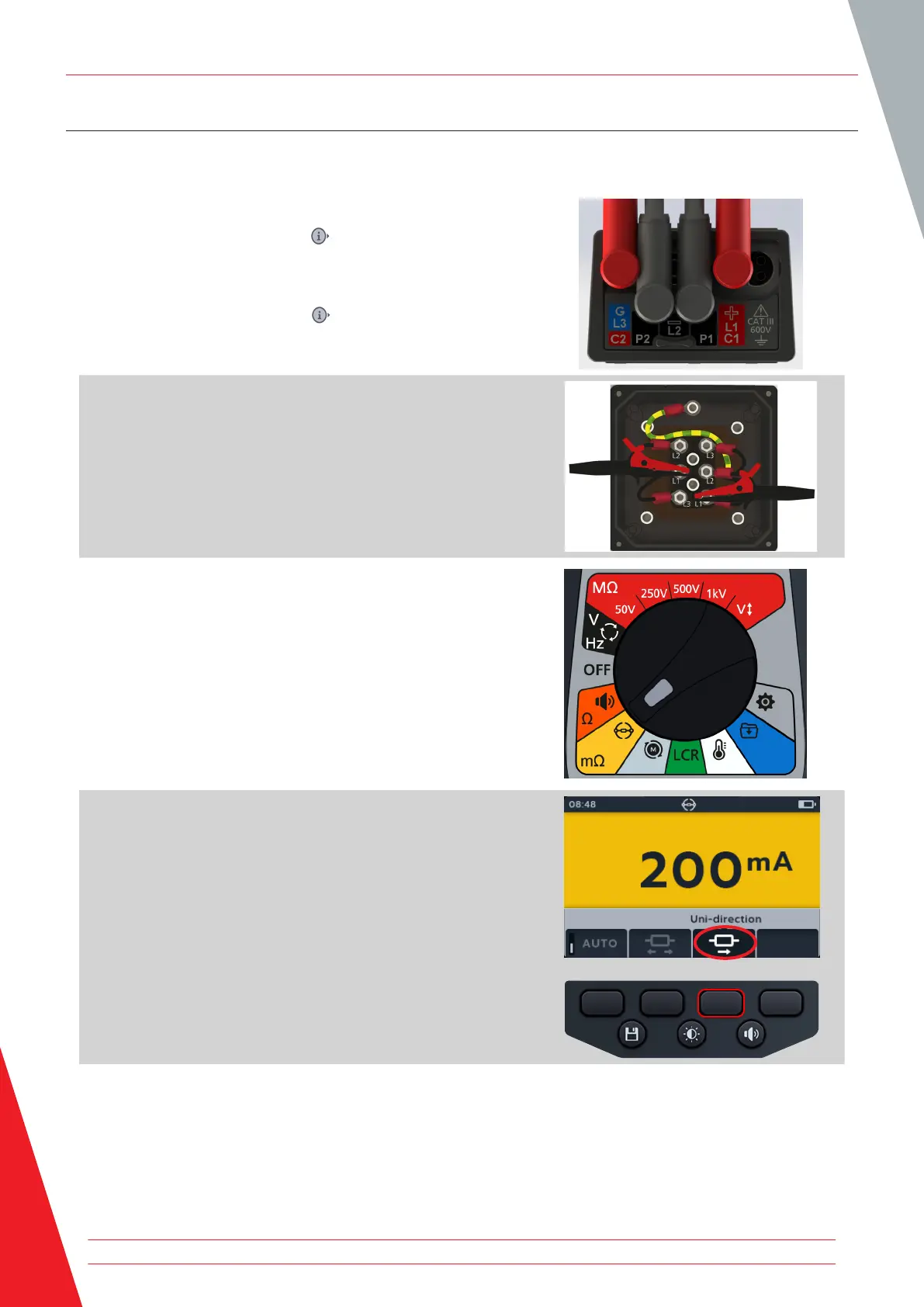
1. Connect the test leads to the MTR105.
1.1. Press the Information ( ) button to view the lead set
up diagram.
NOTE: When the diagram is displayed a test cannot be
performed. Press Information ( ) button to return to the test
screen.
2. Connect the test leads to the unit under test.
NOTE: The connection is for illustrative purposes only showing
winding resistance across phase 1.
3. Turn rotary switch to select the DLRO (mΩ) position.
4. Press soft keys 3 to choose the sub-mode uni-directional.
NOTE: The full title text of the sub-mode will appear in the
secondary field for a few seconds.
DLRO Digital Low Resistance Ohmmeter
38 www.megger.com



 To Next Page