12. Firmware update
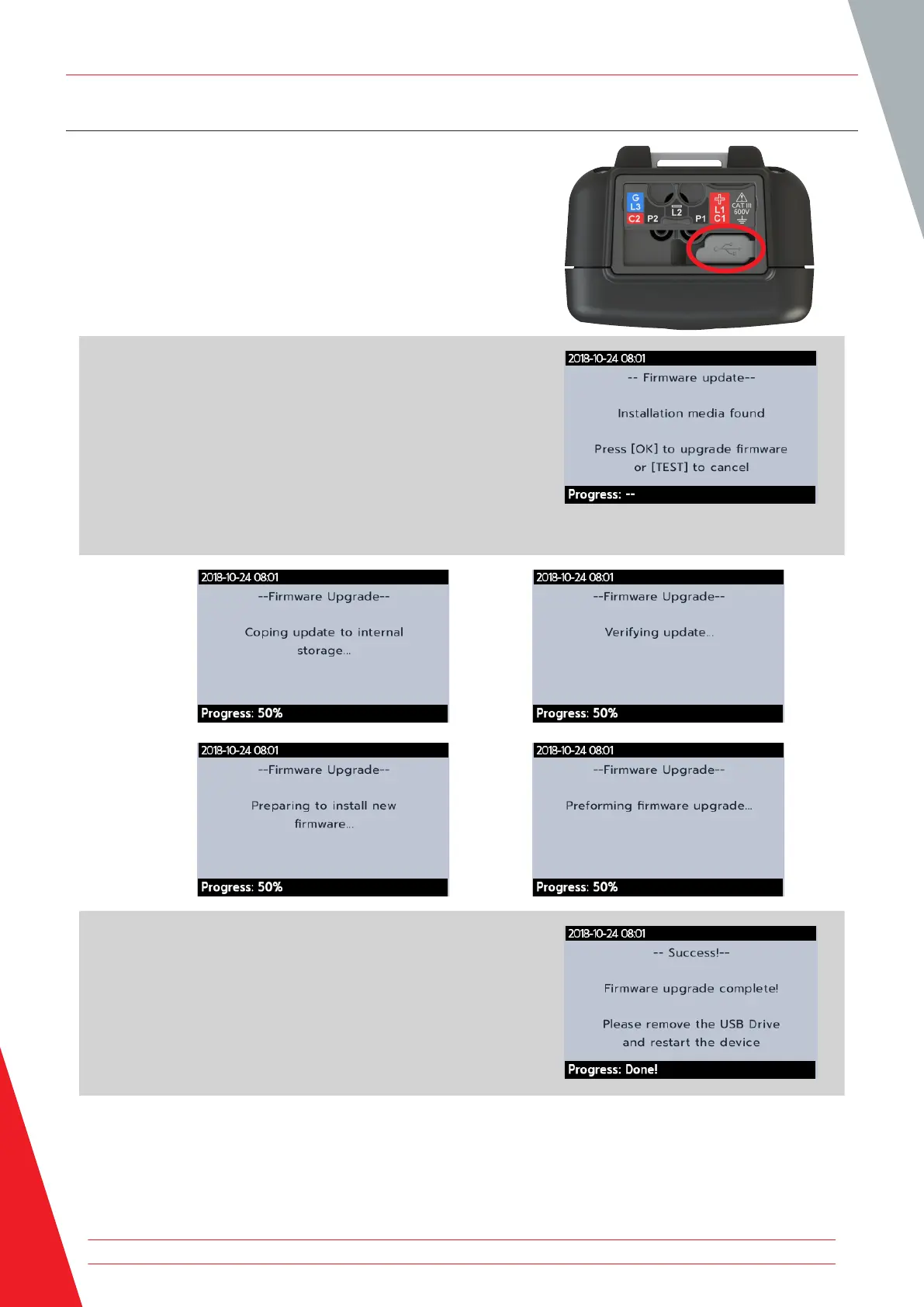
Connect a USB flash drive to the MTR105 with the firmware
update file in the root directory. The MTR105 will automatically
update when the instrument is turned on if a firmware update is
available.
1. Plug the USB pen drive in to the USB slot at the top of the
instrument.
2. The boot loader screen will be displayed when the
instrument starts up.
3. Press [OK] to upgrade firmware or [TEST] to cancel.
4. The will progress through various stages.
5. When complete, remove the USB.
6. Restart the MTR (turn off and on).
Firmware update
68 www.megger.com



 To Next Page