15.3.2 12 V supply
When charging NiMH rechargeable battery cells, only use the power supply provided by Megger as an optional extra.
Other power supplies will not function with the MTR105. The Megger power supply is designed to preserve the
functions and accuracy of the MTR105.
15.3.3 Battery Charging
Warning: ONLY NiHM battery cells are rechargeable.
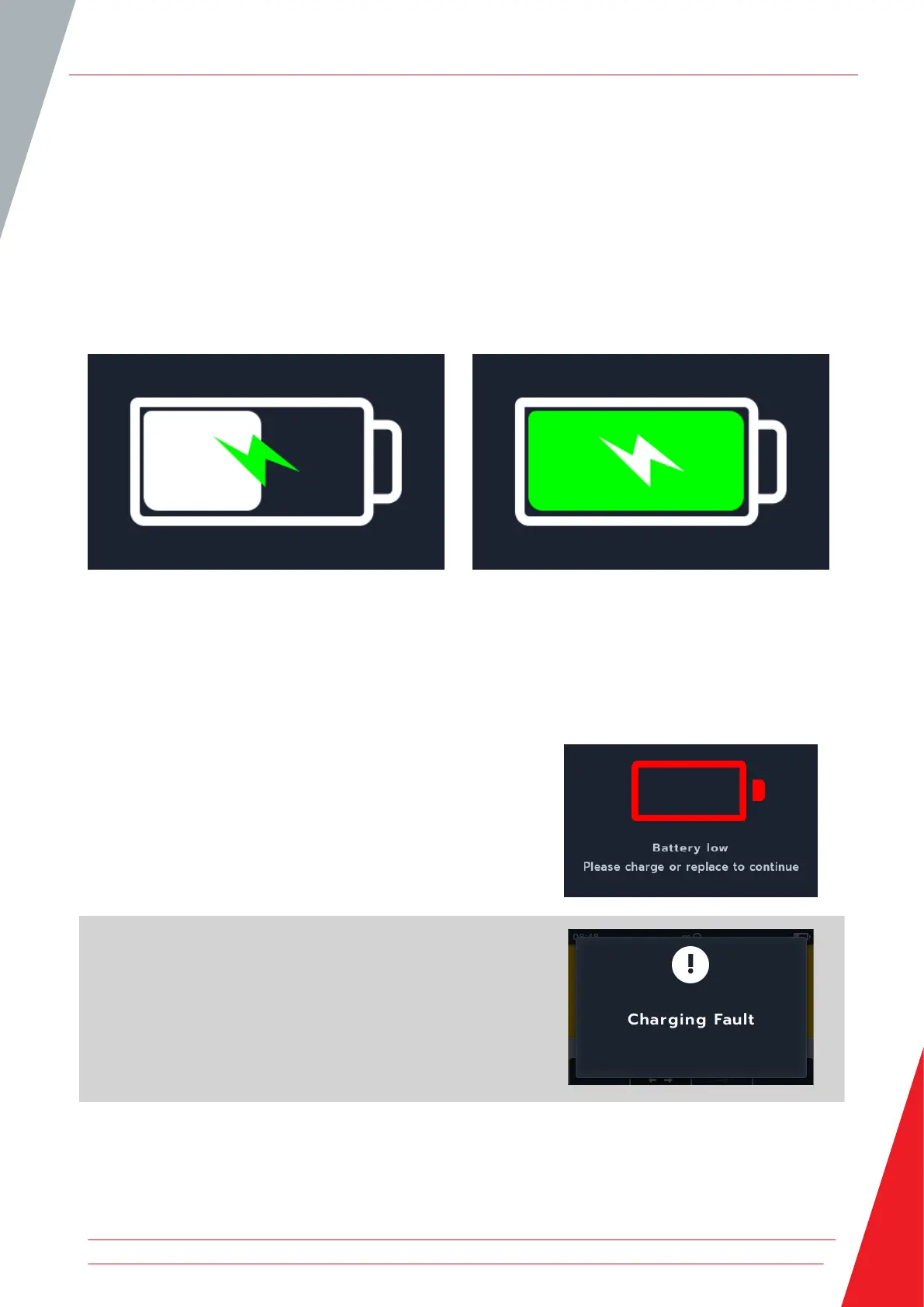
When charging the MTR while the instrument is OFF, an animated battery will display across the screen to show
charging is taking place. Once the battery is fully charged the screen will display a solid green battery.
Battery charging Battery fully charged
When charging the MTR while the instrument is OFF, an animated battery will display in the top right hand corner
of the screen. While the MTR is charging a test can not be performed. If the test button in pressed the buzzer will
sound. However the Data Management and Settings are fully accessible while the instrument is charging.
15.3.4 Battery error screens
Battery Low
The battery is too low to perform a test.
Charging Fault
A generic charging fault warning screen.
Turn off and disconnect the charger. Then reconnect and try
again.
Maintenance
www.megger.com 77



 To Next Page