5.2 AC or DC
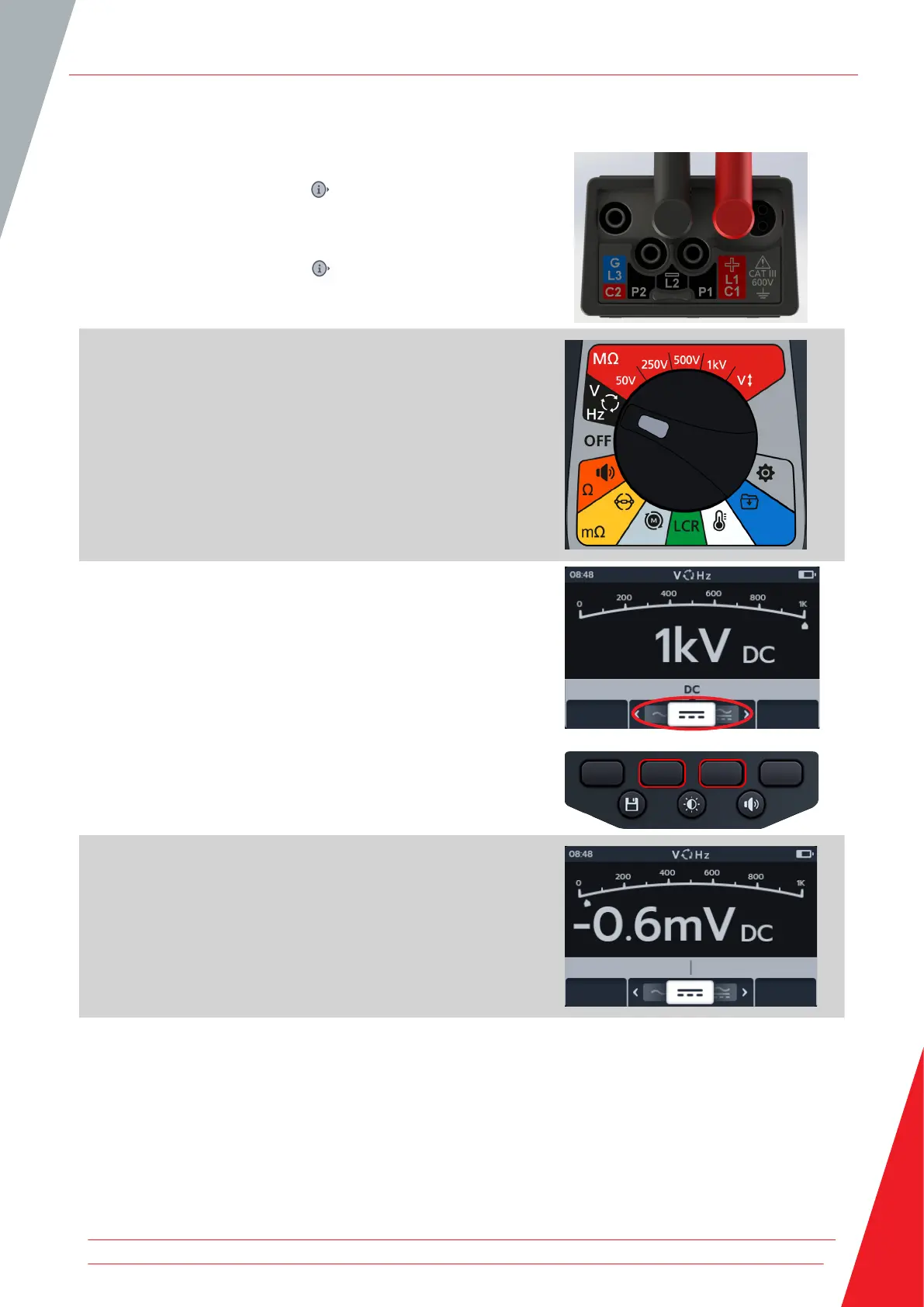
1. Connect the test leads to the MTR105.
1.1. Press the Information ( ) button to view the lead set
up diagram.
NOTE: When the diagram is displayed a test cannot be
performed. Press Information ( ) button to return to the test
screen.
2. Turn rotary switch to select Voltmeter (V) position.
3. Press soft keys 2 and 3 to move the carousel left or right
through sub-modes to ac or dc as required.
NOTE: The full title text of the sub-mode will appear in the
secondary field for a few seconds.
4. The ac and dc tests start automatically.
5. During the ac tests,
The primary field displays the measured voltage.
The secondary field displays frequency.
6. During the dc tests,
The primary field displays the measured voltage.
Voltmeter
www.megger.com 29



 To Next Page