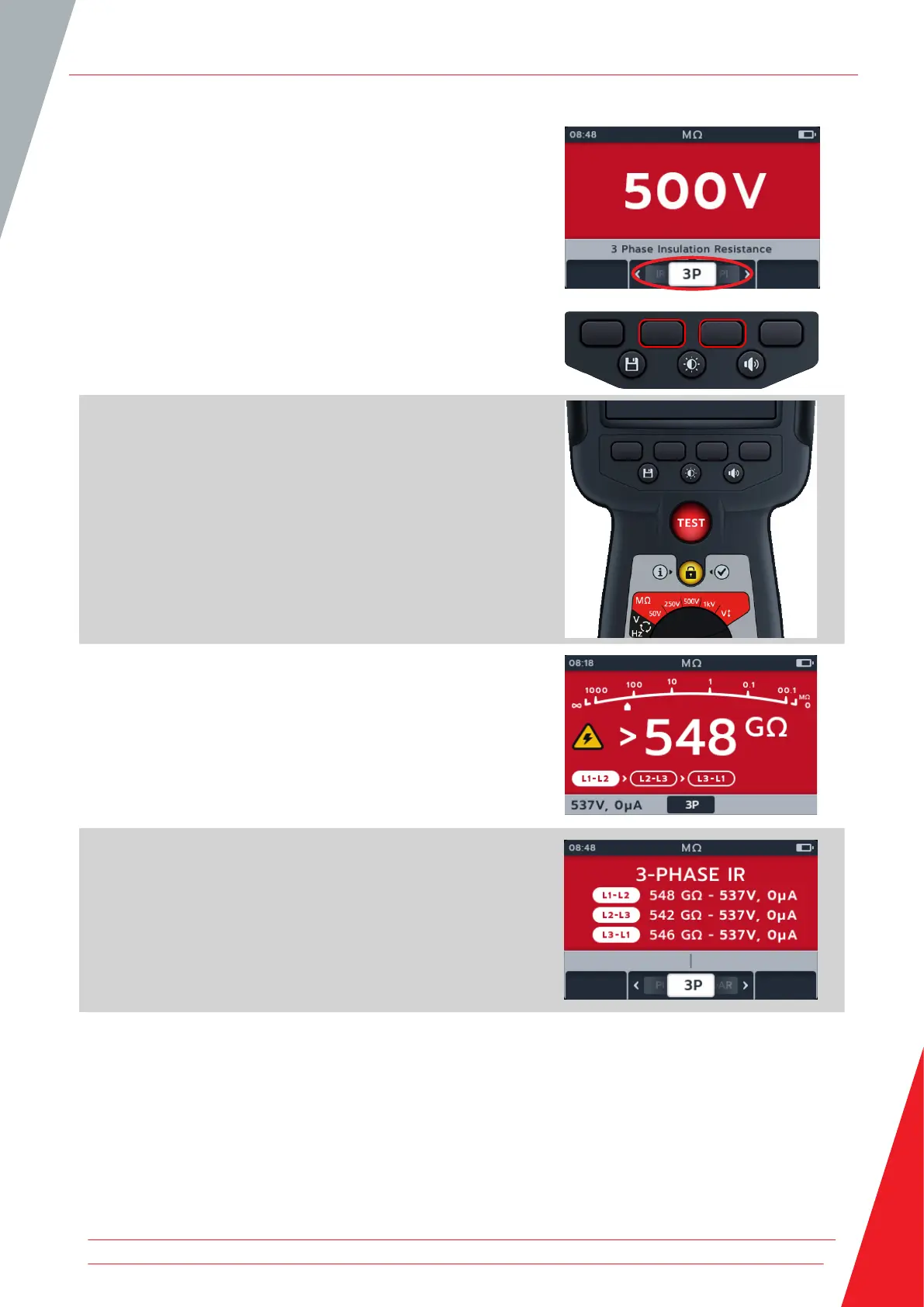
5. Press soft keys 2 and 3 to move the carousel left or right
through sub-modes to 3P (3 phase).
NOTE: The full title text of the sub-mode will appear in the
secondary field for a few seconds.
6. To start the test press the TEST button.
A warning triangle will flash on screen.
NOTE: The test can be stopped at any time by pressing the TEST
button.
7. During the tests:
The primary field displays the test results and the active
and completed phase to phase tests in the three phase
sequence.
The secondary field displays actual voltage output and the
current measured.
8. When the test has completed:
The primary field displays the test results and also the
actual voltage output and the current measured.
Insulation Resistance Tests
www.megger.com 19



 To Next Page