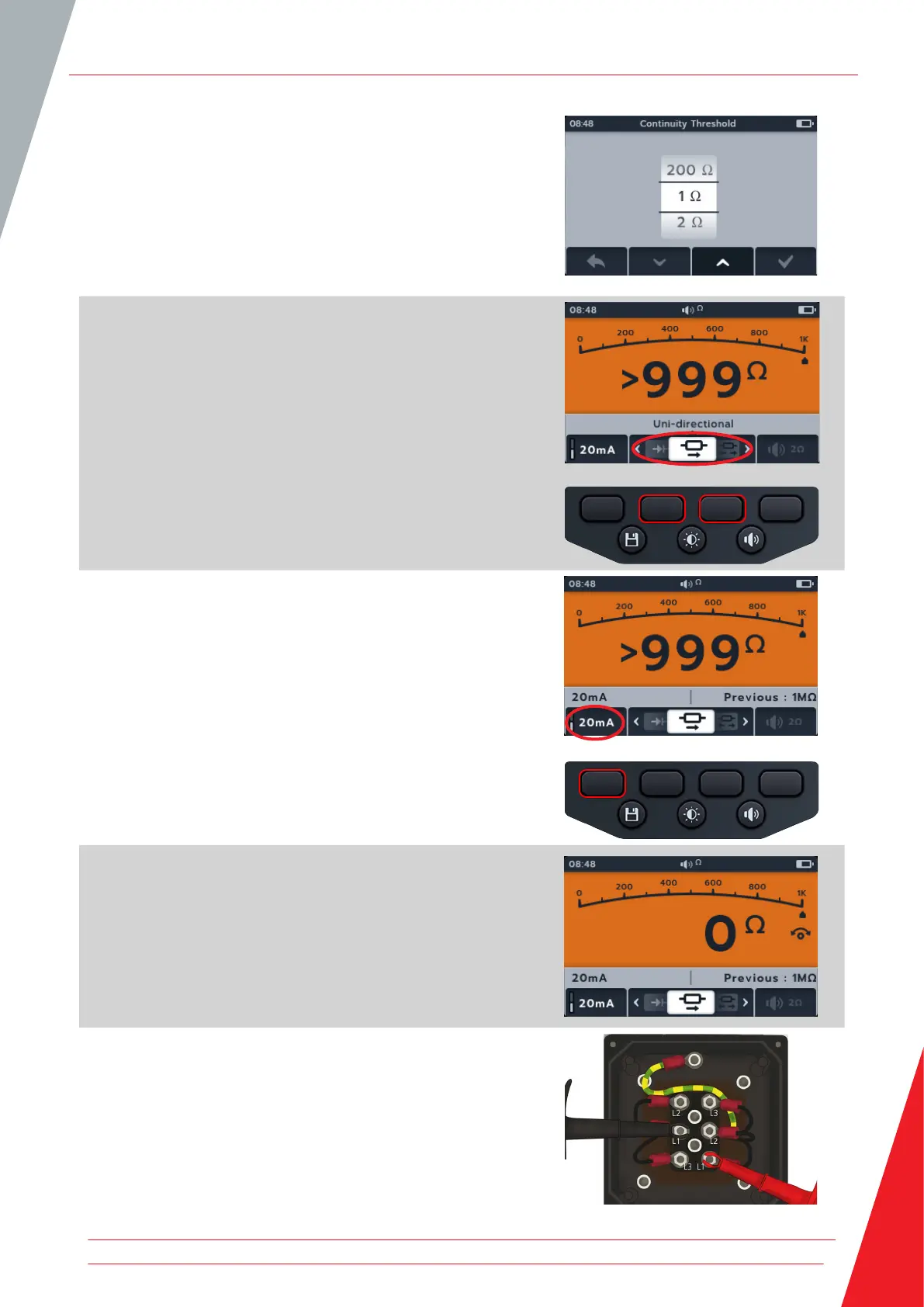
5. A new screen will open where the threshold can be adjusted
pressing soft keys 2 and 3.
6. Press soft key 4 to save and return to the original screen.
OR
Press soft key 1 to cancel and return to the original screen.
7. Press soft keys 2 and 3 to move the carousel left or right
through sub-modes to uni-direction
NOTE: The full title text of the sub-mode will appear in the
secondary field for a few seconds.
8. The test current can be toggled between 200 mA and
20 mA pressing soft key 1.
9. NULL the test leads by touching the two test probe ends.
Press the TEST button until the NULL (symbol) appears on the
screen. The ohmic value on the primary screen will read 0 Ω.
10. Connect the test leads to the unit under test.
NOTE: The connection is for illustrative purposes only showing
winding resistance across phase 1.
Continuity
www.megger.com 33



 To Next Page