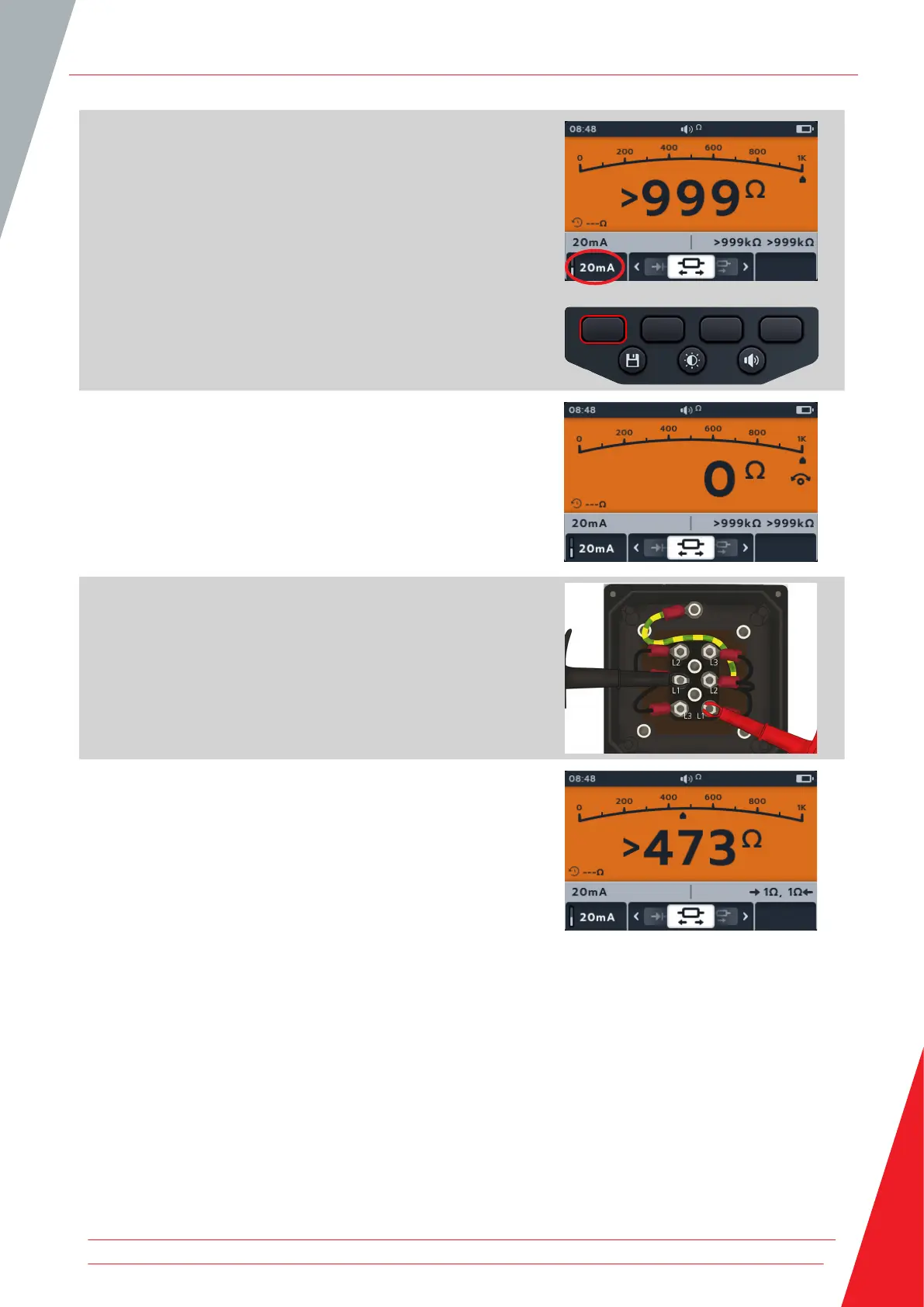
4. The test current can be toggled between 200 mA and
20 mA pressing soft key 1.
5. NULL the test leads by touching the two test probe ends.
Press the TEST button until the NULL (symbol) appears on the
screen. The ohmic value on the primary screen will read 0 Ω.
6. Connect the test leads to the unit under test.
NOTE: The connection is for illustrative purposes only showing
winding resistance across phase 1.
7. This test starts automatically.
8. During the tests,
The primary field displays the result of the true resistance
of the unit under test
The secondary field displays the test current and the
resistance values in both directions - highest value shown
in Primary.
The test in bi-direction mode runs continually
Continuity
www.megger.com 35



 To Next Page