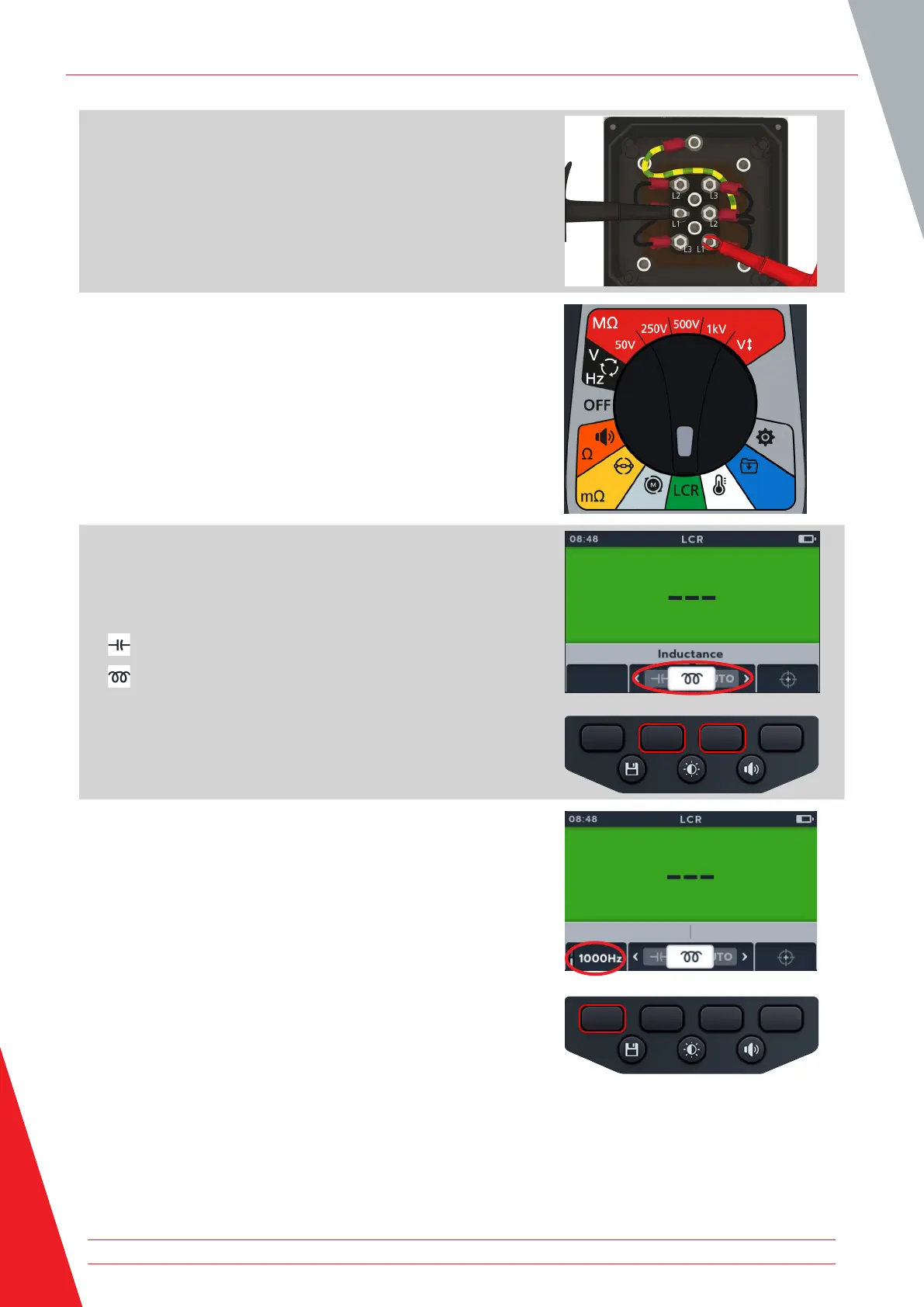
2. Connect the test leads to the unit under test.
NOTE: The connection is for illustrative purposes only showing
connections across phase 1.
3. Turn rotary switch to select the LCR position.
4. Press soft keys 2 and 3 to move the carousel left or right
through sub-modes to capacitance or inductance test.
NOTE: The full title text of the sub-mode will appear in the
secondary field for a few seconds.
( ) capacitance
( ) inductance
5. Press soft keys 1 to toggle between 120 Hz and 1000 Hz.
Inductance (L); Capacitance (C); Resistance (R) (LCR)
50 www.megger.com



 To Next Page