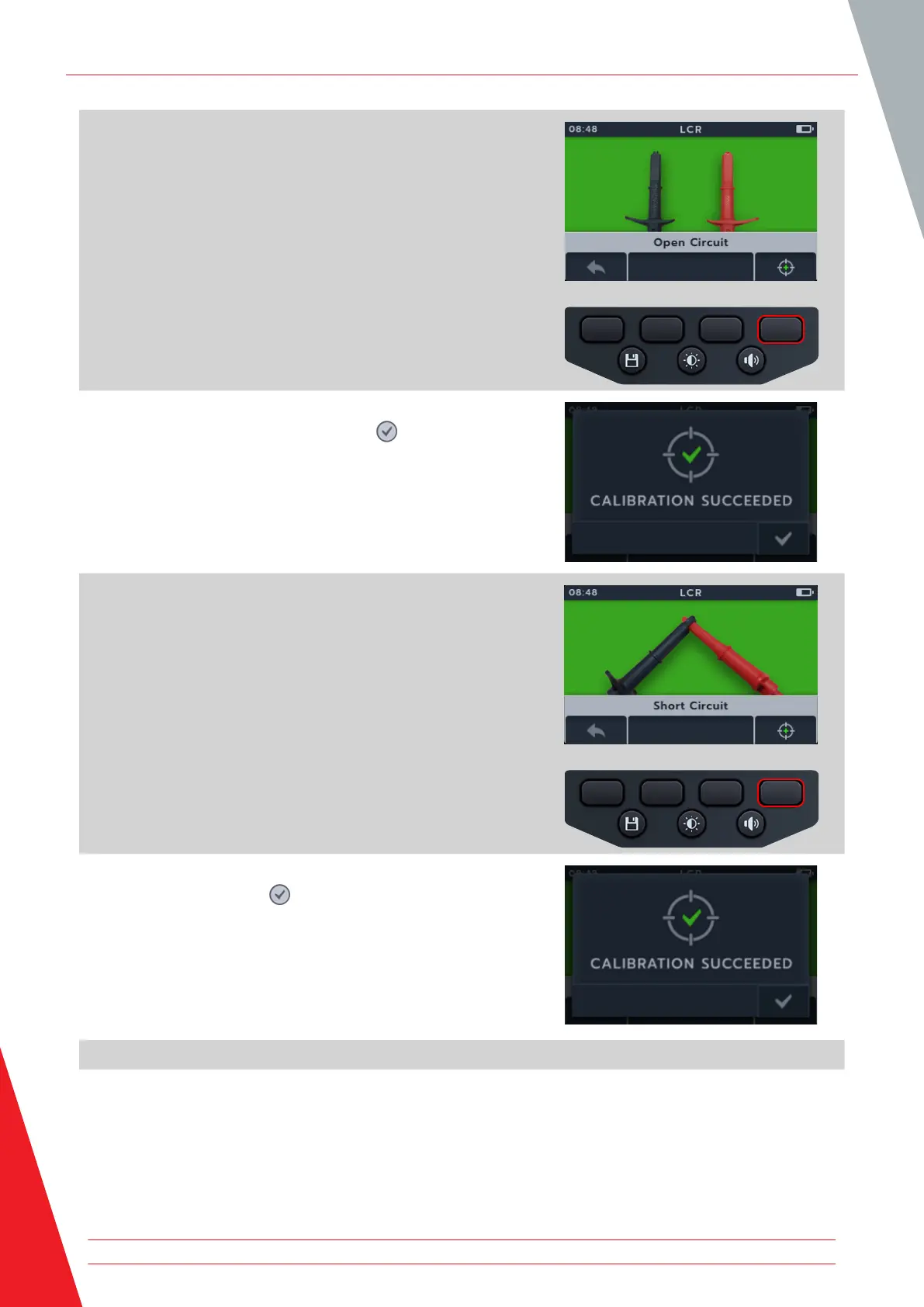
2. The open circuit calibration screen appears.
3. With the leads connected to the instrument but the circuit
kept open (separated).
4. Press soft key 4 to begin calibration.
5. Calibration will run for about 14 seconds (progress animation
will show).
6. After calibration the confirmation screen will appear.
7. Continue by pressing the tick button ( ) or Soft key 4.
8. The closed circuit calibration screen appears.
9. With the leads connected to the instrument, close the circuit
(short circuit)
10. Press soft key 4 to begin calibration.
11. Calibration will run for about 14 seconds (progress animation
will show).
12. After calibration the confirmation screen will appear.
13. Press the tick button ( ) or soft key 4 to return to the last
LCR test mode.
The MTR105 has been successfully recalibrated and is ready for
use. The new calibration will be stored.
Inductance (L); Capacitance (C); Resistance (R) (LCR)
52 www.megger.com



 To Next Page