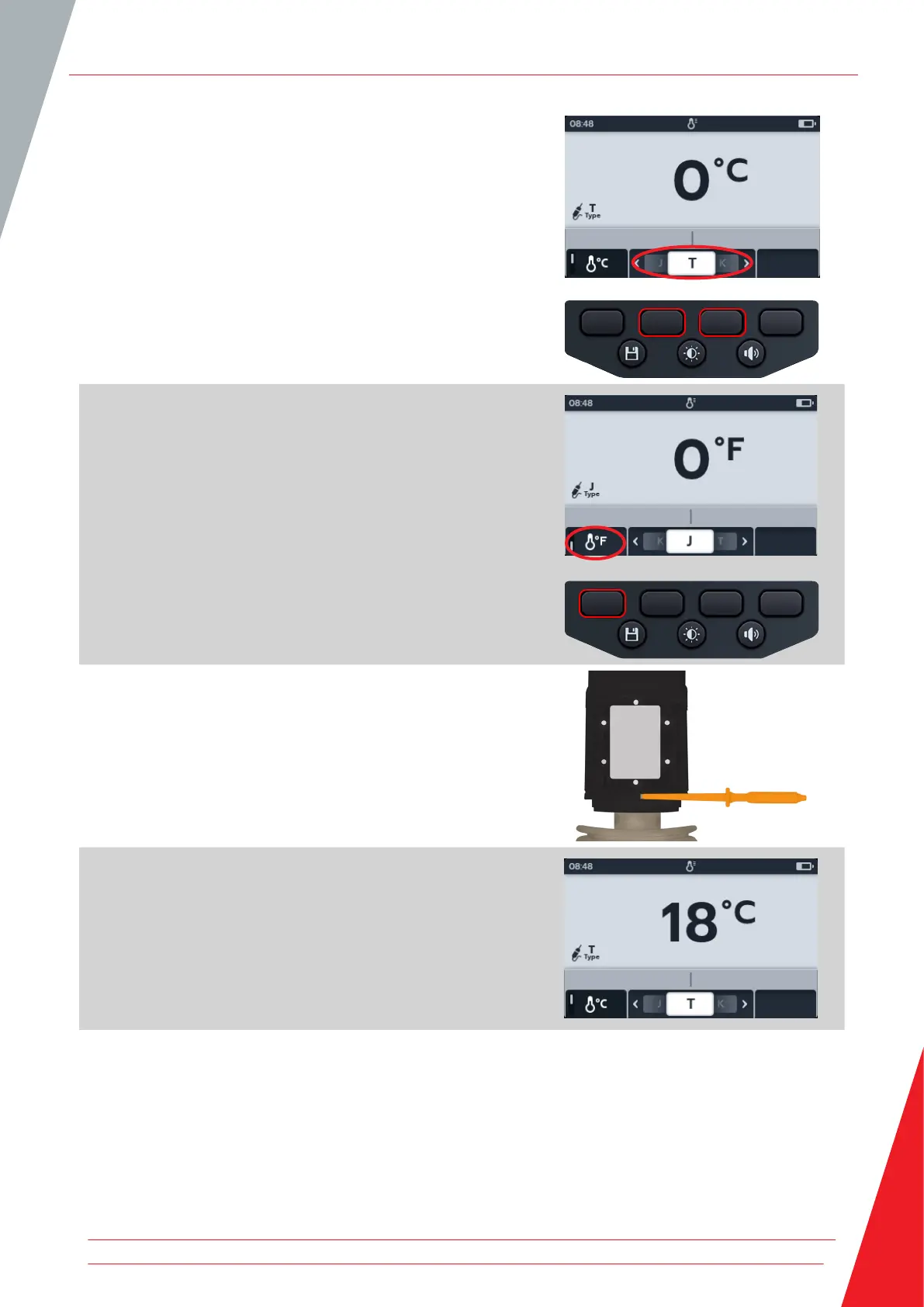
3. Press soft keys 2 and 3 to move the carousel left or right to
choose thermocouple type T, K or J.
A thermocouple symbol appears in the bottom left of the
primary screen, alongside the type of thermocouple selected.
4. Press soft key 1 to toggle between ºC (Centigrade) or ºF
(Fahrenheit).
5. Place the thermocouple against the test piece and allow the
thermocouple to rise to a stable temperature.
6. The unit starts measuring the temperature as soon as it
detects the probe is connected.
7. During the test the primary field displays the measured
temperature.
NOTE : If the thermocouple is not connected or is damaged the
primary field will display “O/C”
Temperature measurement
www.megger.com 55



 To Next Page