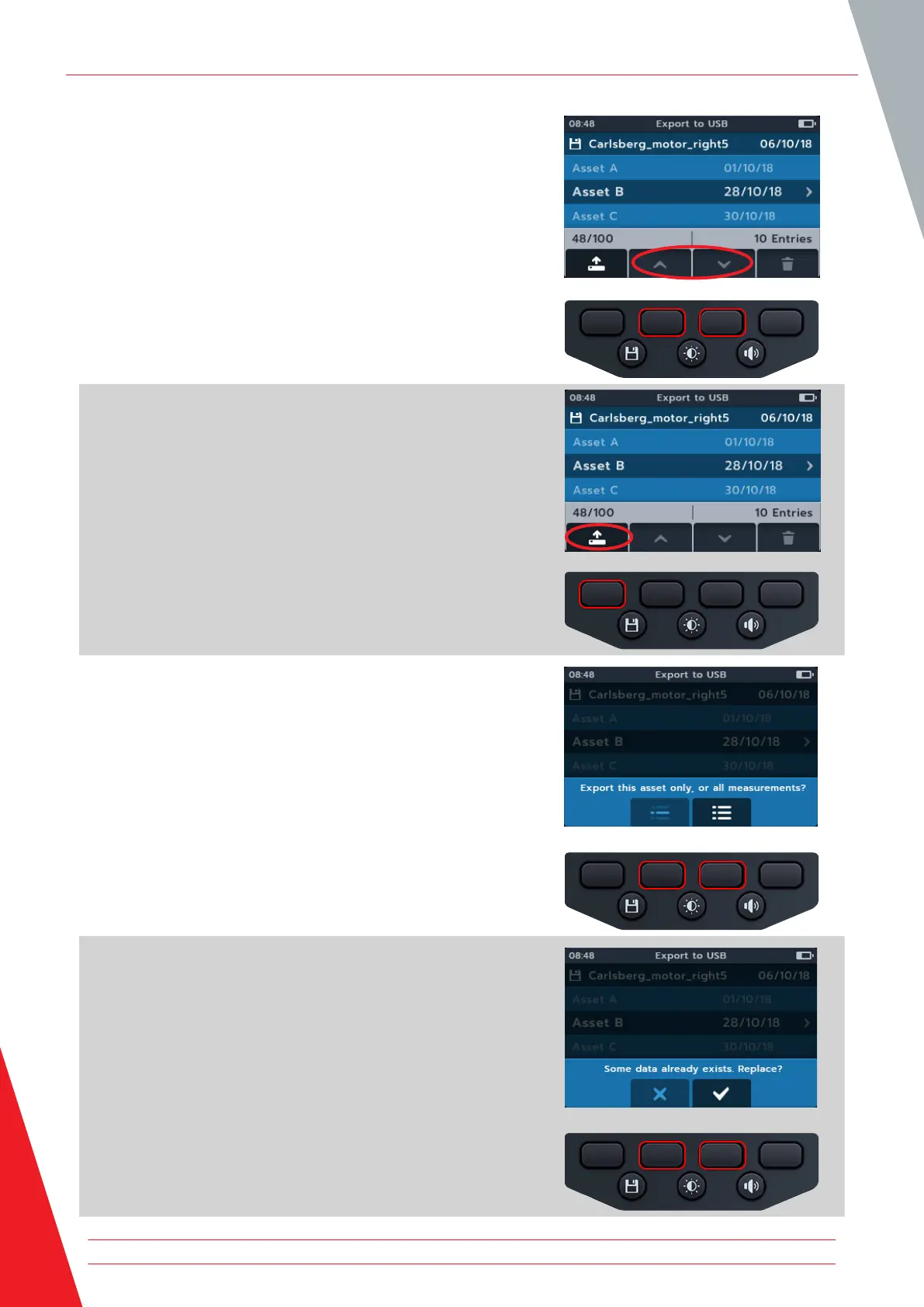
3. Use soft keys 2 and 3 to scroll up and down through the
asset list.
4. Press soft key 1 to begin upload.
5. Press soft key 2 to upload the single selected measurement
or
Press soft key 3 to upload all saved measurements
or
Press soft key 1 to cancel.
6. If matching names already exist in the storage device the
user is asked if the MTR105 should overwrite them.
Data management
66 www.megger.com



 To Next Page