3-5
INSTALLATION MA-5082-ENG B4 VS ADHESIVE MELTER MANUAL
Programming parameters
Once the melter and its components have been installed, the correct working
parameters must be programmed for the specific application to be performed.
The B4 VS melter simplifies this task as much as possible, allowing the
operator to change only those parameters which are necessarily variable for
each application.
Among the different parameters, it is necessary to program the set point
temperature values for each component connected and the value for the
overheating warning. Other parameters (weekly start/turn off programming
or the standby temperature value) are required in advanced systems, with the
factory default values being perfectly valid for operational purposes.
Programming working temperatures
The melter’s default set point temperature values are:
• 160°C (320°F) for the tank.
• 150 ºC (302 ºF) for the hoses and 160 ºC (320 ºF) for applicators.
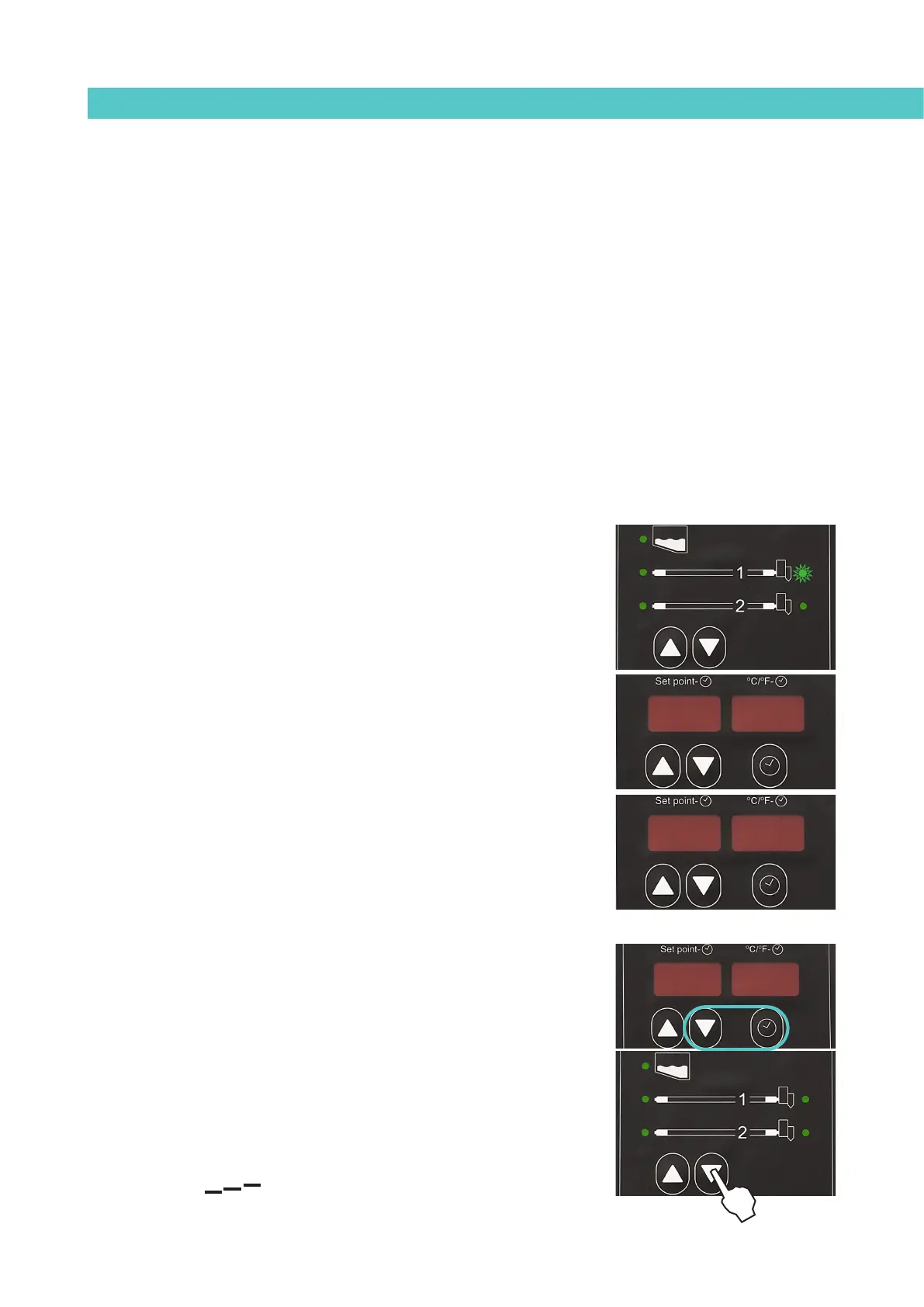
The general process for changing the set point temperature value for any
component is described below.
1. Use the arrows to select the component for which you wish to change
the value.
The corresponding LED will blink rapidly.
2. Use the up-down arrows under the display to select the desired value
for the set point temperature.
3. After ten seconds the LED will stop blinking and the display will change
by default to the tank set point temperature, saving the changed data.
Repeat this step for each of the components installed in the melter.
Selecting the overheating value
1. Press simultaneously the clock and down arrow buttons, located under
the display, to enter the special menu.
The choice of temperature display units (°C or °F) appear on the
display.
2. Use the down arrow on the left side of the front card (component
selection) to move to the next screen where the overheating symbol is
displayed.
24 24160160
160160160160
ºCºC



 To Next Page