A-7
AIRTIGHT LID MA-5082-ENG B4 VS MANUAL APPENDIX
A4. MELTER OPERATION
Airtight lid
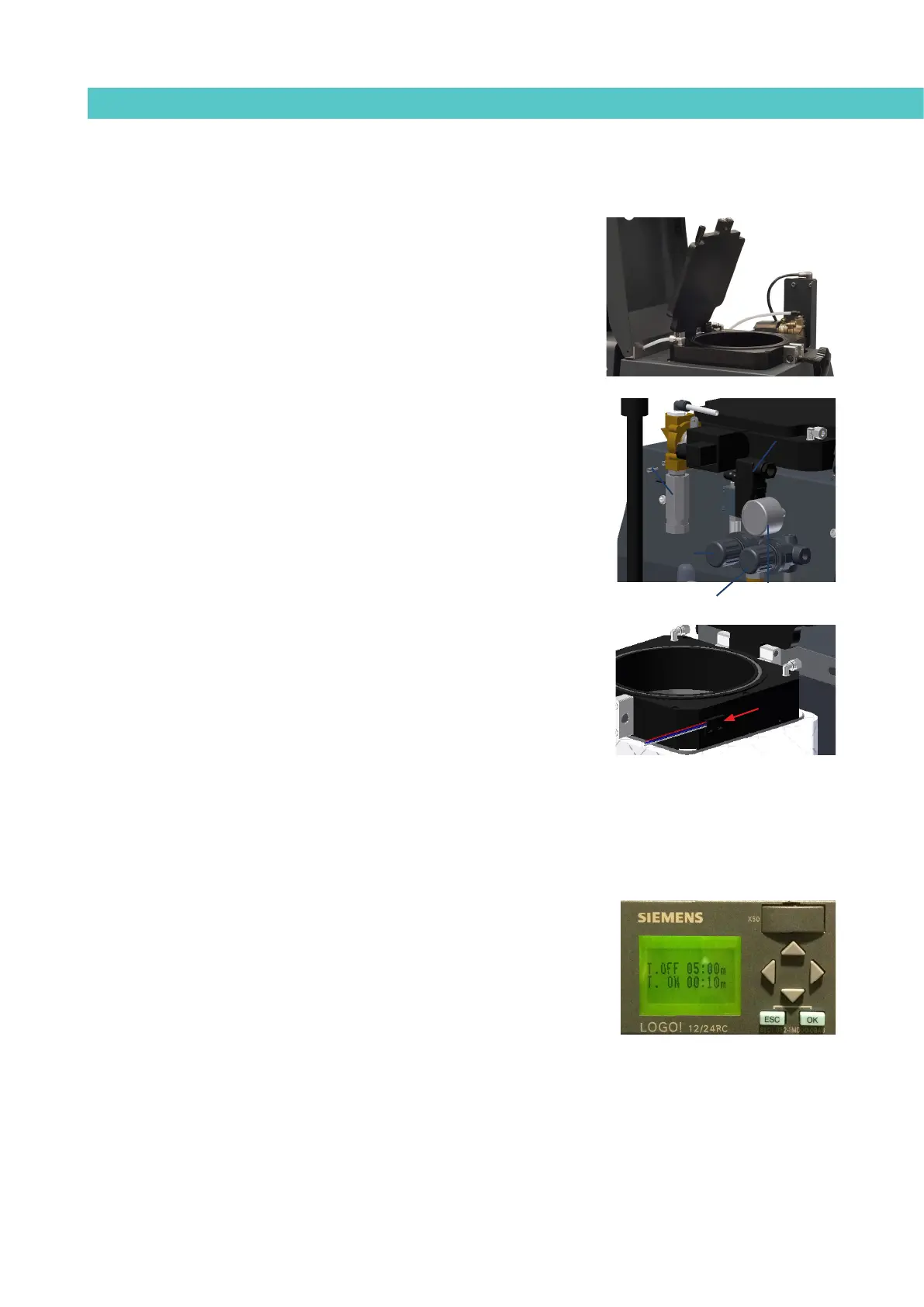
An airtight lid is incorporate to close the tank. This option is appropriate when
the equipment is going to be used with PUR adhesives. PUR adhesives need a
totally dry environment before being applied, since in touch with the dampness
of the environment they go hard.
The dry environment is achieved thanks to the incorporation of an air dryer
that make possible to extract humidity in a 99.98 % degree. In this way a con-
servation of the adhesive is guaranteed without hardening premature inside
the system of application of the unit.
The dosing system consists in a main pressure regulator, regulated to 0.4 bar,
a second pressure regulator, regulated to 0.2 bar, an inlet valve, an exhaust
valve that allows to extract the air of the tank, and a programmable relay that
drives the valves.
This system uses a programmable relay that enables the programming of two
times: a wait time between one air injection and the next (T OFF); and an air
injection or air renewal time (T ON). The factory-calibrated values are 5 min-
utes for (T OFF) and 10 seconds for (T ON). We recommend using a pneumatic
pressure of 0.5 kg/cm
2
.
For safety measures the system incorporates an magnetic detector that detects
if the top cover is opened or closed. When this top cover gets up or when there
is a cut in the electrical supply the exhaust valve opens, consequently pressure
inside tank becomes the atmospheric one. The connections of the system can
consult in the corresponding chapter ‘Electrical drawings‘.
Configuration of air injection times
When you want to change the value of the times programmed into the relay,
proceed as follows:
1. Press the ESC key for several seconds until the cursor appears under
the first digit of (T.OFF).
2. Use the left-right arrows to move to the value you want to change.
Click OK and you will see the digit in negative (light digit over a dark
background).
3. Change the value with the up-down arrows.
4. Use the left-right arrow keys to move to a different digit.
5. Once finished, click the OK key to validate the changes and exit editing
mode by pushing ESC. The change is now in operation.
magnetic
detector
pressure regulator
to 0.4 bar
pressure regulator
to 0.2 bar
pressure
gauge
inlet solenoid
valve
output output
valvevalve



 To Next Page