FOCKE MELER GLUING SOLUTIONS
4-8
MELTER OPERATION
Programming equipment activation/deactivation
An activation and deactivation time can be set for each day of the week, from
Monday (1) to Sunday (7).
Time is expressed in increments of 15 minutes, starting with 10.0 (10 hours 0
minutes), then 10.1 (10 hours 15 minutes), 10.2 (10 hours 30 minutes) and 10.3
(10 hours 45 minutes).
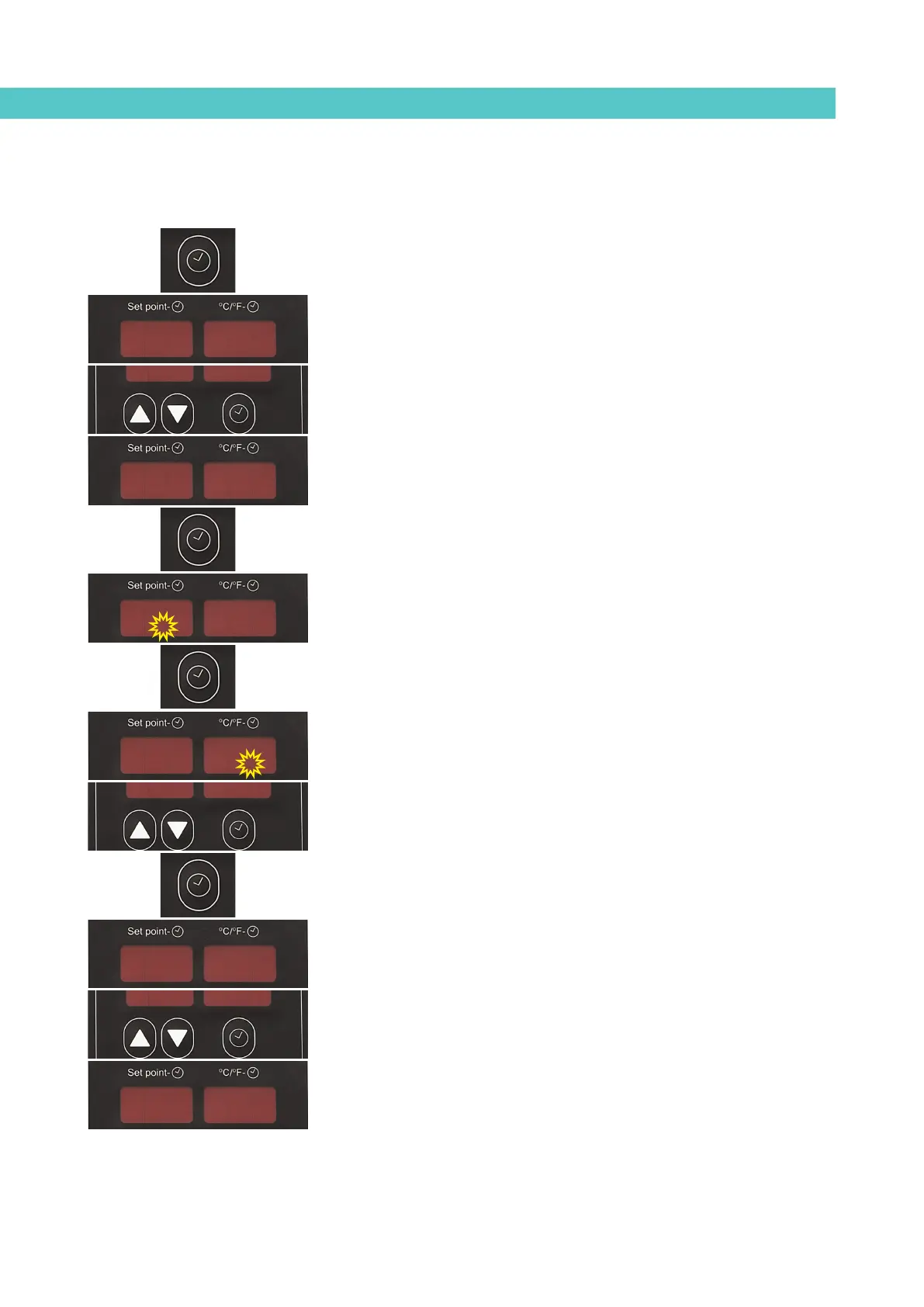
1. Press the button with the clock symbol.
‘0’ will appear on the display indicating the program for setting the
current day and time.
2. Use the up-down buttons under the display to select the value for the
desired day of the week, Monday (1) to Sunday (7).
3. Press the button with the clock symbol again.
Two times will appear, one in each display. The display on the left
shows the start time while the display on the right shows the end time.
4. The flashing dot on the start time display indicates that this value can
be changed. Use the up-down arrows under the display to select the
desired value.
5. Press the button with the clock symbol again.
The dot then appears on the end time display.
6. Use the up-down arrows to select the desired value.
7. Press the button with the clock symbol again.
The selected program appears once again. Use the up-down button to
select other programs.
8. Press any of the arrow buttons on the left or right to exit this program
and return to the tank temperature display.
The green LED next to the ‘ON/OFF’ button will always blink if a disconnection
time has been set for the current day.
22
22
00
19.319.307.207.2
19.319.307.207.2
160160160160



 To Next Page