FOCKE MELER GLUING SOLUTIONS
3-6
INSTALLATION
3. Use the up-down arrows on the right of the front card to select the
desired value.
The value displayed corresponds to the increase in real temperature
over the set point temperature permitted without activating the alarm
message (between 10 and 25).
4. Use the down arrow on the left of the front card (component selection)
to move to the next screen.
5. Use the up arrow to exit the special menu; the tank’s temperatures are
displayed once again.
All of the values in the special menu are saved.
Keeping a component on display
By default, the main display shows the tank temperatures. However, it is
possible to indefinitely display the temperature of any component for their
analysis or control.
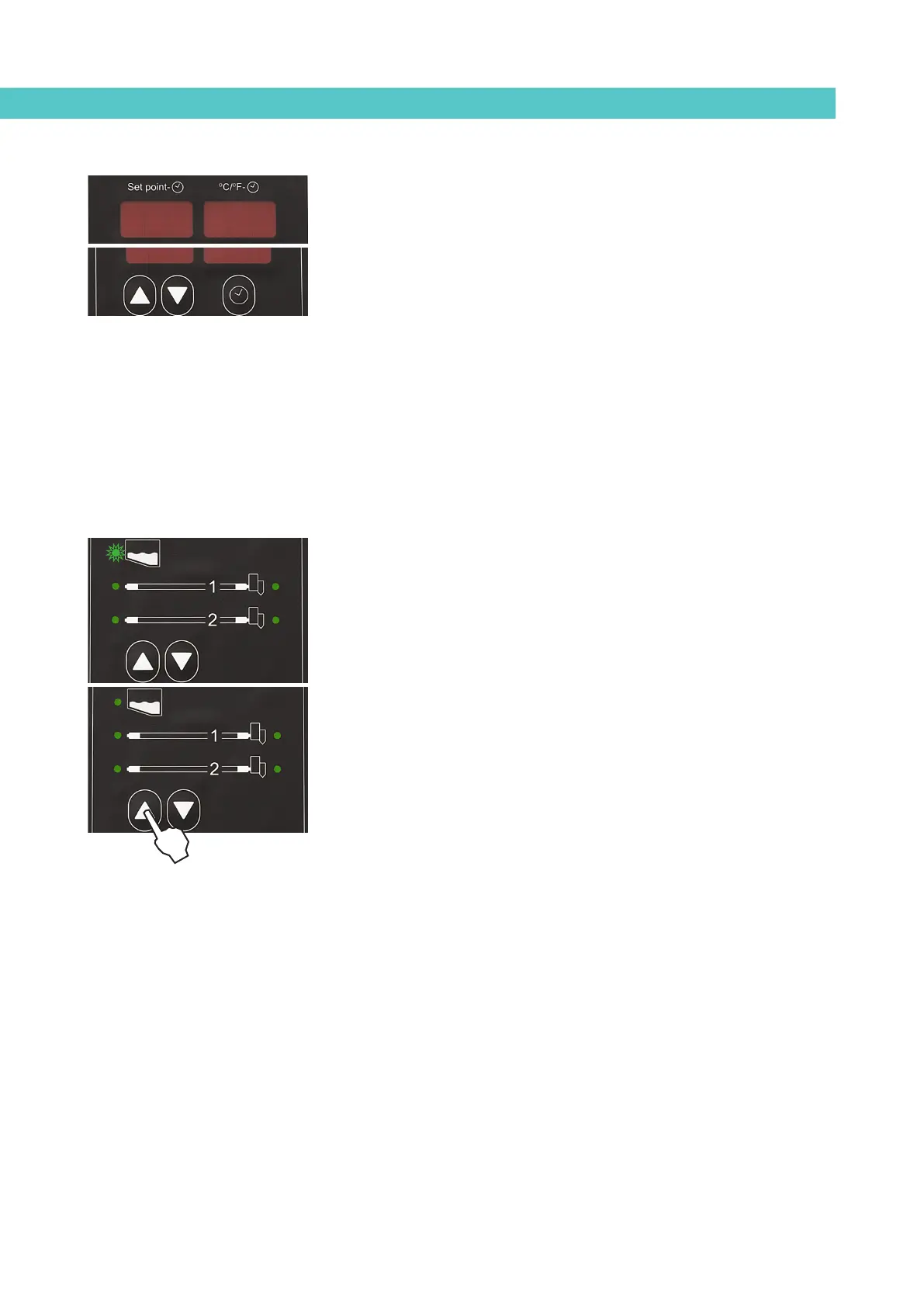
1. Use the up-down arrows to permanently display the desired component.
The corresponding LED will blink rapidly.
2. Hold the arrow button on the desired component for two seconds.
3. The display will now remain on the selected component and will not be
changed.
4. Simply press the up-down buttons again to restore the default display
(tank).
External I/O connections
The melter uses its input and output (I/O) signals to communicate with the main
machine simply and directly.
There are four signals that may be used to communicate with the main
machine:
• Temperature ok_non-voltage contact output which notifies the main
machine that all the system temperatures have reached a value which
is 3° below the set point value (and that the time delay has elapsed),
at start-up, or that the real value is not 20°C below the set point value
during operation.
• External standby_control input from the standby mode, via a non-
voltage contact. When the contact is closed the standby function is
connected; when the contact is open the function disconnects.
--
--
--
1010



 To Next Page