FOCKE MELER GLUING SOLUTIONS
4-4
MELTER OPERATION
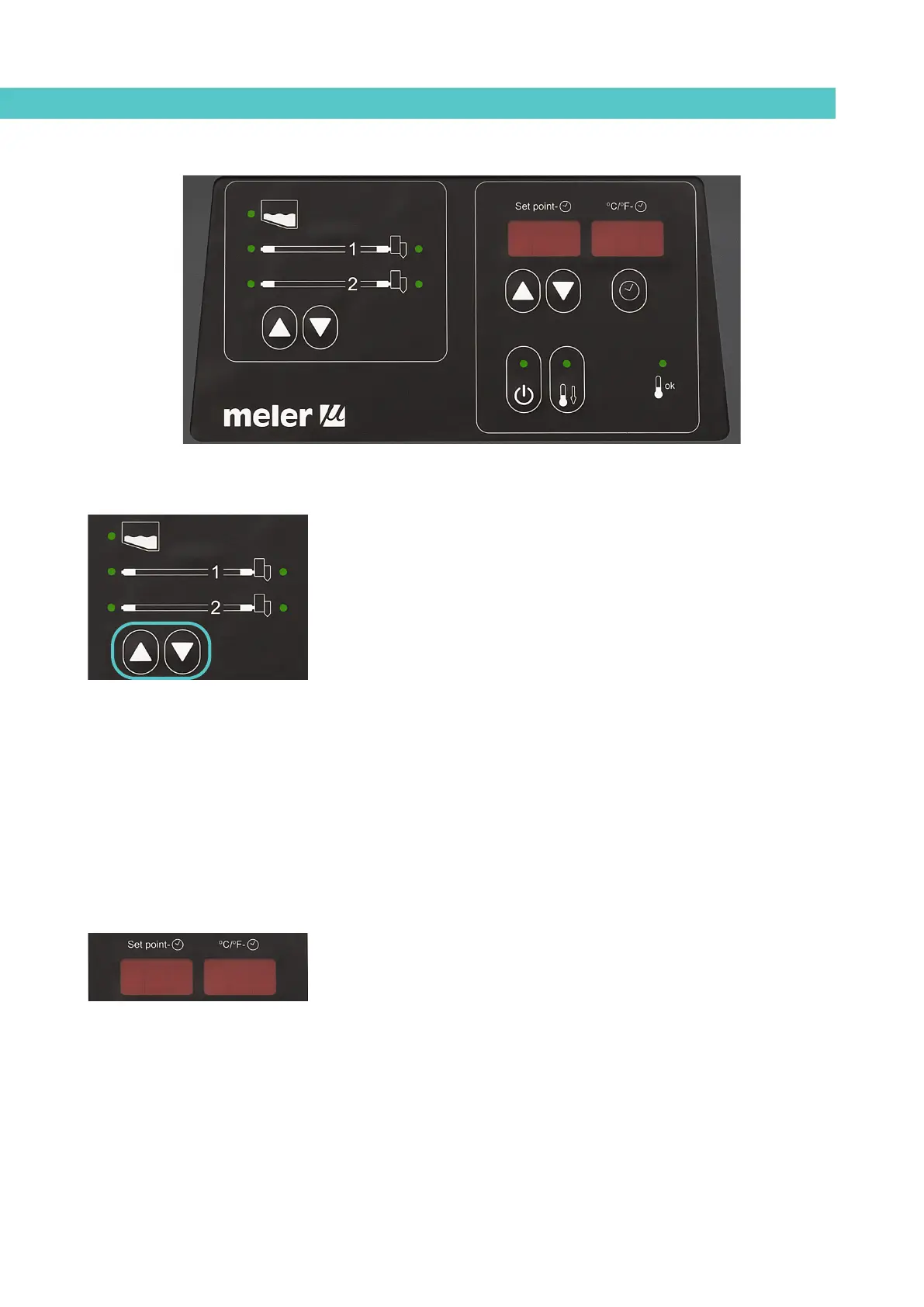
Temperature display for each component
The temperature of each component (tank and each hose and applicator) can
be displayed by selecting the component using the cursors.
Press the component selection up/down arrow until the desired component is
displayed.
After 10 seconds the display returns to the default component (tank).
If you would like the component to be displayed permanently press the up-
down button for 2 seconds on the selected component.
The display sequence is as follows:
tank<—hose1<—applicator1<—hose2<—applicator2
tank—>hose1—>applicator1—>hose2—>applicator2
To permanently remove a component from the display, simply press any of the
up-down arrows.
Alarm display
The B4 VS melters inform the user when there is a malfunction in the unit, by
sending messages that can be seen on the control panel display.
When an alarm appears, the control should take a series of actions to
protect the unit. Simply correct the fault and the control will reactivate the
equipment’s functions.
Activating the standby function does not trigger any alarm.
If the sensor is broken, the system will keep all the components hot, except
for the one in which the fault has occurred.
In the event of overheating, the system immediately stops heating the failed
component. If after three minutes, the fault persists, the system will stop
heating all components and the power relays will be disconnected. The panel
will continue to display the alarm until the error has been rectified. Once
resolved, the power relays will be reactivated and the system will begin to heat
as normal.
44ErrErr



 To Next Page