MA-5162-ENG MICRON
+
PISTON ADHESIVE MELTERINSTALLATION
3-7
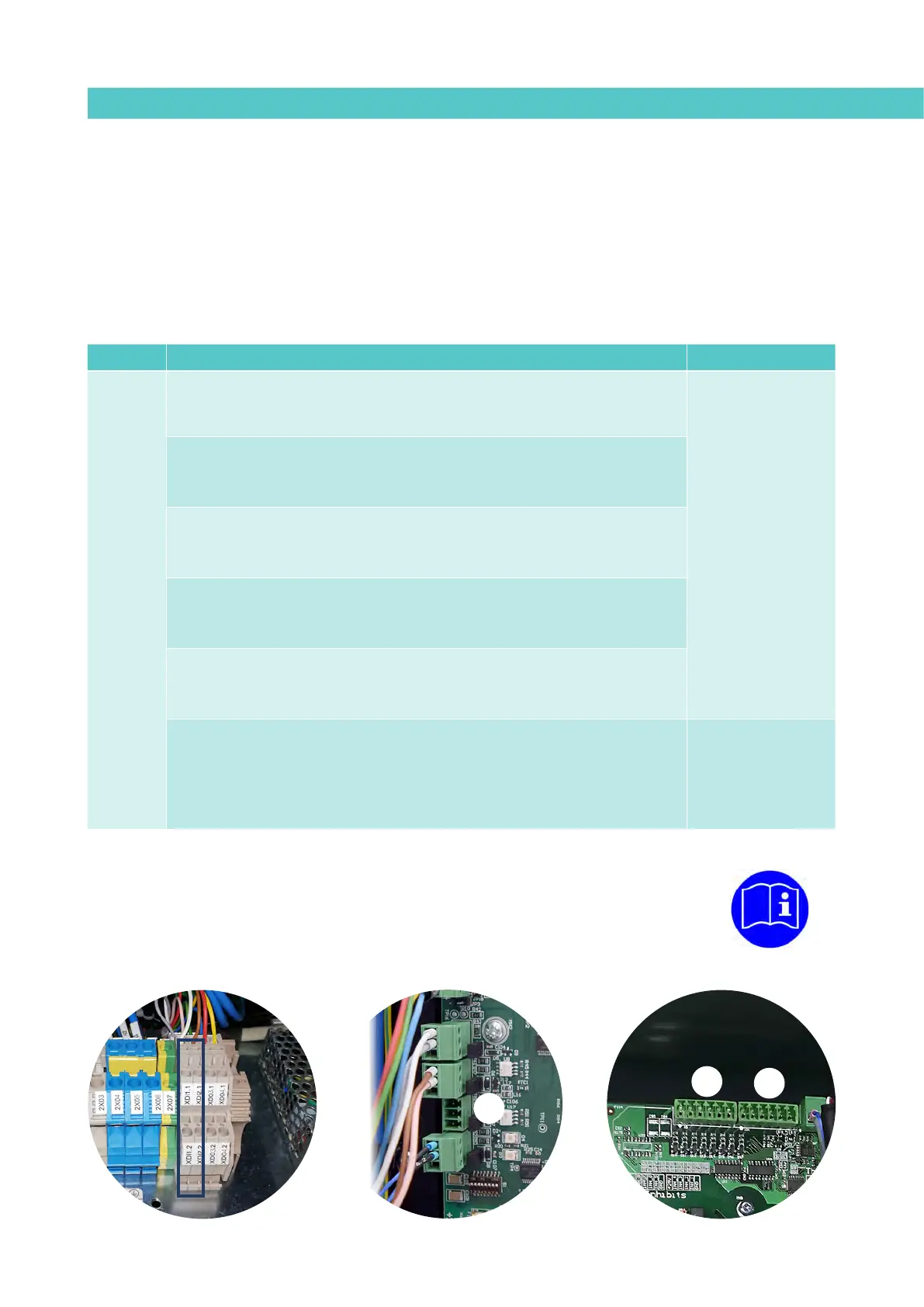
External I/O connections
The input and output (Input/Output) signals enable the melter to communicate
with the main machine simply and directly. Six I/O different signals can be
used, depending on the options installed on the unit. Function of these signals
can be selected by the user
The signals that can be used to communicate with the main machine are as
follows:
Type
(1)
Description Terminal/Connector
Input
External ON/OFF
A closed contact switches the unit on; an open contact turns it off.
Terminal
XDI1.1 / XDI1.2
XDI2.1 / XDI2.2
------
Connector on
HMI card
(5)
DI3
Standby ON/OFF
A closed contact activates the ‘Standby’ function; an open contact deactivates it
and the unit returns to the status indicated by the unit’s other signals.
Pumping external ON/OFF
A closed contact activates pumping (if the required conditions are met); an open
contact deactivates it.
Activity (Auto Standby - OFF)
Contact for the activity control signal, to switch the unit to Standby and off
mode
(2)
.
ON/OFF communications
A closed contact activates the communications (Modbus/Profibus); an open
contact deactivates them. Signals must be enabled in the unit
(3)
.
Inhibition of zones
Zone inhibition control inputs. The unit has 8 contacts to inhibit 8 groups of
programmable zones
(4)
. When the contact is closed, the respective group is
inhibited (off); when the contact is open, the inhibition of that group is disabled
(activated).
Temperature Control
Board
X21 (Signals 1 to 4)
X9 (Signals 5 to 8)
(1) See point ‘4 Use / Settings Menu / Configuration of input and output signals’.
Some inputs will not be shown on the menu, depending on which options are installed in the unit.
(2) See point ‘4 Use / Heating Menu / Auto Standby - OFF’.
(3) See point ‘4 Use / Settings Menu / Additional Settings’.
(4) See point ‘4 Use / Heating Menu / Inhibitions’
(5) Connectors available according to options installed on the equipment..
X9
X21
DI3



 To Next Page