MA-5162-ENG MICRON
+
PISTON ADHESIVE MELTERMELTER OPERATION
4-3
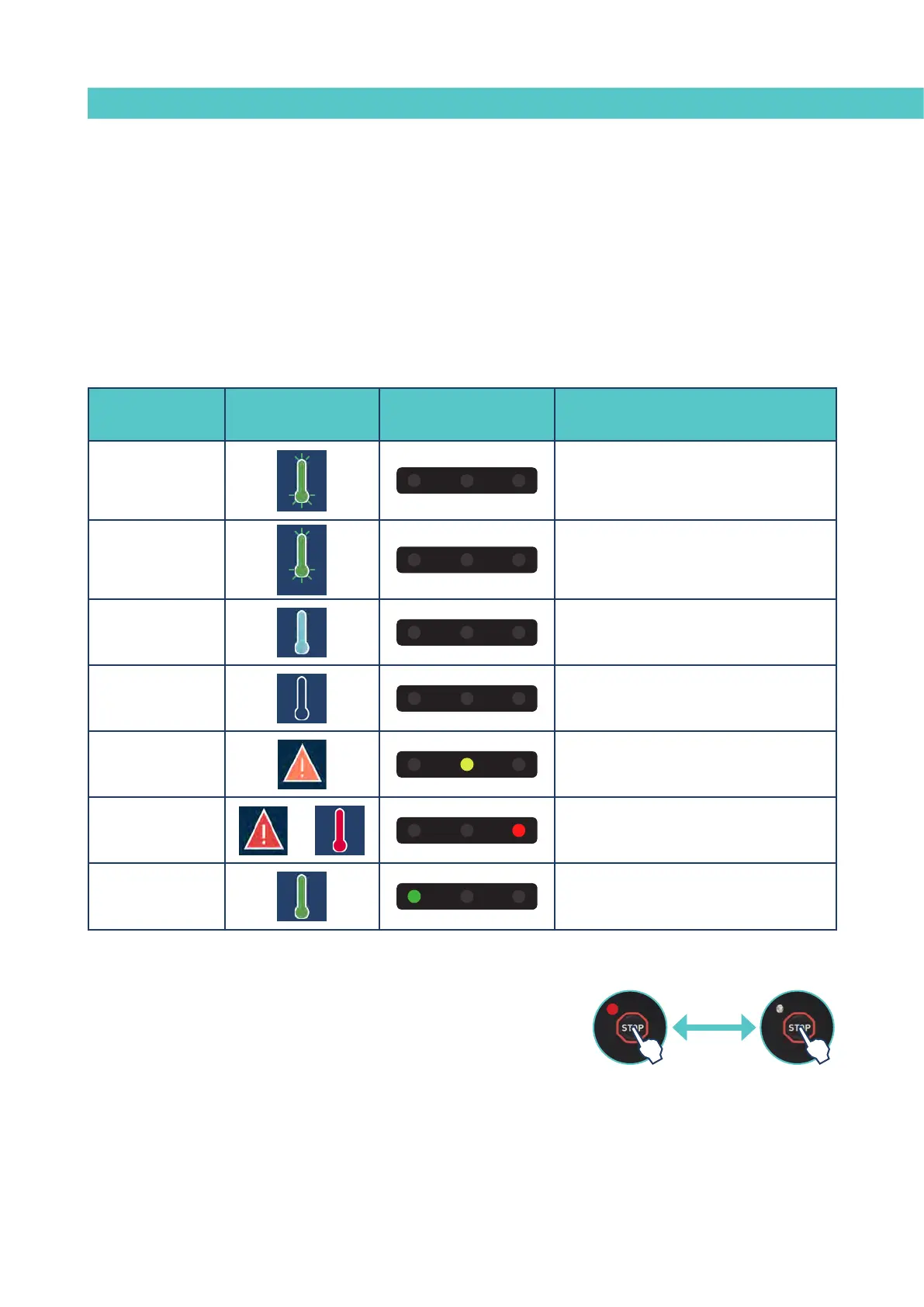
Unit status
Symbol on the
display
Central LED Description
Heating
The unit is heating the programmed zones.
Delay
08:31
The zones are at Temperature OK but the
'Pumping Permission Delay' is activated
Standby
The tank or the distributor are in standby
mode.
Inhibition
The tank or the distributor are inhibited.
Alarm: Warning
The unit has an operating error but can
continue operating.
Alarm: Error
The unit has an operating error and cannot
continue operating.
Temperature OK
The unit is ready to operate.
While the system counts down the delay time, the temperature OK
symbol flashes until the programmed time value is reached. The
screen displays the actual temperature values for each zone at all
times.
If the temperatures of all the active zones exceed the set point
temperature -3° in under 5 minutes, the unit will pass to ‘Temperature
OK’ status without taking the ‘Pumping Permission Delay’ into account.
3. Use the machine’s pressure gauge to make sure that the generated
pressure is adequate. Values below 0.5 bar may cause erratic pump
action.
Manual pumping permmision
When the unit reaches ‘Temperature OK’, the pump can be manually activated
or stopped by pressing the ‘STOP’ key.
When the pump is deactivated, the red LED next to the key stays lit.
Activate
pumping
Stop
pumping



 To Next Page