FOCKE MELER GLUING SOLUTIONS
4-6
MELTER OPERATION
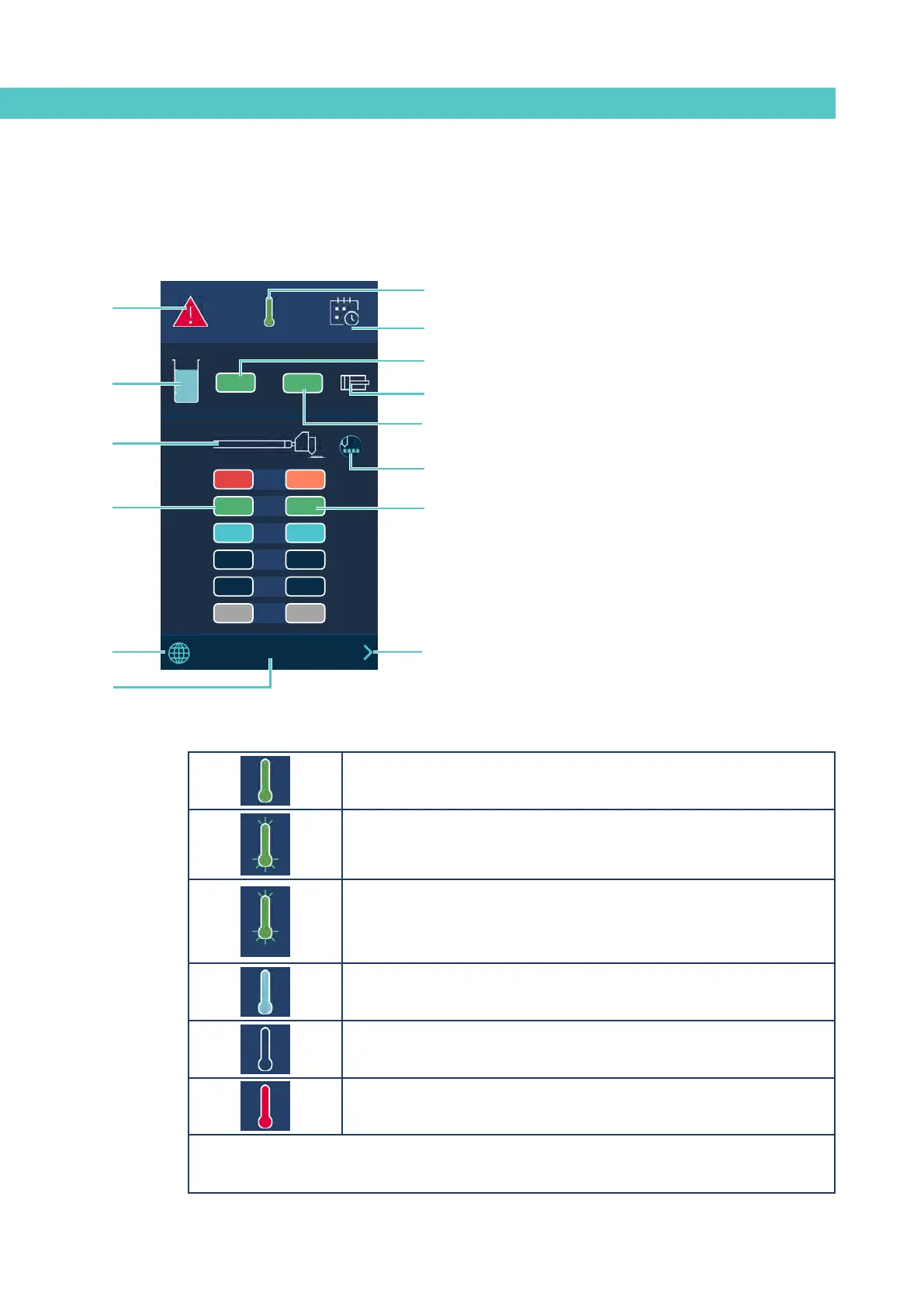
A - Alarms status and alarms menu access.
B - Temperature status and Temperature and Heating
Shortcut menu access.
C - Calendar activated/deactivated.
D - Adhesive level status.
E - Adhesive tank real temperature.
F - Pumping activated/deactivated.
G - Distributor real temperature.
H - Hoses real temperature zones.
I - Applicators real temperature zones.
J - Hose/applicator symbol.
K - Pattern controller connected to the equipment.
L - Access to the Language menu
M - The system’s time and access to the system’s Date/Time
menu.
General temperature status
to MAIN MENU screen
Temperature OK.
Unit heating up.
08:31
Unit heating up.
‘Pumping Permission Delay’ countdown timer, once all the active heated
components have reached their set point temperature ± 3°.
Unit in Standby mode.
Unit in Inhibition mode.
Unit in overheating or low temperature alarm.
Moreover, this icon shows whether the temperature is indicated in °C or °F.
Access the Temperature and Heating Shortcut displays menu by pressing the icon.
154
154
A
15:35
°C
08:31
185 170
1
154 154
2
100 100
3
--- ---
4
5
42 42
6
B
A
B
D
J
H
C
L
E
G
I
K
F
M
Home display
It is the main screen where the most representative values of the equipment
are shown.



 To Next Page