FOCKE MELER GLUING SOLUTIONS
4-4
MELTER OPERATION
Melter equipment display
The 7-inch touchscreen shows the main data and contains a user menu to
customise how your unit is configured and operated.
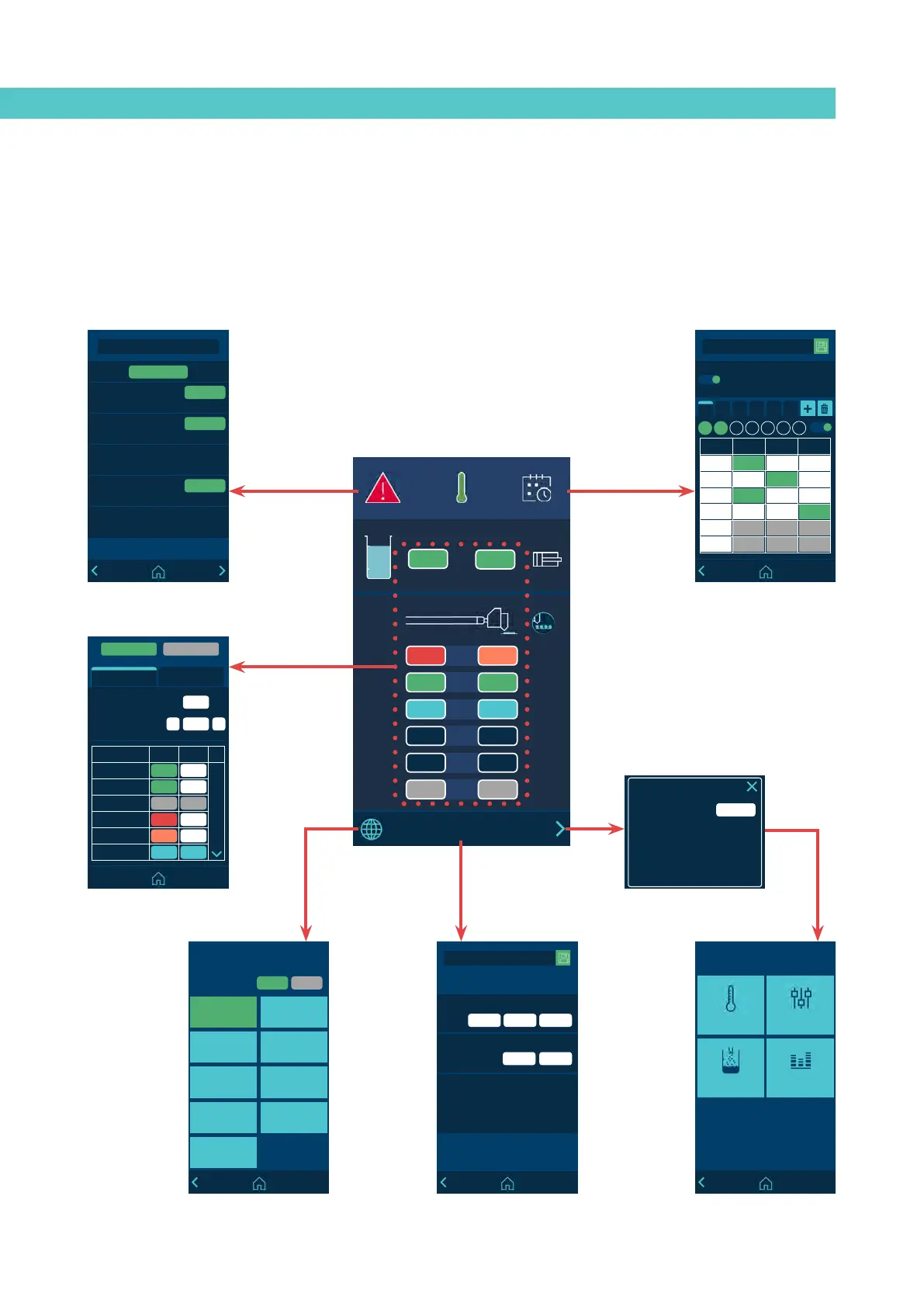
The user menu has the following structure::
154
154
A
15:35
°C
08:31
185 170
1
154 154
2
100 100
3
--- ---
4
5
42 42
6
B
150
5
+
-
General Variation
General Set-Point
General Standby General OFF
Temperature State
Area Real Set Point
T: Tank
152 150
D: Distributor
150 150
1.1: Hose 1
49 OFF
1.2: Applicator 1
170 155
2.1: Hose 2
130 145
2.2: Applicator 2
100 100
C1 C2 C3 C4 C5 C6
Calendar
Hour ON Standby OFF
07:00
11:00
13:15
15:00
00.00
00.00
Enable all the calendars
M T W T F S S
05 272019
13 35
2019-05-27 13:35
HMI : SXXXXXXXX SVNxxxx
TC : SXXXXXXXX SVNxxxx
Date & Time
Date
Time
Software version
HH MM
MM DDYYYY
Temperature sensors: PT100
******
Password:
Restore password code A: 1285
English
Español
Français
Deutsch
PortuguesItaliano
ČeskyPolski
Nederlandse
°F°C
Units and Language
Unit:
English
Alarms
2018-05-20 10:45
A19: Over temperature applicator 2
2018-05-20 11:15
A12: Main over temperature applicator 5
2018-05-20 10:03
A66: Thermostat
2018-05-20 09:12
A53: Broken sensorzone hose 6
2018-05-20 08:32
W14: Over temperature applicator 6
RESET ALL
RESET
RESET
RESET
1. Heating 2. Settings
3. Charge 4. Statistics
Menu
Home display
Alarms menu
Calendars menu
Heating menu
Access password
Date and time MenuUnits and Language menu Main menu



 To Next Page