12 – Control CS 310 / Rev.I 1.55 Control CS 310 / Rev.I 1.55 – 13
EN
5.9 5.9 Light curtain connectionLight curtain connection
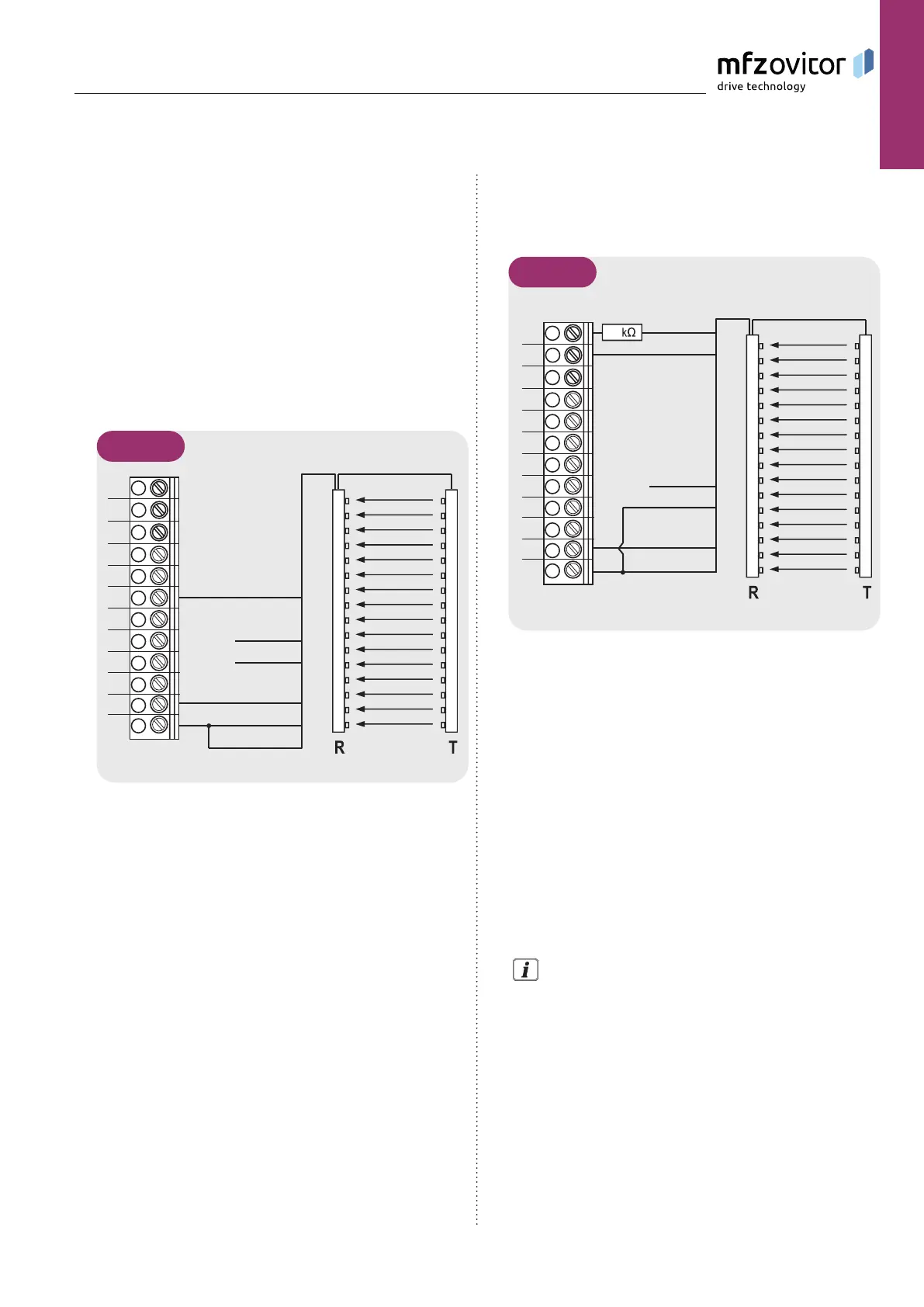
Up to two light curtains can be connected to the CS 310.
Light grid 1 (FSS output) is connected to the closing edge
protective device input.
Light grid 2 (PNP output) is connected to programmable
input2.
Light curtain 1
FSS output
Parameter SKS = MOD4
1
2
3
4
5
6
7
8
9
10
A
BK
BU
WH
BN
X4
GN
GY
11
12
5.9 / 1
Legend:
BK Black
GN Green
GY Grey
BU Blue
WH White
BN Brown
The connection cable (A) is pluggable.
Light curtain 2
PNP output
Parameter INPUT 2 = MOD 7
1
2
3
4
5
6
7
8
9
10
A
BK
BU
WH
BN
X4
GN
GY
11
12
18
5.9 / 2
R Receiver
T Transmitter
NOTICE:
The GridScan/Pro light grids from Cedes are shown on an
exemplary basis in this manual.
The GridScan/Pro light grids correspond to
− Performance Level d, category 2 per EN ISO 13849-1
− Protection level E per EN 12453:2017
Theresistor(18kΩ)isnotincludedinthescopeofsupply,
although it must be integrated in the wiring.
Diagrams from other manufacturers on inquiry.
For a precise description of the function and connection,
refer to the separate documentation for the light grid.


 To Next Page