Workstation 5 Field Service Guide 4-3
Remove and Replace the Workstation 5 FRUs
Disassembling the Workstation 5
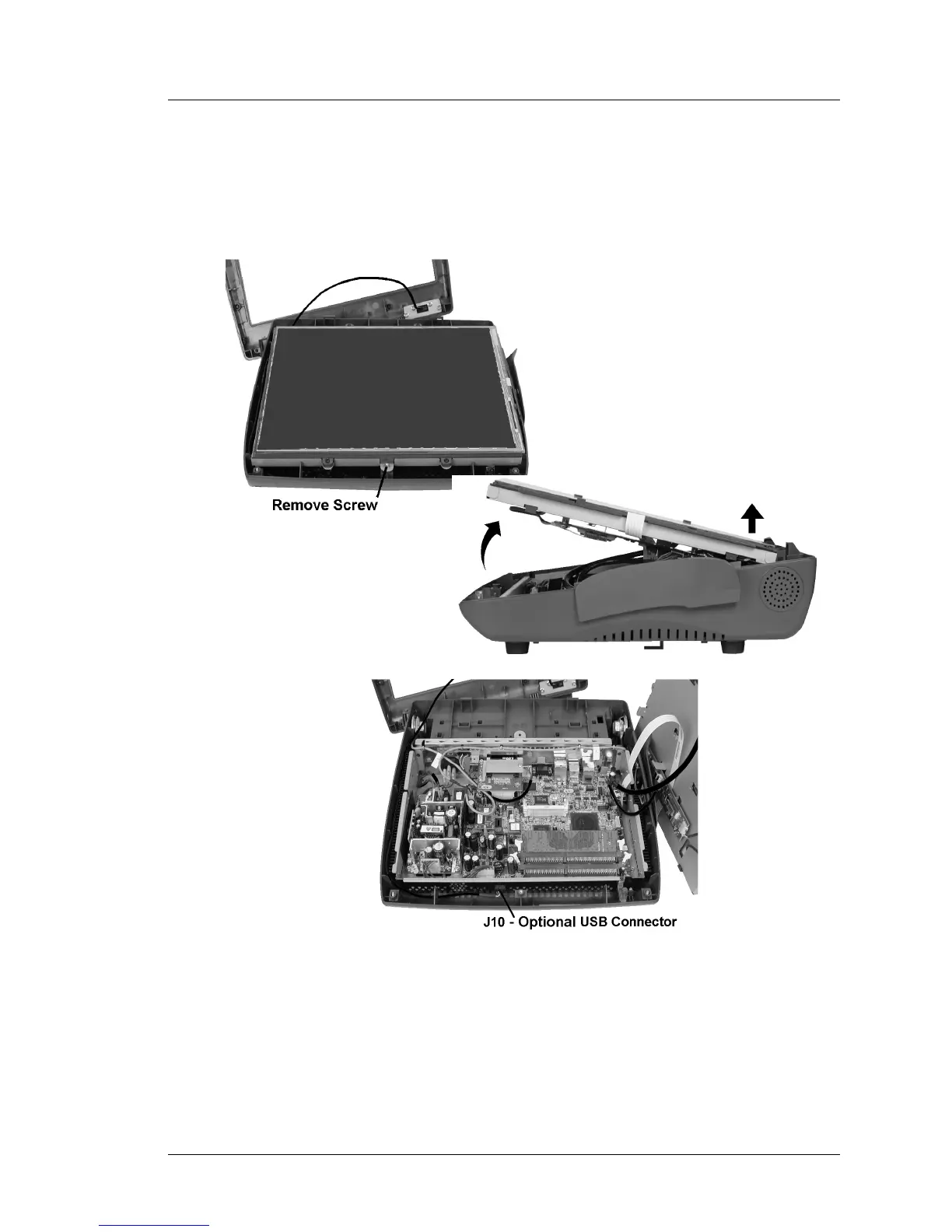
4. Remove the single screw that fastens the LCD and Touchscreen assembly
to the base as shown at the top of Figure 4-2, below. Lift the assembly out
of the base, placing it to the right of the base. Should you encounter
resistance when lifting the LCD assembly - check to see if a cable has
become snagged under the Mini-PCI connector.
Figure 4-2: Removing the LCD/Touchscreen Assembly and Cables
5. If the Finger Print reader option is installed in the top cover, remove the
interface cable from J10.



 To Next Page