Workstation 5 Field Service Guide 4-5
Remove and Replace the Workstation 5 FRUs
Magnetic Card Reader
Magnetic Card Reader
The procedure below describes how to remove and replace the Magnetic Card
Reader. The Mag Stripe Reader FRU is a complete assembly, ready to install.
Removal
1. Remove the LCD/Touchscreen assembly as previously described.
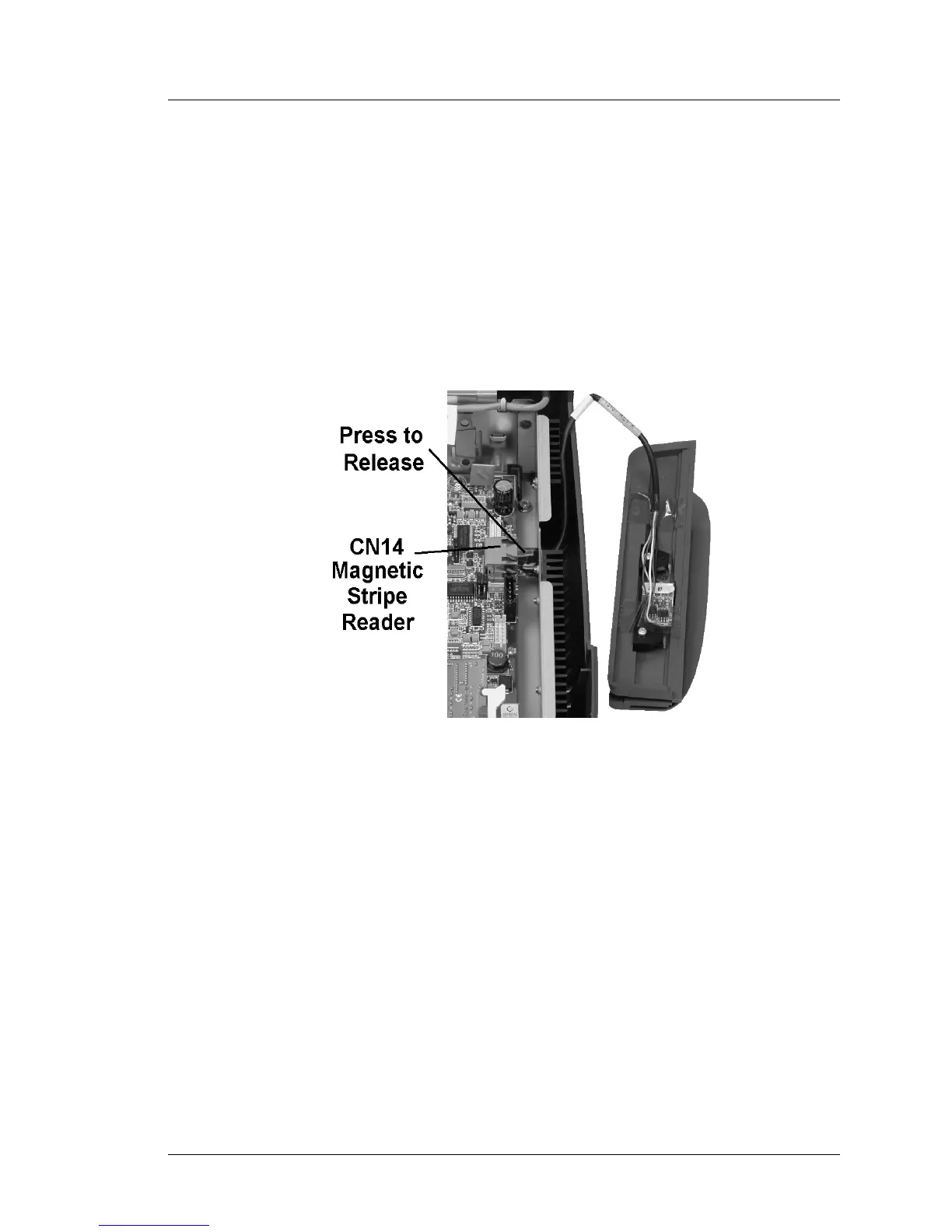
2. Remove the MSR assembly from the base. Figure 4-4.
3. Press on the tab of the modular connector to remove it from CN14. Pull the
cable out of the cut-out in the side of the chassis.
Figure 4-4: Removing the Mag Card Reader



 To Next Page