4-20 Workstation 5 Field Service Guide
Remove and Replace the Workstation 5 FRUs
The System Board
USB Flash Drive
This procedure describes how to remove and replace a USB Flash Drive.
Remove the USB Flash Drive
1. Remove the LCD/Touchscreen assembly as previously described.
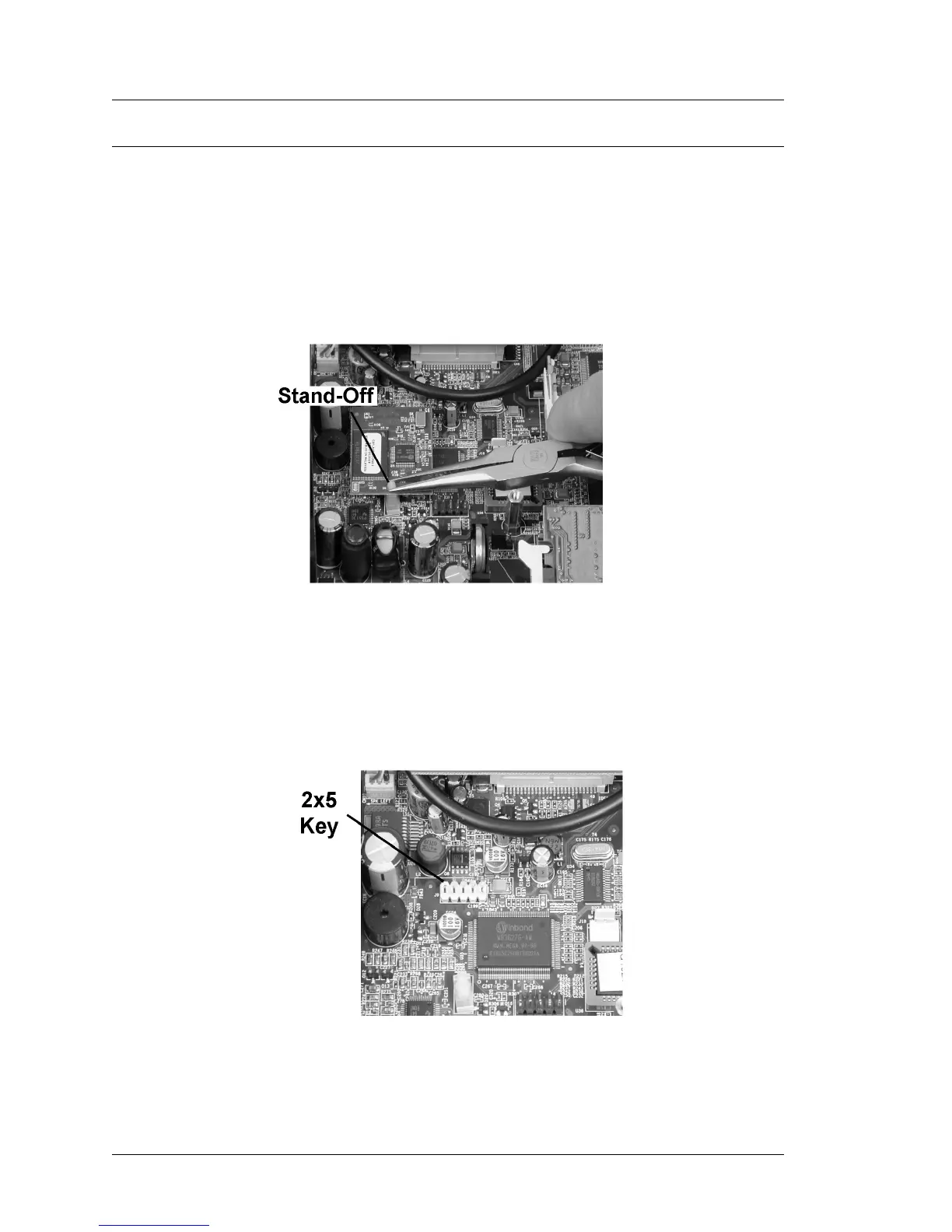
2. Refer to Figure 4-20, below. Use a pair of needle nose pliers to pinch the
stand-off and remove the USB Flash Drive from J9.
Figure 4-20: Removing the USB Flash Drive
Installation
1. Figure 4-21 points the location of J9, the USB Flash Drive socket. The
missing pin on J9 serves as a key when installing this device. However, it is
possible to offset the pins, and this will result in a POST failure.
Figure 4-21: Installing the USB Flash Drive



 To Next Page