Workstation 5 Field Service Guide 4-21
Remove and Replace the Workstation 5 FRUs
The System Board
DDR Memory
This section describes how to remove or replace a DDR DIMM.
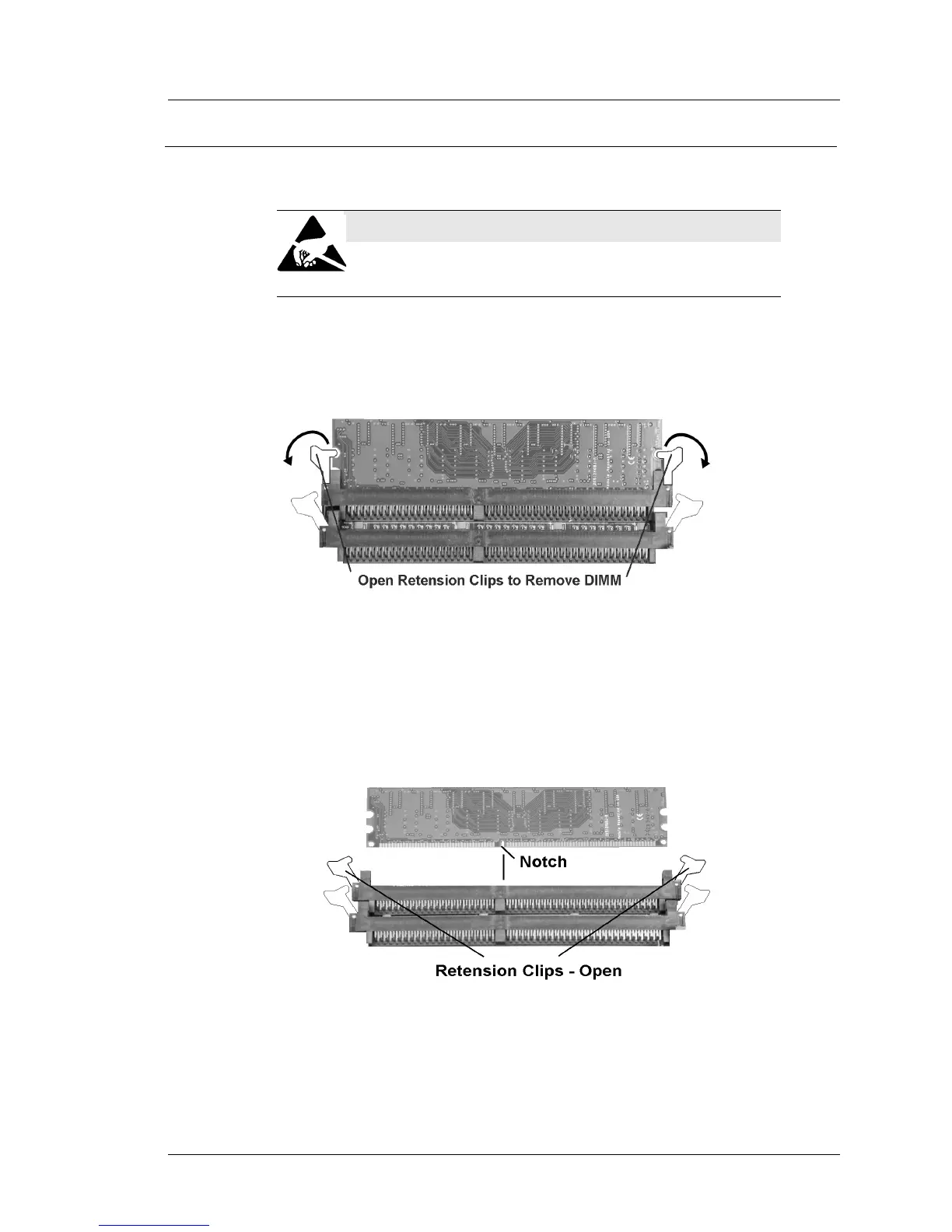
1. Refer to Figure 4-22, below. Rotate each retention clip away from the
socket. As you do this, the DIMM will lift out of the socket.
Figure 4-22: Removing a DIMM from the System Board
2. To install a DIMM, make sure each retention clip is in the open position.
The notch on the DIMM must line up with a corresponding land in the
socket. Place the DIMM in the socket. Press down on each side of the
DIMM to lock the retention clips in place
Figure 4-23: Installing a DIMM
STATIC SENSITIVE DEVICES
Always follow ESD procedures when installing or
removing DIMMs.



 To Next Page