Workstation 5 Field Service Guide 4-17
Remove and Replace the Workstation 5 FRUs
The System Board
The System Board
The following contains a procedure to remove and replace the Workstation 5
System Board.
1. See page 4-2 to remove the Top Cover and LCD/Touchscreen Assembly.
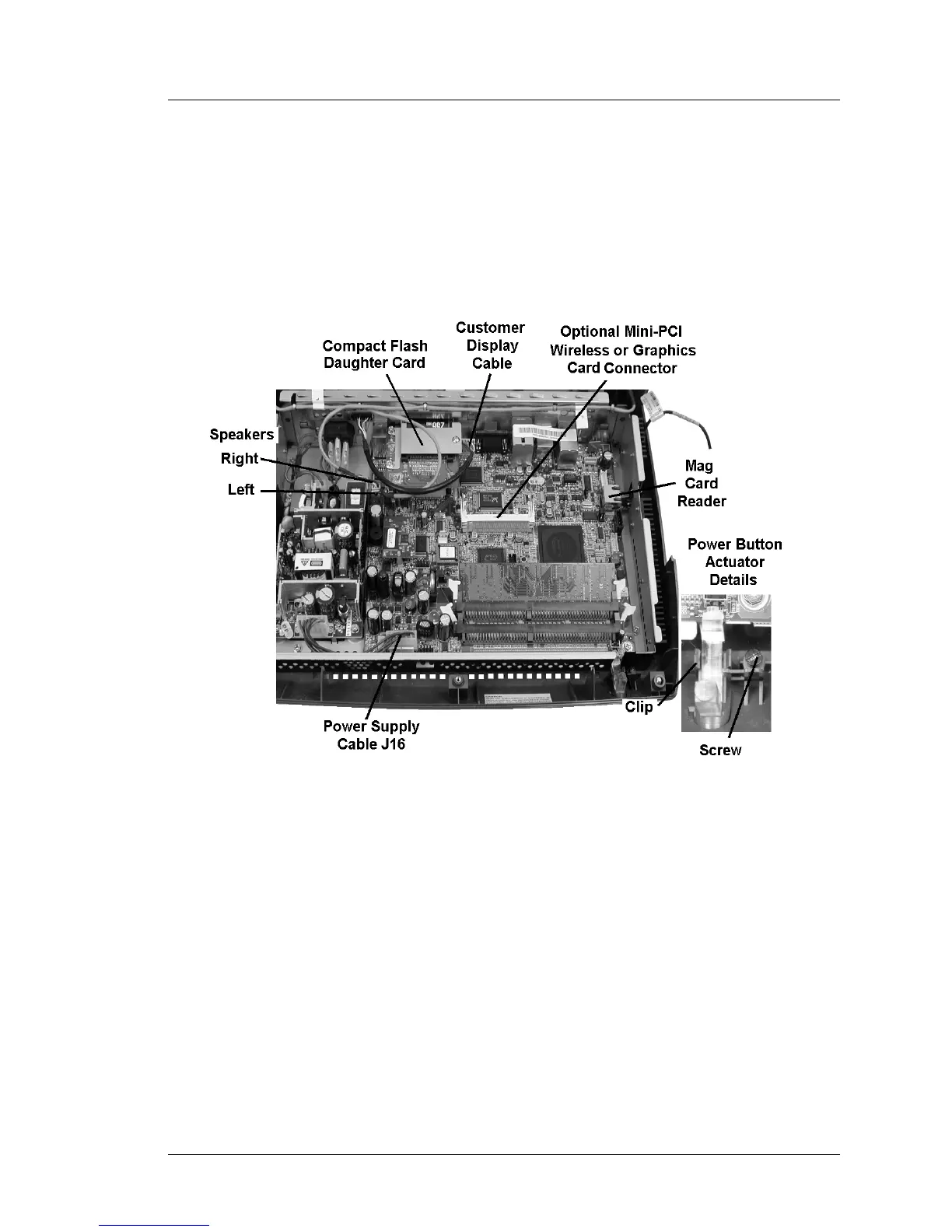
2. Refer to Figure 4-17, below and remove the items listed below.
Figure 4-17: Removing the Workstation 5 System Board Cables
o Remove the Power Supply Cable from J16.
o Remove the Left and Right Speaker Cables from CN9 and CN10.
o Remove the Integrated Customer Display Cable from J2.
o Remove the Mag Card Reader Cable from CN14.
o Remove the CF Daughter Card.
o Remove the Power Button Actuator from the workstation base.



 To Next Page