Workstation 5 Field Service Guide 3-15
Workstation 5 Troubleshooting
Checking the Power Supply and System Board Voltages
Checking the Power Supply and System Board Voltages
Before checking the power supply and system board voltages, see Chapter 2
for more information about the Standby and Working power domains as
implemented on the WS5 System Board, ABRD88.
WS5 System Board - Standby Voltages
The Standby voltages are ‘always on’ - when the unit is connected to AC
Power.
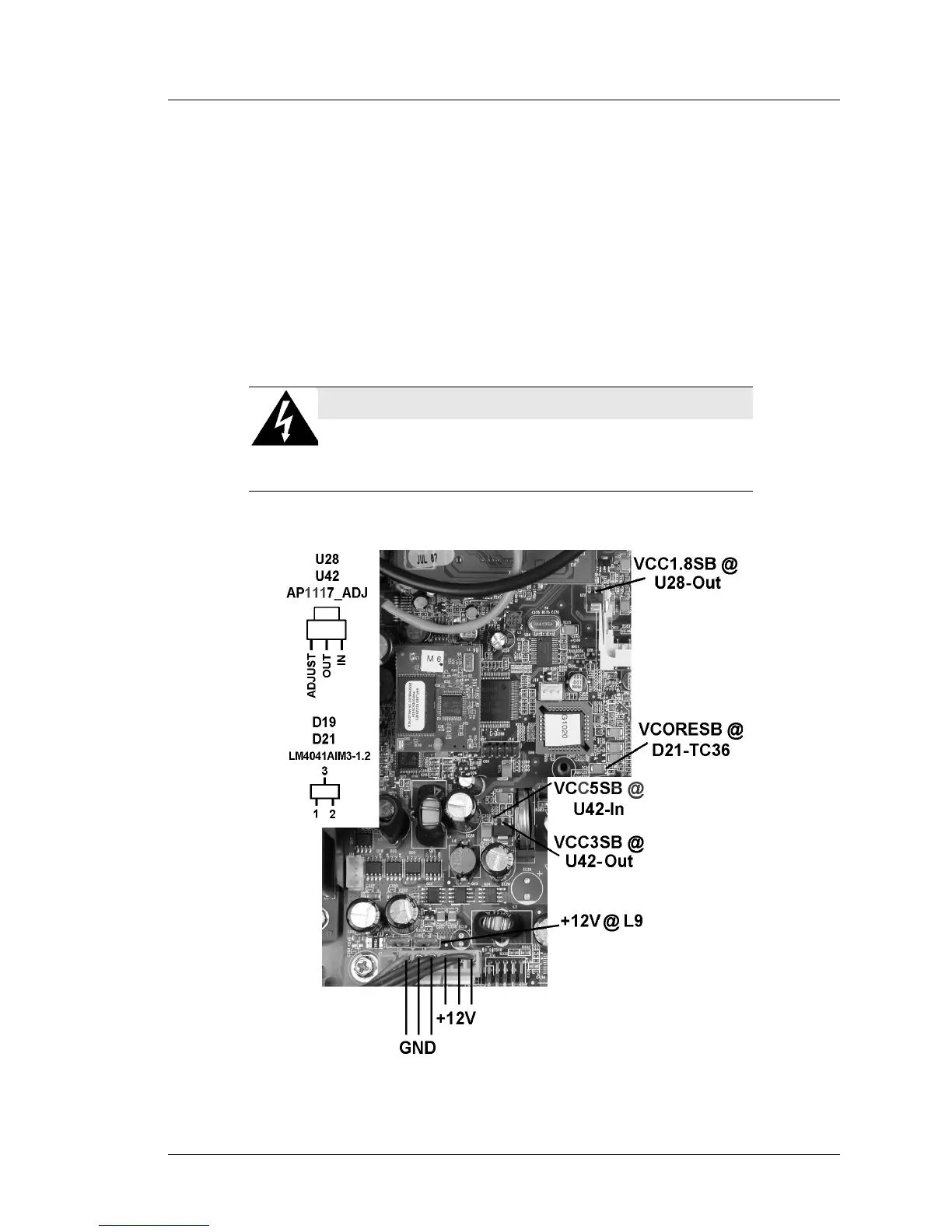
Refer to Figure 3-4 and the procedure on the next page to check the Standby
voltages in the proper sequence.
Figure 3-4: Checking the WS5 System Board Standby Voltages
SHOCK HAZARD
Hazardous AC and DC voltages are present on the power
supply heat sinks when the AC Power cable is connected to an
AC source.



 To Next Page