Workstation 5 Setup Guide B-3
Connector and Cable Diagrams
IO Panel Connectors
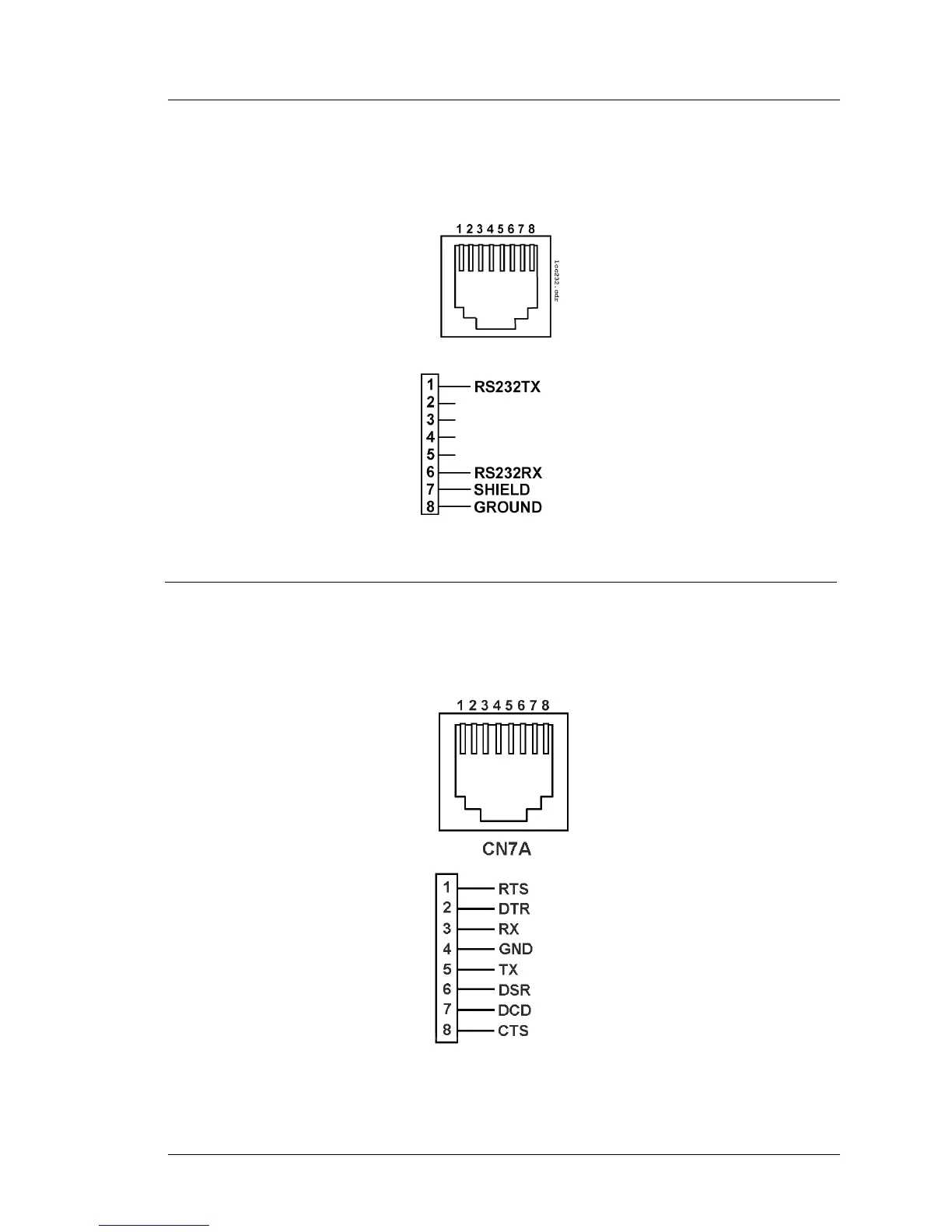
IDN - RS232 Peripheral
Figure B-2 shows the IDN port configuration for a basic RS232 interface. Use
cable P/N 300319-102 to convert this port to a DB9 connector.
Figure B-2: IDN Port Configured for RS232
COM5
The COM5 connector is a full-featured RS232 modular COM port similar to
that found on the PCWS Eclipse and 2010. Use cable P/N 300319-103 to
convert this port to a DB9 connector.
Figure B-3: COM5 Modular RS232 Connector



 To Next Page