Technical Information
52
CVA610 Coffee System
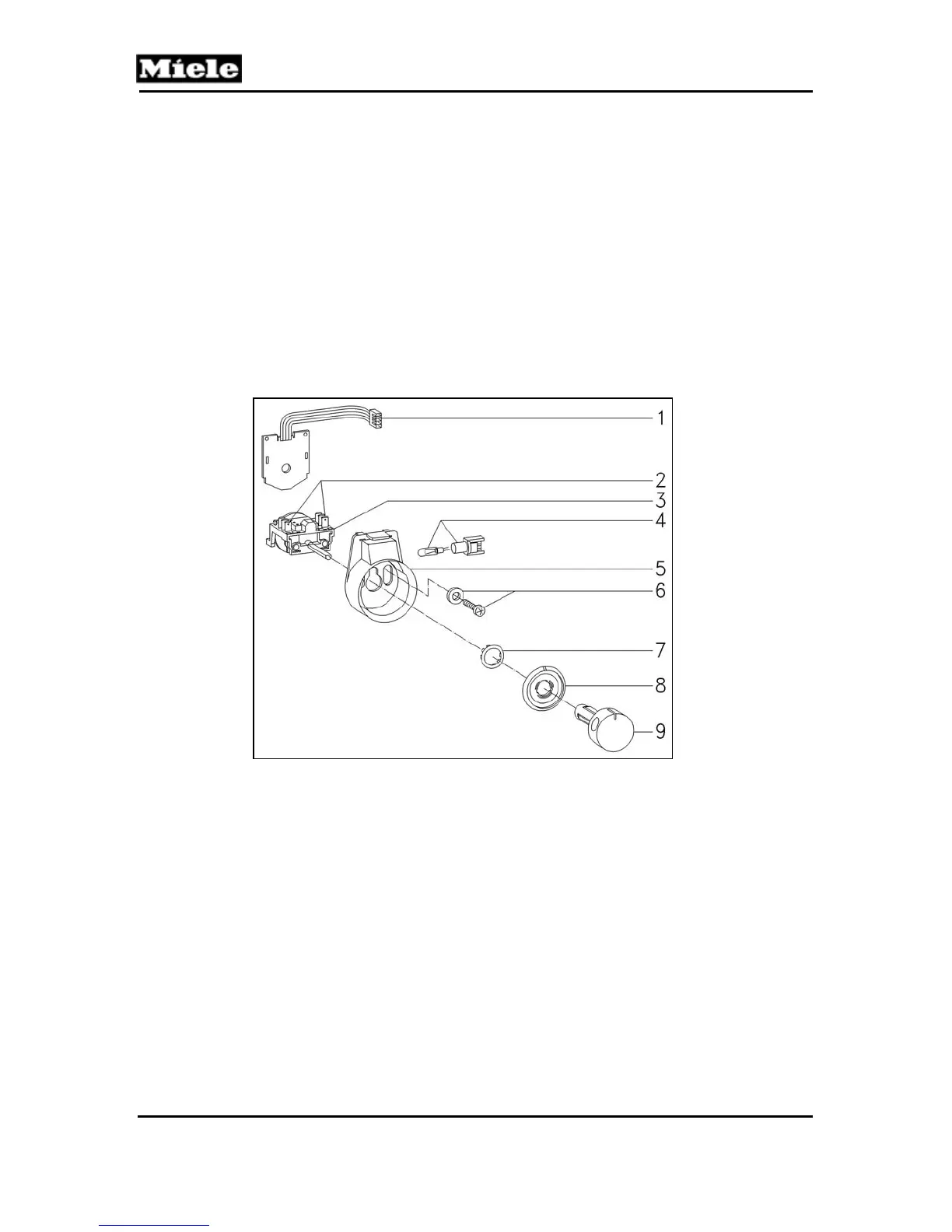
5.14 Selector Switch - Removal
Refer to figure 5-14.
1. Open the door.
2. Remove the Rear Door Panel and Fascia Panel Cover
(5.12 & 5.13).
3. Disconnect the connections from the selector switch,
4. Remove the switch knob (Item 9).
5. Remove the selector switch with its housing from the fascia.
6. Remove the selector switch fixing screws.
7. Remove the selector switch from its housing.
Figure 5-14: Selector Switch



 To Next Page